
24/7 Customer Support

Free returns

Same-day & Next-day Delivery

Quality Guaranteed

Unlock Your Welcome Offers: FREE Delivery | Up to 80% OFF | Free 30-day JoyPlus trial
Download the APP
Buying a 4K Smart TV can quickly become confusing. Screen size, HDR formats, QLED panels, Mini LED backlighting, smart platforms and gaming specifications all affect the price, but not every feature will improve your viewing experience in the same way.
For UK households, the most practical choice depends on your room, viewing habits and connected devices. A television for Freeview and Netflix does not need the same specification as a display for 4K gaming or home cinema. Before comparing models, watch for these common buying traps.
A 4K screen has a resolution of 3840 × 2160 pixels, but resolution is only one part of image performance. Contrast, backlight control, colour processing and HDR brightness also influence what you see.
A basic Direct LED television may provide sharp 4K detail, while a QLED TV can add quantum-dot colour enhancement. A Mini LED TV uses many smaller backlight zones to control bright and dark areas more precisely. These technologies can be useful, but the benefit depends on the content you watch and the lighting in your room.
Terms such as “Motion Clarity”, “Game Accelerator” and “motion enhancement” do not always mean the panel runs at the stated gaming rate. Check whether the specification refers to the native refresh rate or a processing mode available only at a particular resolution.
For example, a television may offer 120Hz Game Accelerator in Full HD while operating at a lower native rate for standard 4K input. If you want a 144Hz TV or 165Hz TV, confirm the native panel rate, supported resolution and the HDMI port requirements.
A 4K HDR TV may support HDR10, HLG, HDR10+ or Dolby Vision, but format support alone does not indicate how bright or detailed HDR images will appear. A brighter panel with local dimming can present highlights differently from a standard Direct LED model.
Also check whether your preferred streaming service, console or disc player uses the HDR format supported by the television. More formats can improve compatibility, but they should not be the only reason to upgrade.
Choose a screen that suits the room rather than simply selecting the largest model available. Measure the wall, stand and viewing position, allowing space for ventilation and cable connections.
A 43-inch or 50-inch model may suit a bedroom, study or smaller lounge. A 55-inch screen is a flexible option for many living rooms, while a large-screen TV measuring 75 or 85 inches requires careful checking of doorway, staircase and wall access.
Viewing angle also matters. VA-style panels can provide strong native contrast, but picture appearance may change when viewed significantly off-centre. If several people watch from different seats, prioritise the manufacturer’s viewing-angle information and, where possible, compare the screen in person.
For a gaming TV, look for HDMI 2.1, Auto Low Latency Mode (ALLM), Variable Refresh Rate (VRR) and a suitable input response specification. Your console or PC must also support the required resolution and refresh rate. A television cannot create a higher frame rate than the source provides.
For films and sport, motion processing can help reduce perceived blur, although preferences differ. Audio is another practical consideration. A built-in Dolby Atmos TV may create a wider sound effect, but room layout and speaker placement affect the result. Check for eARC if you plan to connect a compatible soundbar or AV receiver.
The smart platform should also match your habits. Google TV offers Google Assistant and broad app access; Tizen Smart TV integrates Samsung services and connected-device features; VIDAA Smart TV focuses on a simple interface and common streaming services. Confirm the apps you use most before buying.
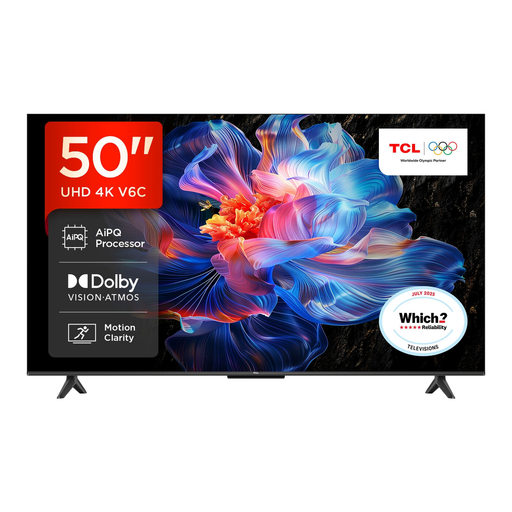
Why This Fits Their Persona: Its 50-inch size suits everyday lounge viewing, streaming and occasional gaming without moving into the cost or footprint of a larger premium display.
It lists 4K HDR, HDR10+, Dolby Vision, HDMI 2.1, ALLM and VRR, helping shoppers compare real connectivity rather than relying on a resolution label alone.
Direct LED backlighting, Google TV, Dolby Atmos audio and a stated 120Hz Game Accelerator mode in FHD.
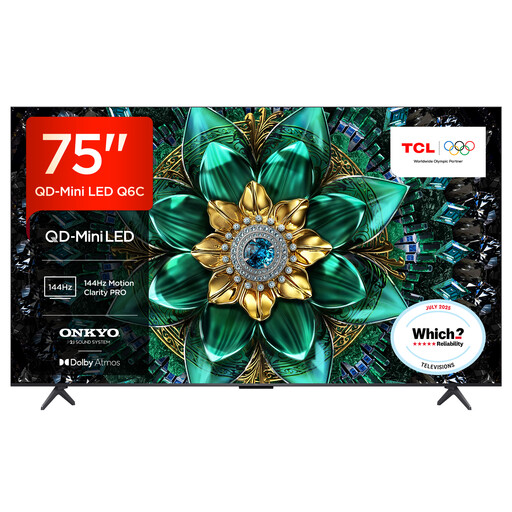
Why This Fits Their Persona: The 75-inch screen is suited to spacious lounges where films, sport and premium streaming content are central to the viewing experience.
Its specification separates QD-Mini LED backlighting from the 144Hz native display, while listing support for multiple HDR formats.
Up to 512 dimming zones, 144Hz native refresh rate, Google TV and listed Dolby Atmos and DTS:X support.

Why This Fits Their Persona: It targets console and PC players who want a high refresh rate, VRR and HDMI 2.1 connectivity in a manageable 55-inch format.
The listed 165Hz native refresh rate is accompanied by 165Hz VRR, ALLM, HDMI 2.1 and a stated input-lag figure at 4K 120Hz input.
Mini LED local dimming, QLED colour, four HDMI 2.1 ports and Dolby Atmos audio.
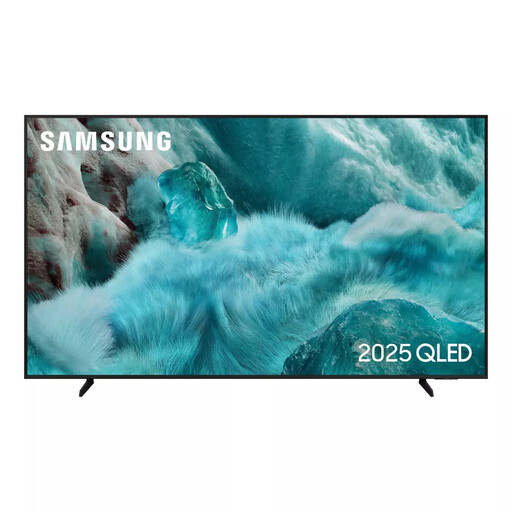
Why This Fits Their Persona: This 55-inch model is designed for households wanting a familiar smart television platform, streaming access and built-in connected features for everyday use.
The specification states a 50Hz native refresh rate, helping buyers avoid mistaking motion-processing terminology for a 120Hz or 144Hz panel.
QLED display, Tizen OS, 4K upscaling, HDR10+ support and SmartThings compatibility.
We have compiled a complete, real-time list of products that fully satisfy these strict selection criteria and UK safety regulations.
It can be a practical choice if you want sharper detail, integrated streaming apps and a single device for live and on-demand viewing. However, picture quality depends on the broadcast or stream. Lower-resolution content may be upscaled rather than displayed as native 4K.
Power consumption varies with screen size, brightness, picture mode and display technology. Larger screens generally require more power. Compare the product’s energy label and stated kWh information rather than assuming that every 4K model has the same running cost.
Lifespan depends on usage, ventilation, software support and component reliability. Keep ventilation openings clear, use a suitable wall bracket or stable stand, update the software when prompted and avoid placing the television near moisture or excessive heat. A model with the apps, ports and picture features you need is less likely to require early replacement.