
24/7 Customer Support

Free returns

Same-day & Next-day Delivery

Quality Guaranteed

Unlock Your Welcome Offers: FREE Delivery | Up to 80% OFF | Free 30-day JoyPlus trial
Download the APP
Buying one of the many 4K smart TVs available in the UK can feel straightforward until you compare panel types, HDR formats, refresh rates and smart platforms. A television may advertise 4K resolution, yet still be unsuitable for a bright lounge, next-generation console or large family viewing area.
This guide explains the specifications that matter, the marketing details worth questioning and a selection of products matched to different viewing habits.
A television may mention 144Hz, 288Hz Game Accelerator or motion-enhancement processing. These figures do not always describe the same thing. Check whether the number refers to the panel’s native refresh rate, a gaming mode or frame interpolation.
For console gaming, also confirm support for HDMI 2.1, VRR and ALLM. A high number on the product page cannot compensate for missing connectivity or a panel limited to 60Hz.
HDR performance depends on brightness, contrast control, local dimming and the content source. A smart TV with HDR may support HDR10 or HLG but offer less visible impact than a model supporting Dolby Vision, HDR10+ or Dolby Vision IQ.
The backlight design matters as well. Standard LED, QLED, QNED, OLED and QD-Mini LED TVs produce different results in dark scenes, bright rooms and wide-angle viewing.
Thin screens often have limited space for speakers. Features such as a Dolby Atmos TV label describe supported audio processing, not necessarily cinema-style sound from the built-in speakers. Check the speaker configuration, output power and whether the TV includes eARC for a soundbar.
Also measure the stand width, wall position and viewing distance. A 75-inch or larger screen requires suitable furniture, clear wall space and careful installation. The UK energy label, shown from A to G, is another practical comparison point.
Do not compare these labels alone. Look at the complete specification, including panel type, dimming system, HDR formats and viewing environment.
For a 144Hz gaming TV, check whether 144Hz is available through a suitable input and compatible source. A VRR gaming TV should state its supported refresh-rate range. For consoles and gaming PCs, HDMI 2.1 can provide higher bandwidth for 4K gaming at elevated refresh rates.
Useful features include:
Choose the interface your household already understands. Google TV brings streaming services, apps, voice control and casting into one platform. Other systems, such as webOS and Tizen, offer their own app libraries and smart-home features.
For audio, check whether the television has a 2.0 or 2.1 system, the stated wattage and support for Dolby Atmos. A built-in subwoofer or eARC connection may reduce the need for immediate soundbar spending, but room acoustics still affect the result.
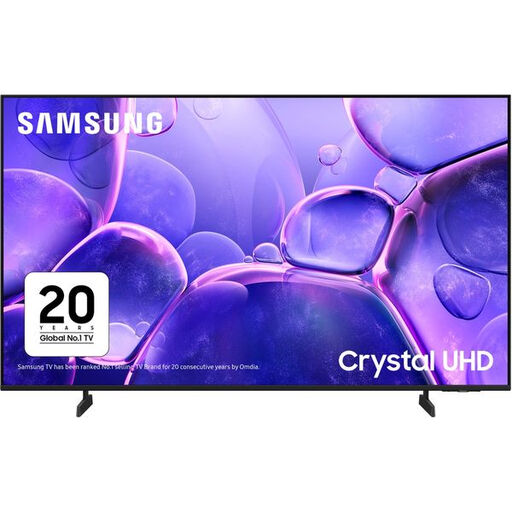
Why This Fits Their Persona: A practical choice for UK households wanting a 55-inch connected TV for streaming, Freeview Play and everyday viewing without moving into specialist gaming specifications.
Its listed native refresh rate is 50Hz, making the specification clear rather than implying high-refresh competitive gaming performance.
4K resolution, Tizen smart platform, Wi-Fi, Bluetooth, HDR10 support and three HDMI connections.
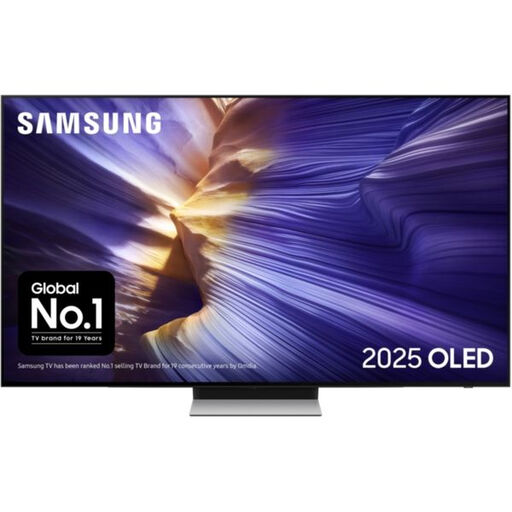
Why This Fits Their Persona: Suits film viewers and gamers who prioritise OLED contrast, advanced picture processing and a slim design for a dedicated lounge or cinema space.
The listing separates its 100Hz native rate from supported 144Hz refresh rates, helping buyers assess gaming claims accurately.
OLED panel, four HDMI ports, VRR, AMD FreeSync Premium Pro and 60W 2.1.2-channel audio with Dolby Atmos.
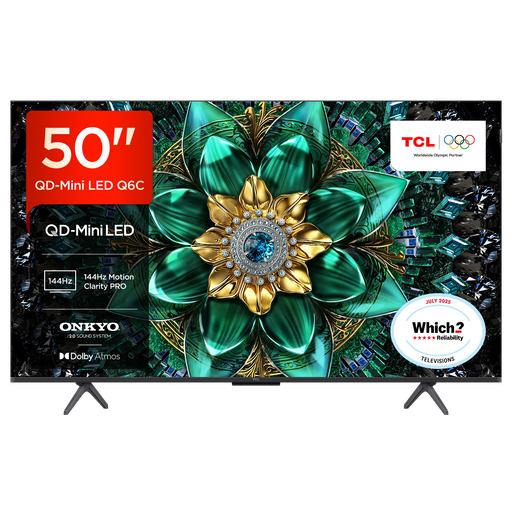
Why This Fits Their Persona: Designed for buyers combining sports, console gaming and streaming in a smaller UK living room where contrast, speed and connectivity all matter.
The specification identifies 120Hz operation and up to 144Hz VRR, alongside HDMI 2.1, ALLM and FreeSync Premium Pro.
QD-Mini LED backlighting, up to 512 dimming zones, Google TV, Dolby Vision IQ and 30W Onkyo audio.
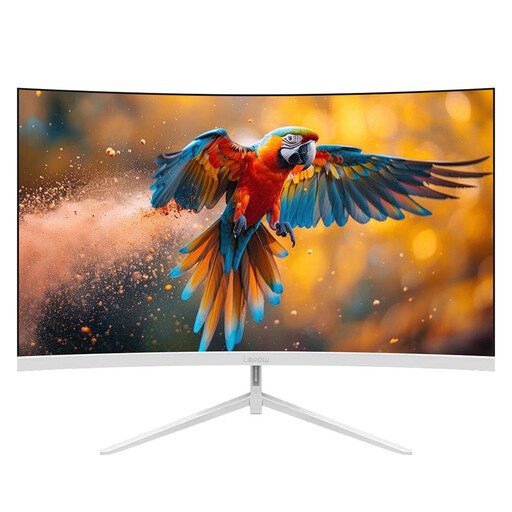
Why This Fits Their Persona: A separate display option for PC users who need a fast screen for gaming, productivity or content work rather than a living-room television.
Its stated 180Hz refresh rate is paired with FHD resolution, so buyers can weigh speed against the absence of 4K detail.
27-inch curved VA display, 180Hz refresh rate, 120% sRGB coverage, HDMI and DisplayPort inputs.
We have compiled a complete, real-time list of products that fully satisfy these strict selection criteria and UK safety regulations.
They can be, but check for 4K at 120Hz, HDMI 2.1, VRR and ALLM. Some 4K smart TVs support VRR only up to 60Hz, which may be adequate for many games but does not provide the same specification as a 120Hz gaming TV.
Lifespan depends on usage, ventilation, software support and component quality. Keep the set away from moisture and heat, leave ventilation openings clear and install large screens securely. Review the stated manufacturer warranty before purchase; the products listed above carry different warranty periods.
Consumption varies by screen size, panel technology, brightness and viewing hours. A larger display generally uses more energy than a smaller one. Compare the UK energy label and the listed kWh-per-1,000-hours figures, then use power-saving settings where suitable.