
24/7 Customer Support

Free returns

Same-day & Next-day Delivery

Quality Guaranteed

Unlock Your Welcome Offers: FREE Delivery | Up to 80% OFF | Free 30-day JoyPlus trial
Download the APP
Choosing among today’s 4K Smart TVs involves more than comparing screen size and price. A television may advertise QLED colour, 120Hz gaming, Dolby Atmos or AI picture processing, yet still be unsuitable for your room, viewing habits or connected devices.
As the Joybuy Product Recommendation Officer, my role is to filter the specifications that matter from the features that sound impressive but may have limited practical value. This guide covers common buying traps, essential technical checks and a selection of models for different UK households.
A larger screen is not automatically a better choice. A 75-inch television can dominate a small lounge, while a 43-inch model may feel undersized in a larger open-plan room. Check the TV’s actual width, stand depth and wall-mount requirements, rather than relying only on the diagonal measurement.
You should also consider viewing distance. A very large screen viewed from too close may make lower-quality broadcast content look less refined, while 4K streaming and UHD Blu-ray benefit from a closer seating position than standard HD content.
Terms such as 120Hz TVs, 144Hz gaming TVs and “Game Accelerator” can describe different operating modes. Some televisions offer a native 120Hz panel, while others use motion processing or a lower-resolution gaming mode to achieve a higher stated figure.
For console or PC gaming, check whether the specification supports 4K at 120Hz, the required resolution at 144Hz and whether the relevant HDMI ports are HDMI 2.1. A high number on the box does not by itself confirm that every game will run at that refresh rate.
Dolby Atmos support does not necessarily mean the TV will produce overhead, room-filling sound. The result depends on speaker placement, audio power, room shape and the content source. A television with a 2.1-channel system and a built-in subwoofer may offer fuller sound than a slim two-channel model, but a separate soundbar or AV system can still provide a more expansive presentation.
Also check for eARC, which can pass compatible high-bandwidth audio to a soundbar or receiver.
The label alone is not enough. Compare HDR formats, panel refresh rate, viewing angle, processor features and energy information.
A 4K HDR TV should list the HDR formats it supports. HDR10 and HLG are widely used, while Dolby Vision and HDR10+ may be available on selected services and devices. Compatibility does not guarantee identical results across every source, so confirm that your streaming box, console and favourite services use the formats supported by the television.
The operating system also affects everyday convenience. Google TV brings apps, recommendations, Google Assistant and Google Cast together. Samsung Smart TVs use Tizen, while LG Smart TVs use webOS. Sony BRAVIA TVs commonly pair Google TV with Google Cast and selected PlayStation features. Check app availability in the UK before purchase rather than assuming every platform offers identical services.
For modern consoles and gaming PCs, look for:
Finally, measure the wall or furniture carefully. Confirm the VESA mounting pattern, cable clearance, stand width and ventilation space. Keep the television secure and allow airflow around it.
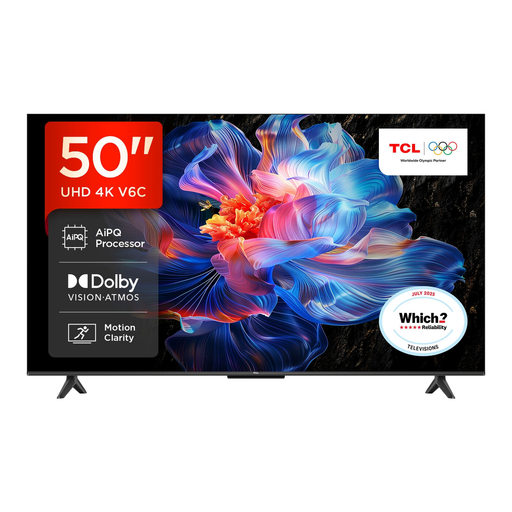
Why This Fits Their Persona: A 50-inch format suits many bedrooms, smaller lounges and first-home setups, with Google TV for streaming and voice control.
Its specifications identify Direct LED, HDR format support, HDMI 2.1, VRR and ALLM instead of relying only on a refresh-rate headline.
4K HDR resolution, Dolby Atmos support, Google Assistant and a bezel-less metal design.
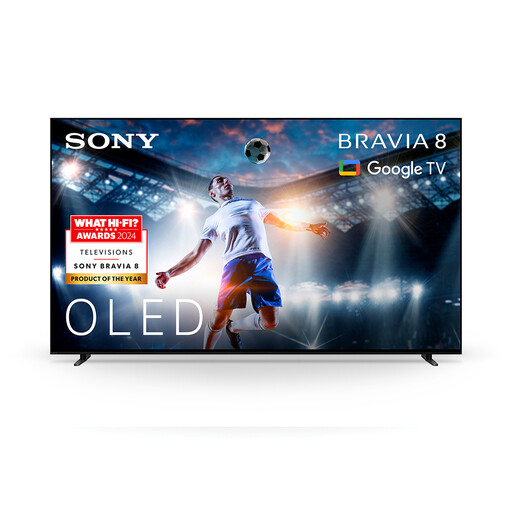
Why This Fits Their Persona: The OLED panel is suited to film and series viewers who prioritise contrast, with Google TV and PlayStation-friendly features for a connected lounge.
It uses OLED rather than a generic “cinema” label, and lists Dolby Vision, Dolby Atmos and Acoustic Surface Audio + features.
65-inch OLED display, XR processor features, Google Cast and support for Dolby Vision and Dolby Atmos.
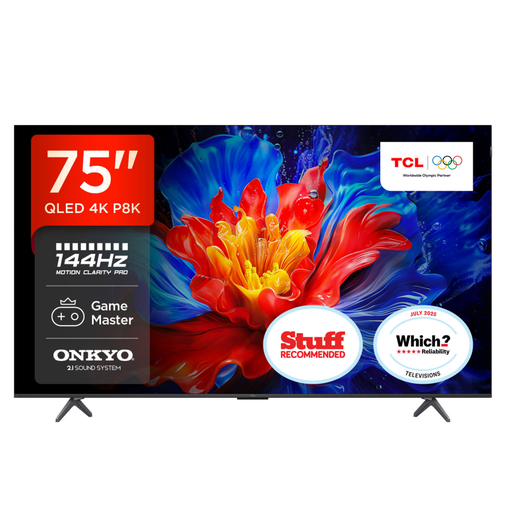
Why This Fits Their Persona: The large QLED display is aimed at households watching sport, films and games together from a greater seating distance.
The listing specifies a 120Hz panel, up to 144Hz VRR gaming, four HDMI 2.1 ports and ALLM, making the connection requirements clearer.
75-inch QLED display, 35W Onkyo 2.1 audio, Dolby Atmos support and Google TV.
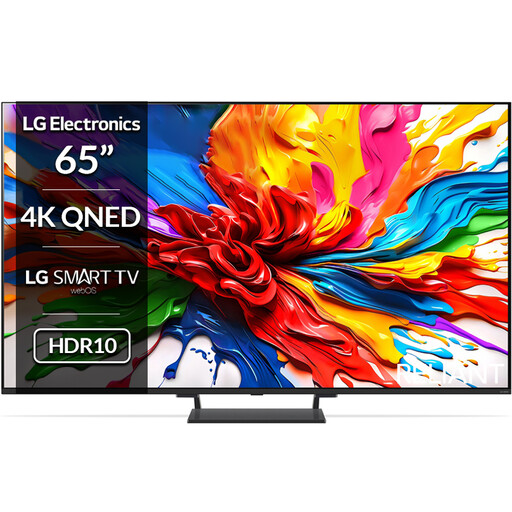
Why This Fits Their Persona: Mini LED backlighting, a 65-inch panel and 144Hz VRR support suit mixed daytime viewing and fast-paced console or PC gaming.
The listing distinguishes a native 120Hz panel from its up-to-144Hz VRR mode and identifies four HDMI 2.1 inputs.
Mini LED backlight, Dolby Vision, Dolby Atmos, webOS 25, FreeSync and Game Optimiser.
We have compiled a complete, real-time list of products that fully satisfy these strict selection criteria and UK safety regulations.
It can be useful for sport, fast-action films and compatible console or PC games. However, many broadcast programmes and films are not supplied at 120 frames per second. If you mainly watch catch-up television, a quality 60Hz model may meet your needs. Check for genuine 4K 120Hz support if gaming is the reason for upgrading.
Running costs depend on screen size, brightness, HDR use and daily viewing time. Check the product’s UK energy label and the stated consumption per 1,000 hours. Larger screens and bright Mini LED or QLED modes may use more electricity than smaller models. Energy-saving settings can reduce brightness, but may alter the picture.
There is no fixed lifespan for every model. Panel technology, usage, ventilation, software support and power conditions all matter. Before ordering, check the manufacturer warranty, update policy, available UK streaming apps and replacement remote options. This information is often more useful than a long list of processing features.