
24/7 Customer Support

Free returns

Same-day & Next-day Delivery

Quality Guaranteed

Unlock Your Welcome Offers: FREE Delivery | Up to 80% OFF | Free 30-day JoyPlus trial
Download the APP
Buying one of the many 4K smart TVs available in the UK can feel straightforward until you compare screen technologies, streaming platforms, HDR formats, refresh rates and energy labels. A television may look impressive in a product image yet be unsuitable for your room, games console or preferred live-TV service.
The following guide highlights common buying traps, explains the specifications that matter and matches several options to different household needs.
A 4K Ultra HD TV has a resolution of 3840 × 2160 pixels, but resolution is only one part of picture quality. Panel type, backlighting, processing and viewing distance also affect what you see.
An LED smart TV, QLED TV and OLED TV use different display technologies:
The right choice depends on your room, viewing habits and budget rather than the resolution label alone.
HDR TV specifications can list Dolby Vision, HDR10, HDR10+ or HLG. These formats help compatible content carry a wider range of brightness and colour information, but the final result also depends on the panel’s brightness and picture processing.
Check which formats are supported and whether they match the services or discs you use. A television listing that simply says “HDR” may not tell you enough about compatibility.
A large screen can be absorbing, but it needs suitable viewing distance, wall space and furniture. Measure the available width, stand depth and mounting area before ordering. Remember that an 85-inch television may be close to 1.9 metres wide, while even a 75-inch model can require a substantial media unit.
Also check the delivery route, doorways and whether the TV can be safely secured against tipping. If wall mounting, confirm the VESA mounting pattern, bracket capacity and wall construction.
For living rooms, 43 to 65 inches covers many common viewing setups. A 75-inch or larger screen may suit a spacious room where viewers sit far enough away to take advantage of the extra size. Bedrooms, kitchens and guest rooms may be better suited to 32 or 43-inch models.
A smaller 4K screen can still offer sharp detail, but the difference from Full HD is more noticeable when the display is larger or viewed at a moderate distance.
Choose the display type according to your priorities:
For HDR, look for clearly listed formats such as Dolby Vision, HDR10+ and HLG. HLG is particularly relevant to some broadcast content, while Dolby Vision and HDR10+ are used by selected streaming services and films.
Many standard televisions operate at 50Hz or 60Hz, which is suitable for ordinary television, films and most streaming. TVs for gaming may offer a higher native refresh rate, Variable Refresh Rate (VRR) and Auto Low Latency Mode (ALLM).
Check the number and specification of HDMI ports. Three HDMI connections may be enough for a console, soundbar and set-top box, while four provide additional flexibility. An eARC HDMI connection is useful for sending higher-quality audio to a compatible soundbar or AV receiver.
The operating system affects app availability, navigation and voice-control compatibility. Common platforms include Tizen OS TV, VIDAA OS TV and Roku TV. Confirm that your preferred services are available before buying.
For aerial-free live television, check whether the model includes Freely TV over Wi-Fi. A Freeview TV may use a built-in tuner and aerial connection, while some TVs offer both traditional tuning and internet-based services.
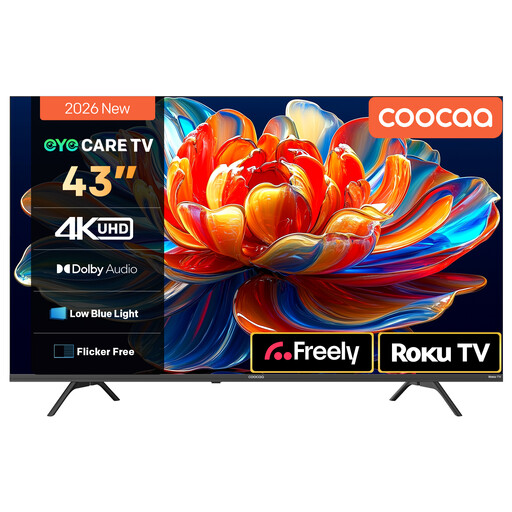
Why This Fits Their Persona: A compact 43-inch option for flats, bedrooms or first-time buyers who want 4K streaming without using a large amount of wall or furniture space.
The listing specifies 4K resolution, HDR10 and HLG support rather than relying only on a generic “HD” description.
Roku TV platform, built-in Wi-Fi, Dolby Audio, MEMC motion processing and voice-assistant compatibility.
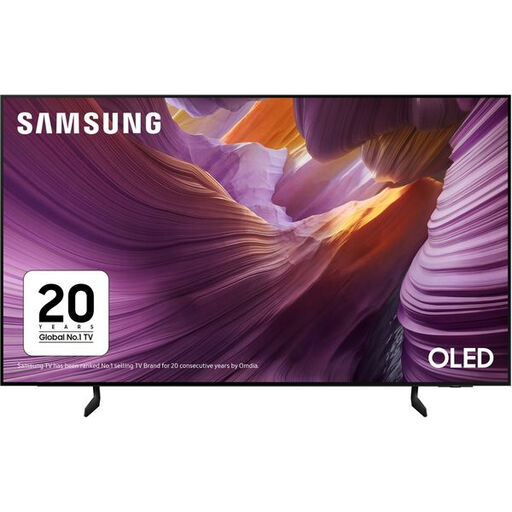
Why This Fits Their Persona: Suits film fans and households seeking an OLED panel, a 65-inch screen and a smart platform with extensive connectivity.
The specification lists OLED technology, a 100Hz native refresh rate and supported refresh rates up to 120Hz.
Four HDMI ports, eARC, VRR, ALLM, AMD FreeSync Premium and Tizen OS.
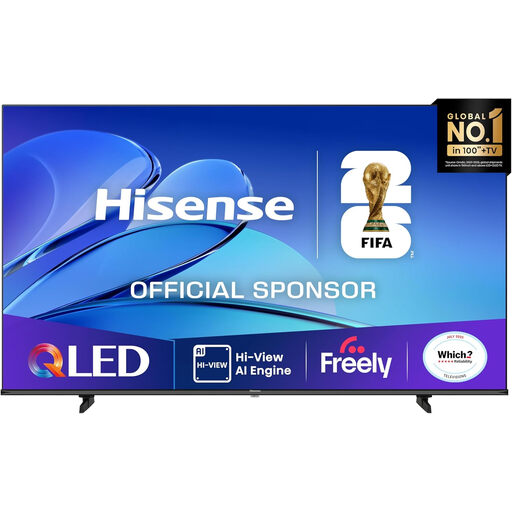
Why This Fits Their Persona: Designed for spacious living rooms, family film nights, major sporting events and console gaming on a very large display.
The listing states the screen dimensions, stand dimensions and mounting-free depth, helping buyers plan placement before purchase.
QLED colour, Dolby Vision, HDR10+, Dolby Atmos, 30W audio, VRR and ALLM.
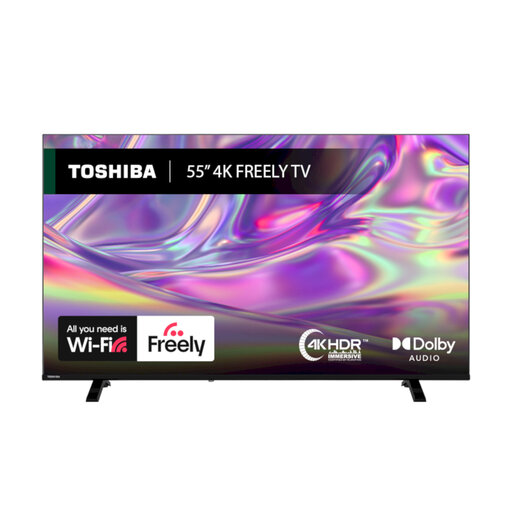
Why This Fits Their Persona: A practical living-room choice for viewers who want live UK television and streaming through Wi-Fi rather than relying solely on an aerial.
Freely is listed as built in, with Wi-Fi setup instructions and an aerial option for households that still use traditional tuning.
Dolby Vision, HDR10, HLG, VIDAA OS, TRU Resolution upscaling, Bluetooth and a 200 × 200 mm VESA mount.
We have compiled a complete, real-time list of products that fully satisfy these strict selection criteria and UK safety regulations.
They can be, but check more than resolution. Look for ALLM, low input lag, VRR and suitable HDMI bandwidth. A 50Hz or 60Hz model may suit casual gaming, while a TV with a 100Hz or 120Hz panel can be more appropriate for consoles that support higher frame rates.
Freely TV is designed to deliver compatible live and on-demand services through an internet connection, so an aerial may not be required. Availability can vary by model, location and service, so check the product listing and ensure your home broadband connection is reliable.
Running costs depend on screen size, panel technology, brightness settings and viewing time. Compare the A–G energy label and the stated kWh consumption per 1,000 hours. Larger-screen TVs generally require more energy than smaller models, so choose a size that suits both your room and viewing habits.