
24/7 Customer Support

Free returns

Same-day & Next-day Delivery

Quality Guaranteed

Unlock Your Welcome Offers: FREE Delivery | Up to 80% OFF | Free 30-day JoyPlus trial
Download the APP
Buying one of the many 4K Smart TVs available in the UK can be confusing. Screen size, QLED, Mini LED, HDR, gaming refresh rates and smart platforms all affect the price, but not every feature will improve your viewing experience in the same way.
The right choice depends on your room, viewing distance, content and connected devices. This guide explains the specifications that matter, highlights common buying traps and matches selected models to different household needs.
A television may advertise a high refresh rate or a gaming accelerator, but this does not always mean that every 4K game or film will run at that rate. Some models support higher refresh rates only at lower resolutions or through specific gaming modes.
For example, a TCL V6C model lists a 120Hz Game Accelerator for Full HD, while its core display remains a 4K panel. If smooth console gaming is your priority, check the detailed specifications for 4K 120Hz support, HDMI 2.1, VRR and ALLM rather than relying on a headline figure.
HDR TV compatibility means the television can process formats such as HDR10, HLG, HDR10+ or Dolby Vision. It does not, by itself, confirm how bright the screen is or how effectively it handles dark scenes.
Direct LED, QLED and Mini LED designs can produce different results. A TV with local dimming may control contrast more precisely than a basic edge-lit model, while a QLED TV can use quantum-dot technology to expand colour performance. Always consider the backlight design alongside the HDR label.
A large screen can dominate a smaller UK lounge, while a compact television may feel underwhelming in a wide living room. Measure the available wall or furniture space, including the stand width and depth. If wall mounting, check the VESA pattern, wall strength and cable access before ordering.
Also allow ventilation space around the set and secure it properly if children or pets are present. A wall-mounted 85 inch TV requires more planning than a 43 inch 4K TV, including delivery access and suitable mounting equipment.
A 4K Ultra HD TV normally has a resolution of 3840 × 2160 pixels, providing four times the pixel count of Full HD. This is useful for detailed films, modern console games and high-quality streaming, although the source content and viewing distance still affect the visible benefit.
Common choices include:
Do not choose by diagonal measurement alone. Compare the overall width, stand position, screen height and your normal seating distance.
A standard LED or Direct LED model can provide a sensible balance of price, brightness and energy use. QLED TVs add a quantum-dot layer designed to produce a wider colour range. Mini LED TVs use smaller backlight elements and, where local dimming is available, can offer more controlled contrast than conventional LED designs.
These technologies are not interchangeable. A QLED label does not automatically mean local dimming, and Mini LED performance depends on the number and control of its dimming zones. Consider the content you watch: films in a darker room may benefit from stronger contrast, while daytime sport may place more emphasis on brightness and motion handling.
Compare the operating system as carefully as the panel. Google TV brings apps, recommendations and Google Assistant voice control into one interface. Samsung Smart TV models use Tizen, while Hisense Smart TV products in this selection use VIDAA. Check that your preferred services are available and that the interface supports the way your household watches.
For consoles, look for:
Built-in speakers are convenient, but a Dolby Atmos TV cannot reproduce a full cinema-style system on its own. Look for eARC if you plan to connect a compatible soundbar or AV receiver.
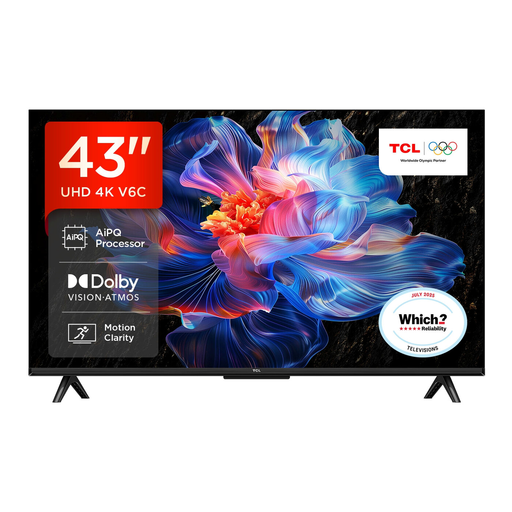
Why This Fits Their Persona: A compact 4K screen for flats, bedrooms or smaller lounges, with Google TV and built-in voice control for everyday streaming.
Its 43-inch size helps reduce installation and space-planning problems, while the product information clearly identifies Direct LED and the stated gaming accelerator limitation.
4K resolution, HDR10+, Dolby Vision, Google Assistant and HDMI 2.1 with VRR and ALLM.
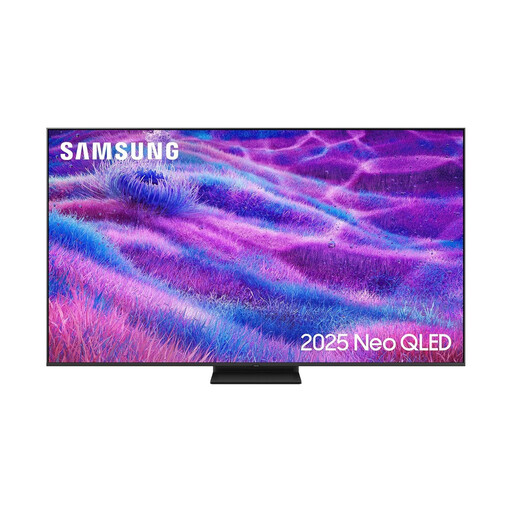
Why This Fits Their Persona: A large-screen option for spacious lounges, film nights and households that want a Mini LED backlight with Samsung’s Tizen platform.
The listing specifies Mini LED backlighting, a 100Hz native refresh rate and support up to 144Hz, rather than relying only on a general motion label.
75-inch 4K resolution, Mini LED backlighting, four HDMI ports, VRR, ALLM and Dolby Atmos decoding.

Why This Fits Their Persona: Designed for console gamers, sports viewers and film fans who need fast motion, multiple gaming features and integrated surround-oriented audio.
The specification lists 165Hz native refresh, four HDMI 2.1 ports, VRR and ALLM, making the gaming connections easier to verify before purchase.
Mini LED with local dimming, Dolby Vision IQ, Dolby Atmos, 2.1.2-channel audio and a 2-year manufacturer’s warranty.
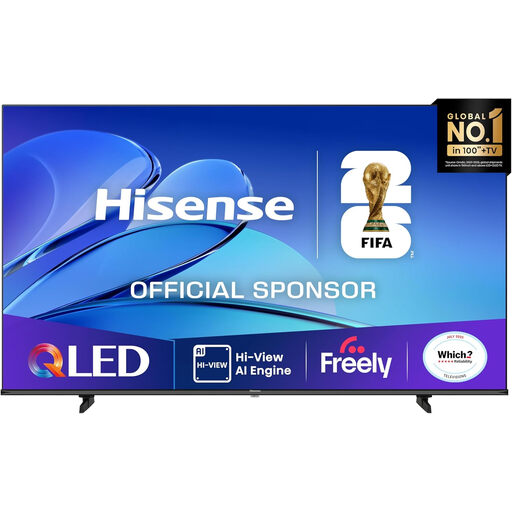
Why This Fits Their Persona: A large-format choice for spacious living rooms, shared film viewing and sports where viewers sit across a wide seating area.
The listing provides detailed dimensions, energy rating and connection information, helping buyers plan delivery, placement and running costs.
85-inch QLED display, Dolby Vision, HDR10+, Dolby Atmos, VRR, ALLM and VIDAA voice control.
We have compiled a complete, real-time list of products that fully satisfy these strict selection criteria and UK safety regulations.
Yes, provided the viewing distance and furniture space are suitable. A 43 inch model offers 4K resolution without the footprint of a 55 inch or 65 inch set. Measure the wall or cabinet first, and consider whether the screen will be viewed directly or from an angle.
Running costs vary by screen size, energy rating, brightness settings and daily usage. Larger screens generally use more electricity than smaller ones, while HDR viewing can increase power consumption. Use the product’s energy label and stated kWh figures to compare models rather than judging by purchase price alone.
Lifespan depends on usage, ventilation, software support and component reliability. Keeping vents clear, installing updates and avoiding unstable placement can help maintain safe operation. Before buying, check the warranty, smart platform, app availability and connection standards so the TV remains useful as your equipment changes.