
24/7 Customer Support

Free returns

Same-day & Next-day Delivery

Quality Guaranteed

Unlock Your Welcome Offers: FREE Delivery | Up to 80% OFF | Free 30-day JoyPlus trial
Download the APP
Buying one of the many 4K smart TVs available in the UK can seem straightforward until you compare panel types, HDR formats, refresh rates, operating systems and sound options. A lower-priced model may offer the same resolution as a more expensive television, yet deliver a noticeably different experience for films, sport or console gaming.
The key is to look beyond the large “4K Ultra HD” label and check how the television will perform in your room and with your preferred content.
A 4K resolution means the screen has 3840 × 2160 pixels. It does not automatically indicate contrast, brightness, colour reproduction or motion handling.
A standard Direct LED TV can be suitable for general streaming and broadcast viewing, while a QLED TV, OLED TV or Mini LED TV may offer different strengths:
Do not select a television solely because its product description mentions “AI”, “cinematic” or “premium” picture quality. Check the underlying panel technology and supported formats.
A television advertised as a 120Hz TV or 144Hz TV may not support those rates at every resolution or through every input. For example, some models offer accelerated refresh rates at Full HD rather than native 4K.
Console gamers should check for:
A higher refresh rate can improve motion smoothness, but it is not essential if your main activities are television broadcasts and standard streaming.
Dolby Atmos support on a television does not necessarily mean it will produce the same effect as a dedicated surround system. Built-in speakers have limited space for bass and sound separation.
For clearer dialogue and stronger low-frequency impact, consider a soundbar with wireless subwoofer. Check whether the TV and soundbar both support HDMI ARC or eARC, and confirm which formats are compatible. A soundbar may also require space below the screen or wall mounting, so measure your furniture before ordering.
Choose the screen size according to your room, seating position and furniture. A large-screen TV can be engaging in a spacious lounge, but an oversized display may feel uncomfortable at a short viewing distance.
Measure:
Also check the VESA mounting dimensions if you plan to wall-mount the television. Leave adequate ventilation around the set and secure it properly to reduce the risk of tipping.
HDR, or High Dynamic Range, affects the range between dark shadows and bright highlights. A 4K HDR TV may support HDR10, HLG, HDR10+ or Dolby Vision. Support for several formats is useful because different streaming services, consoles and discs may use different standards.
However, format compatibility alone does not determine HDR performance. Panel brightness, contrast control and image processing also matter. Look for clear specifications rather than relying on phrases such as “stunning HDR”.
A smart TV should offer the apps and connections your household actually uses. Google TV provides a content-led interface, Google Assistant and Google Cast on compatible models. Samsung televisions use Tizen, while some Hisense models use VIDAA OS and LG models use webOS.
Check for:
Energy labels use the UK’s A to G scale. Compare the listed SDR and HDR consumption figures, particularly for a television that will be used for several hours each day.
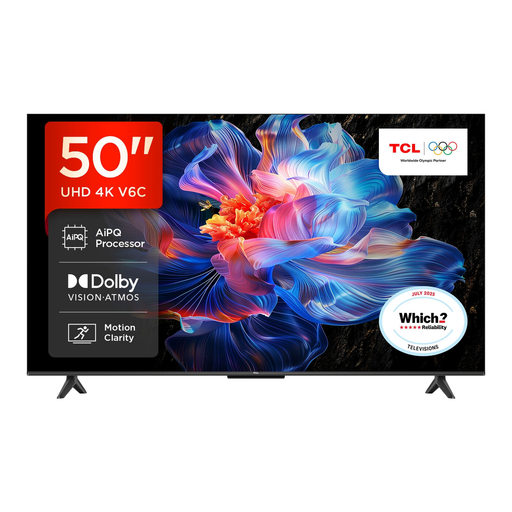
Why This Fits Their Persona: A practical 50-inch size for flats, bedrooms and smaller lounges, with Google TV for everyday streaming and voice control.
The listing specifies Direct LED, HDR10+, Dolby Vision, HDMI 2.1, VRR and ALLM, rather than relying only on a general 4K label.
Google TV platform, Dolby Atmos support and Game Master features with a compact 50-inch footprint.
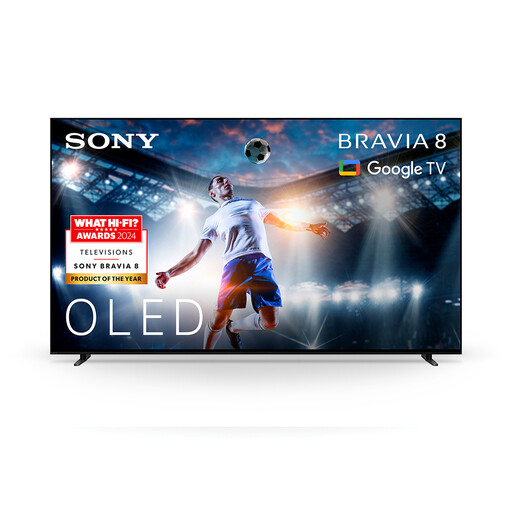
Why This Fits Their Persona: Suitable for film and streaming enthusiasts who prioritise OLED contrast, Google TV access and integrated screen-based audio.
OLED technology addresses the assumption that more resolution alone creates better contrast, while Dolby Vision and Dolby Atmos support provide format flexibility.
OLED panel, XR processor, Dolby Vision, Dolby Atmos and Acoustic Surface Audio+ listed in the specifications.
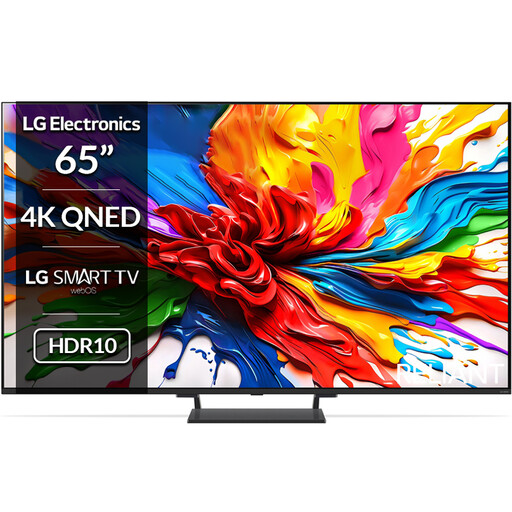
Why This Fits Their Persona: A 65-inch option for fast-moving sport, console gaming and detailed streaming in a larger lounge.
The specification separates its native 120Hz panel from its 144Hz VRR capability and lists four HDMI 2.1 ports, AMD FreeSync and ALLM.
Mini LED backlight, Dolby Vision, webOS, 40W 2.2-channel audio and gaming support up to 144Hz VRR.
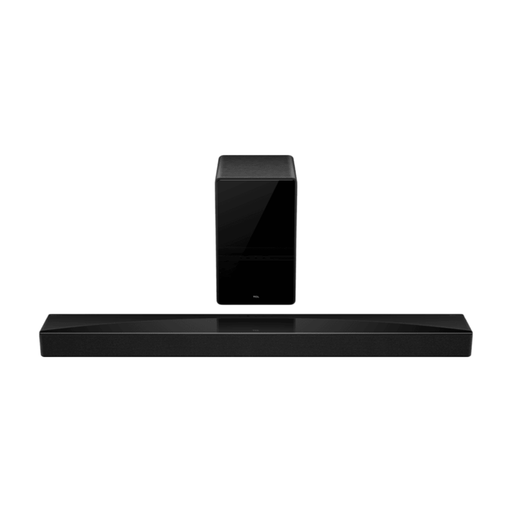
Why This Fits Their Persona: Designed for households building a more immersive home cinema audio setup around a compatible TV.
Its dedicated centre channel and wireless subwoofer avoid relying on small built-in TV speakers for dialogue and bass.
5.1.2 channels, Dolby Atmos, DTS:X, 620W output, wireless subwoofer and HDMI eARC 2.1.
We have compiled a complete, real-time list of products that fully satisfy these strict selection criteria and UK safety regulations.
Before disposing of the packaging, inspect the screen and accessories. Install the television on a stable surface or a compatible wall bracket, connect it to your home network and run software updates. Use certified, suitable HDMI cables for consoles and streaming devices.
For a soundbar, HDMI ARC or eARC is generally the simplest connection because the television remote can control volume. Place the wireless subwoofer where it has a clear connection to the soundbar and avoid enclosing it tightly inside a cabinet.
Running costs depend on screen size, brightness settings, usage hours and the model’s energy rating. A larger television generally uses more electricity than a smaller one. Compare the SDR and HDR kWh figures on the UK energy label and use energy-saving settings when suitable.
OLED can provide strong contrast and deep blacks, but buyers should follow the manufacturer’s care guidance, particularly when displaying static logos or interfaces for long periods. If your household watches varied content, this may be less of a concern; users who display static images for extended periods should compare the guidance with a QLED or Mini LED alternative.
Not necessarily. Built-in speakers may be adequate for news, standard programmes and casual viewing. A soundbar becomes more useful when you want clearer dialogue, stronger bass or a wider soundstage for films, games and sport. Check ARC, eARC and audio-format compatibility before purchasing.