
24/7 Customer Support

Free returns

Same-day & Next-day Delivery

Quality Guaranteed

Unlock Your Welcome Offers: FREE Delivery | Up to 80% OFF | Free 30-day JoyPlus trial
Download the APP
Buying one of the many 4K smart TVs available in the UK can feel straightforward until you compare panel types, HDR standards, refresh rates, operating systems and audio formats. A low headline price may not reveal limitations that matter once the television is installed in your living room.
This guide explains the specifications worth checking and highlights suitable options for different households, from compact lounge setups to large-screen home cinema systems.
Most modern televisions in this category use a 4K UHD resolution of 3840 × 2160 pixels. However, resolution is only one part of the picture. Brightness, contrast, backlight design, colour processing and viewing angle also affect what you see.
A basic Direct LED television may offer detailed 4K images but have less precise light control than an OLED or Mini LED model. Meanwhile, a QLED TV uses a quantum-dot layer to produce a wider range of colours, but QLED does not automatically indicate a particular brightness level or contrast performance.
Refresh-rate terminology can be unclear. Some televisions offer a 120Hz TV experience at particular resolutions, while a stated “Game Accelerator” mode may apply to Full HD rather than 4K. Check the technical specification, HDMI input capabilities and supported resolution before buying a gaming television for a PlayStation 5 or PC.
For console gaming, useful features include HDMI 2.1, VRR (Variable Refresh Rate), ALLM (Auto Low Latency Mode) and a suitable game mode. These can help reduce input delay and screen tearing, but the connected console, cable and game must also support the relevant standard.
A smart TV with Dolby Atmos support can process compatible audio, but built-in speakers have physical limits. The result depends on speaker placement, room shape and the soundtrack itself. If you want stronger bass, clearer dialogue or a wider soundstage, allow for a soundbar or AV system with HDMI eARC.
You can explore compatible home audio options through the Atmos range.
A 4K HDR TV can display a broader range between dark and bright areas when the source is mastered in HDR. Check for support for HDR10, HLG, HDR10+ and Dolby Vision, as streaming services and physical media may use different formats.
HDR support alone does not guarantee a particular visual result. Panel brightness, contrast control and the quality of the content remain important.
Choose the screen size around your seating distance, viewing habits and available wall or furniture space. A 43-inch or 50-inch television can suit a bedroom, smaller lounge or first flat. A 65-inch, 75-inch or 85-inch large-screen TV needs careful measurement, including the stand width, wall clearance and delivery route.
For wall mounting, check the television’s VESA pattern, bracket compatibility and ventilation requirements. UK households should also secure larger sets appropriately to reduce the risk of tipping, particularly where children or pets are present.
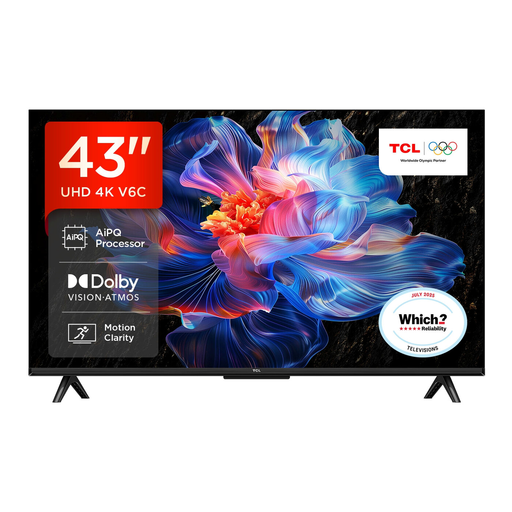
Why This Fits Their Persona: A compact choice for flats, bedrooms and smaller UK living rooms, with Google TV for streaming apps and built-in voice control.
Its listed features make the important gaming and HDR details easier to identify instead of relying only on a large refresh-rate headline.
4K HDR, Dolby Vision, VRR, ALLM and Google TV in a 43-inch Direct LED format.
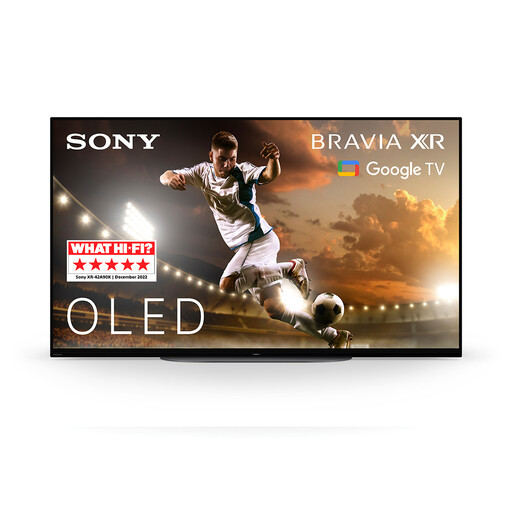
Why This Fits Their Persona: Suits film viewers and gamers who want OLED contrast in a relatively compact screen for a dedicated room or premium bedroom setup.
The OLED panel uses self-illuminating pixels, so buyers are not choosing solely on resolution or a generalised brightness claim.
OLED contrast, Dolby Vision and Atmos, Google TV, plus up to 120Hz input with VRR and ALLM via HDMI 2.1.
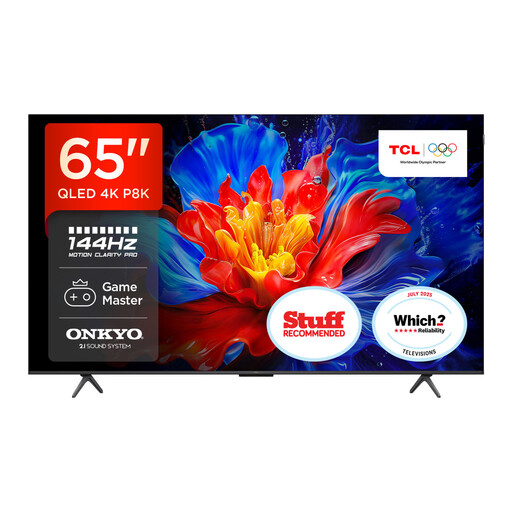
Why This Fits Their Persona: Designed for households combining films, sport, streaming and console or PC gaming on a larger living-room screen.
Its specification lists Motion Clarity Pro separately from the 288Hz Game Accelerator, helping buyers distinguish display modes from native panel performance.
65-inch QLED display, 144Hz Motion Clarity Pro, HDR multi-format support and an integrated Onkyo 2.1 sound system.
We have compiled a complete, real-time list of products that fully satisfy these strict selection criteria and UK safety regulations.
Yes, provided the screen size and viewing distance suit the room. Many streaming services offer 4K content, while smart platforms also provide access to HD and Full HD programmes. A good upscaling processor can make lower-resolution broadcasts appear cleaner, although it cannot recreate missing detail.
The answer depends on room lighting and viewing habits. OLED offers pixel-level control and deep blacks, while QLED models can provide vivid colour and are available in a wide range of sizes. Compare brightness information, window placement and your preferred content before choosing.