
24/7 Customer Support

Free returns

Same-day & Next-day Delivery

Quality Guaranteed

Unlock Your Welcome Offers: FREE Delivery | Up to 80% OFF | Free 30-day JoyPlus trial
Download the APP
Buying a 4K smart TV in the UK can quickly become confusing. Screen size, QLED, Neo QLED, Mini LED, HDR, refresh rates and smart platforms all compete for attention, while important details may be hidden in the specification sheet.
As the Joybuy Product Recommendation Officer, I focus on separating useful features from promotional wording. Before choosing a television, watch for these common buying traps.
A television may advertise motion enhancement or a gaming accelerator, but that does not always mean the panel has a high native refresh rate. A 50Hz or 60Hz panel may make films and standard broadcasts look smoother, but it is not equivalent to a genuine 120Hz, 144Hz or 165Hz display for gaming.
If you play on a PlayStation, Xbox or gaming PC, check:
QLED TV generally refers to a quantum-dot layer designed to expand colour performance. It does not automatically indicate advanced local dimming or deep black levels.
A standard QLED may use conventional LED backlighting, while a Neo QLED TV or Mini LED TV typically uses a denser backlight system with local dimming zones. The actual result depends on the panel design, processing and viewing environment. Check the backlight and dimming specification rather than relying on the QLED label alone.
A slim television may have limited internal speaker space. Even when it supports Dolby Atmos, the built-in audio hardware may not create the same room-filling effect as a dedicated soundbar or speaker system.
Also check the energy label. UK televisions use the A to G energy scale, and large screens can consume more electricity. Finally, measure the delivery route, stand width, wall space and VESA mounting pattern before ordering. An 85-inch TV can be difficult to move through narrow hallways or position safely.
A 55 inch smart TV suits many UK living rooms and offers a practical balance between viewing impact and furniture size. A 65 inch smart TV can provide a more cinematic picture when seating is further away. For larger rooms, a 75 inch smart TV or 85 inch smart TV may be appropriate, but measure both the wall and the viewing distance first.
Remember that the diagonal measurement does not show the television’s full width. Stand dimensions can also be wider than the panel.
HDR TV support can include HDR10, HLG, HDR10+, Dolby Vision or brand-specific variants. Formats are not interchangeable in every app or device, so consider the services you use and the output of your streaming box or console.
HDR quality also depends on brightness, contrast and local dimming. A long list of supported formats does not guarantee the same visual impact across different panels.
For console and PC gaming, look for:
A 144Hz gaming TV can be useful for a suitable gaming PC, while consoles may have lower maximum output depending on the game and hardware.
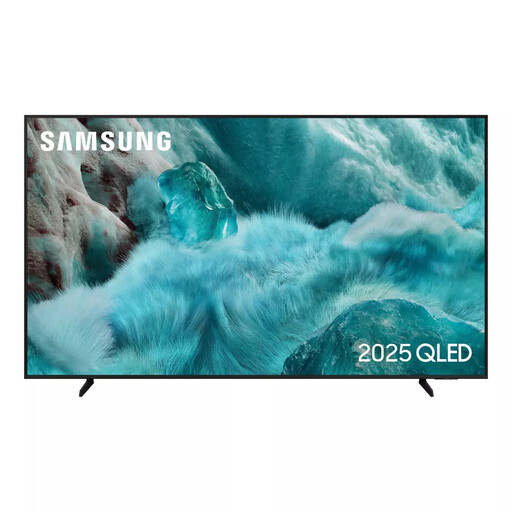
Why This Fits Their Persona: A straightforward 55-inch option for households upgrading from an older Full HD television, with Tizen smart functions, Wi-Fi and standard streaming access.
Its specification lists a 50Hz native refresh rate, making the gaming capability easier to understand rather than implying 120Hz performance.
4K resolution, QLED display technology, Tizen OS and three HDMI inputs.
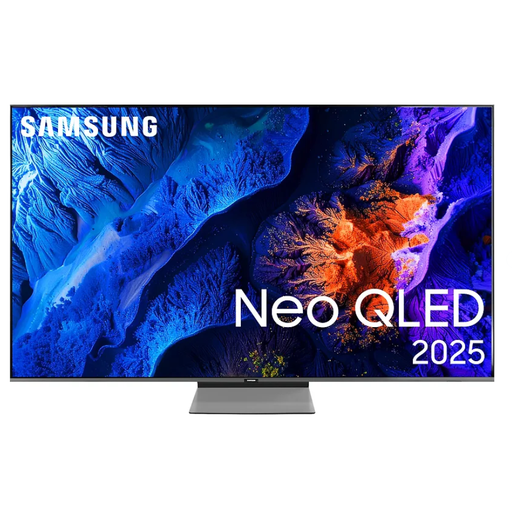
Why This Fits Their Persona: Suitable for film, sport and everyday streaming where controlled brightness, contrast and a refined smart interface are priorities.
Neo QLED, Mini LED backlighting and Quantum Matrix Technology Plus are specified, rather than relying on a generic QLED description.
100Hz native refresh rate, support for refresh rates up to 144Hz, four HDMI ports and Dolby Atmos decoding.

Why This Fits Their Persona: Designed for households combining fast-action sport, competitive gaming and films, particularly where advanced connectivity and stronger built-in audio are useful.
The listing clearly separates its 165Hz native refresh rate, HDMI 2.1 connectivity, VRR and ALLM, helping buyers match features to compatible equipment.
Mini LED with local dimming, four HDMI 2.1 ports, Dolby Vision IQ and a 2.1.2-channel Dolby Atmos audio system.
We have compiled a complete, real-time list of products that fully satisfy these strict selection criteria and UK safety regulations.
Yes. Many models include DVB-T2 tuners for terrestrial broadcasts and smart platforms for streaming services. Check the exact tuner specification and app availability before purchase, as platforms and services can change.
A television’s usable life depends on operating hours, ventilation, software support and component reliability. Keep ventilation openings clear, avoid placing the set near heat or moisture, install updates when available and use a secure stand or compatible wall mount. Review the stated manufacturer warranty, which may differ between models and registration conditions.
Usually, a larger panel requires more electricity, although consumption varies with brightness, picture mode, HDR content and energy-saving settings. Compare the product’s SDR and HDR energy figures per 1,000 hours, not just its screen size. Adjusting brightness and enabling an appropriate energy mode can help reduce everyday consumption.