
24/7 Customer Support

Free returns

Same-day & Next-day Delivery

Quality Guaranteed

Unlock Your Welcome Offers: FREE Delivery | Up to 80% OFF | Free 30-day JoyPlus trial
Download the APP
Buying a 4K Smart TV UK households can enjoy for years involves more than comparing screen size and promotional prices. A television may advertise QLED colour, HDR, AI processing or a high refresh rate, yet the practical experience can vary considerably depending on the panel, viewing distance, input connections and smart platform.
The most common buying mistakes are easy to avoid:
A standard LED television uses an LED backlight behind or around an LCD panel. Direct LED models, such as the Hisense E6Q range, place LEDs behind the screen and can offer consistent illumination across the panel.
A QLED smart TV adds a quantum-dot layer to help produce a wider range of visible colours. This can be useful for sports, animation and bright streaming content. QLED does not automatically indicate advanced local dimming, however, so check the backlight specification separately.
Mini LED TV models use much smaller LEDs and local dimming zones to control brightness in different areas of the picture. This can improve contrast between bright highlights and dark scenes. The TCL Q7C range, Samsung Neo QLED models and LG QNED MiniLED televisions use different implementations, so compare the listed dimming technology rather than relying only on the name.
For a 4K HDR TV, check which formats are supported. HDR10 and HLG are common, while Dolby Vision and HDR10+ may be useful for compatible films and streaming services. HDR performance also depends on peak brightness, contrast control and the content itself.
A 60Hz television is suitable for everyday television, films and many casual gaming setups. A 144Hz gaming TV or 165Hz gaming TV is more relevant to PC gamers and households with compatible hardware.
Look for these features together:
The Hisense 55U7QTUK Pro and 65U7QTUK Pro list native 165Hz refresh rates, four HDMI 2.1 ports, VRR and ALLM. The TCL P8K models list up to 144Hz VRR, while the 98Q6C also lists a 240Hz Game Accelerator mode. These figures should be matched to the output capabilities of your equipment rather than treated as a guarantee of improved performance in every game.
A 55-inch smart TV is a flexible choice for many UK living rooms. A 65-inch smart TV can provide a more immersive cinema or sports experience, provided the seating position is far enough away to take in the whole image comfortably.
For larger rooms, 75-inch smart TV and 85-inch smart TV models create a more theatrical presentation. A 98-inch smart TV requires careful planning: check the television’s width, packaging dimensions, delivery access and wall strength.
Sound is another frequent compromise. A television with a built-in 2.1 or 2.1.2-channel system may offer fuller bass than basic stereo speakers. Dolby Atmos TV compatibility can process compatible soundtracks, but the result depends on speaker placement, room acoustics and content. For a genuine home cinema setup, leave room in the budget for a compatible soundbar or AV system if required.
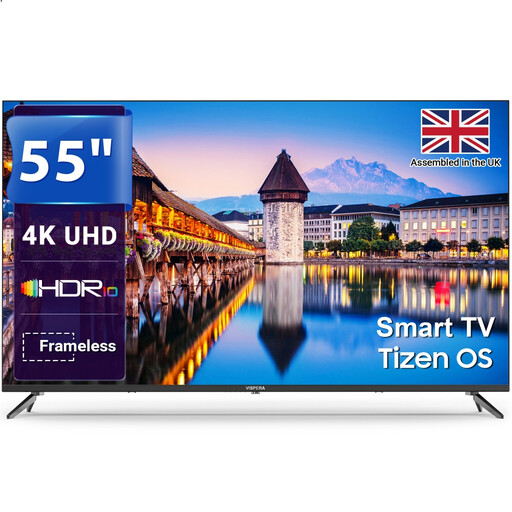
Why This Fits Their Persona: A straightforward option for flats, first homes or a main family room needing 4K streaming without gaming-focused specifications.
Its listed 60Hz refresh rate makes the specification clear, avoiding the assumption that every 4K TV is designed for high-refresh-rate gaming.
55-inch 4K resolution, Tizen platform, Freeview HD tuner, three HDMI ports and two USB ports.
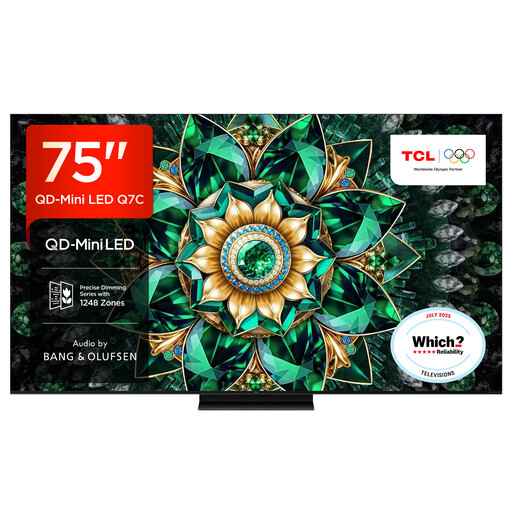
Why This Fits Their Persona: Suited to dedicated viewing spaces and bright living rooms where large-screen scale, HDR highlights and integrated sound are priorities.
It lists QD-Mini LED, up to approximately 2,048 dimming zones and around 3,000 nits peak HDR brightness, giving useful detail beyond a generic HDR label.
75-inch QD-Mini LED display, 144Hz native refresh rate, Google TV, HDMI 2.1 connectivity and audio by Bang & Olufsen.
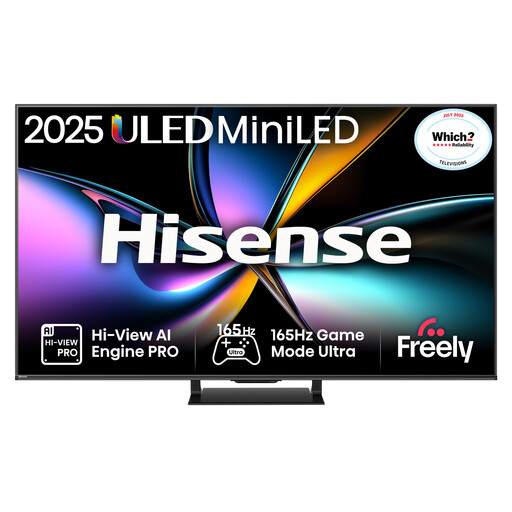
Why This Fits Their Persona: Designed around fast PC or console gaming, while remaining practical for sport and film viewing in a medium-to-large UK lounge.
The specification identifies native 165Hz, VRR on all HDMI ports, ALLM and four HDMI 2.1 connections, rather than relying on motion interpolation alone.
Mini LED local dimming, QLED colour, Dolby Vision IQ, HDR10+ Adaptive and a listed input lag of up to 7ms at 4K 120Hz input.
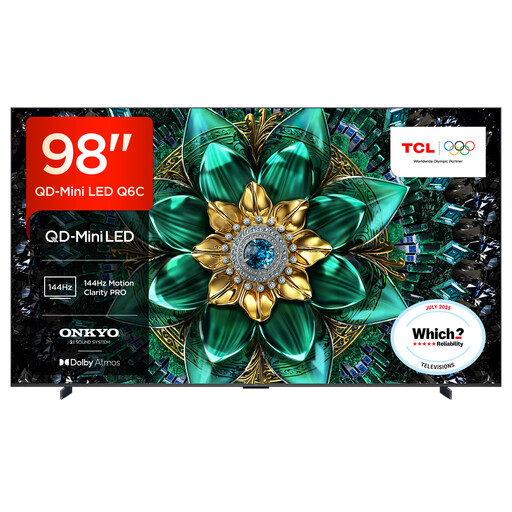
Why This Fits Their Persona: A substantial option for spacious lounges, media rooms or households prioritising cinema-scale films, sport and multiplayer gaming.
Its listed dimensions, 4K resolution and up to 512 local dimming zones make it easier to assess room fit and picture hardware before purchase.
98-inch QD-Mini LED panel, up to 144Hz VRR, four HDMI 2.1 ports, Google TV and an Onkyo 2.1 audio system.
We have compiled a complete, real-time list of products that fully satisfy these strict selection criteria and UK safety regulations.
Choose the platform that matches your existing devices. Google TV is useful for households already using Google Assistant, Chromecast or Android phones. A VIDAA smart TV offers a simple interface with access to key streaming services, but app availability can vary by region and model. Samsung televisions use Tizen, while LG QNED models use webOS.
Before buying, confirm that your preferred services, such as Netflix, Prime Video, Disney+ or Freely, are available on the exact model. Also check whether the television supports Apple AirPlay 2, Bluetooth headphones, Ethernet and eARC if these features matter to your setup.
It can be, provided the screen size suits the viewing distance. A 43-inch or 55-inch model may be more practical than a very large screen in a compact lounge or bedroom. Measure the wall, stand and seating position before choosing.
Only when the console and game support compatible high-frame-rate output. HDMI 2.1, VRR and ALLM are also important. Many console titles operate below the television’s maximum refresh rate, while compatible gaming PCs may make greater use of 144Hz or 165Hz.
Running costs depend on screen size, brightness, HDR mode, viewing hours and the model’s energy label. Large-screen TV models generally use more energy than smaller models. Check the product’s energy information and use automatic brightness or energy-saving settings where suitable.