
24/7 Customer Support

Free returns

Same-day & Next-day Delivery

Quality Guaranteed

Unlock Your Welcome Offers: FREE Delivery | Up to 80% OFF | Free 30-day JoyPlus trial
Download the APP
Navigating the world of 4K Smart TVs can feel overwhelming. With a dizzying array of technical terms and marketing promises, it is easy to make a purchase you later regret. Many find their new television falls short, whether it is sluggish performance, a picture that does not live up to the hype or features that are not as useful as they seemed. As your Joybuy Product Recommendation Officer, my role is to help you sidestep these common issues and identify what truly matters for your home.
This guide cuts through the clutter, focusing on the critical factors that determine a great viewing experience. We will highlight the most common pitfalls UK buyers face and provide clear, practical advice to help you select a television that fits your needs perfectly, from casual streaming to intense gaming sessions.
Before looking at features, it is crucial to be aware of the marketing tactics and technical shortcomings that often lead to disappointment.
To ensure you get a television that performs well for years to come, focus on these three non-negotiable areas.
The panel is the heart of your TV. The two dominant technologies are OLED TV and QLED TV, each with distinct advantages.
For gamers, two specifications are paramount. First is a native 120Hz refresh rate, which allows for gameplay at 120 frames per second for an incredibly fluid and responsive feel. Second is the inclusion of HDMI 2.1 ports. This is the connection standard required to transmit a 4K signal at 120Hz from a console like the PlayStation 5 or a high-end PC. Look for additional gaming features like VRR (Variable Refresh Rate), which prevents screen tearing, and ALLM (Auto Low Latency Mode), which automatically switches the TV to its fastest setting when a game is detected.
Many models are marketed as a Dolby Atmos TV, but this certification alone does not guarantee powerful sound. To gauge real-world audio performance, look at the speaker's power output, measured in watts (W) and its configuration. A standard TV might have 20W of power from two speakers (2.0 channel). A model with a built-in subwoofer (2.1 channel) or higher wattage (e.g., 40W) will deliver a much richer, more impactful sound without immediately needing a separate soundbar.
To help you match these specifications to your needs, here are a few models selected for different types of users.
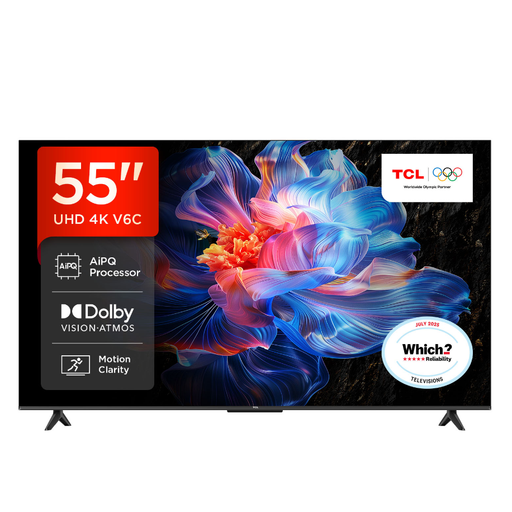
Why This Fits Their Persona: This 55 inch smart TV is an ideal hub for the modern family. It offers a great balance of features and value for daily streaming, news and film nights without requiring a huge budget.
It runs on the Google TV platform, which is well-supported with regular updates, avoiding the "abandoned OS" pitfall and ensuring your apps work for years.
Supports multiple HDR formats including Dolby Vision for enhanced picture quality on compatible content. Features a sleek, bezel-less design.
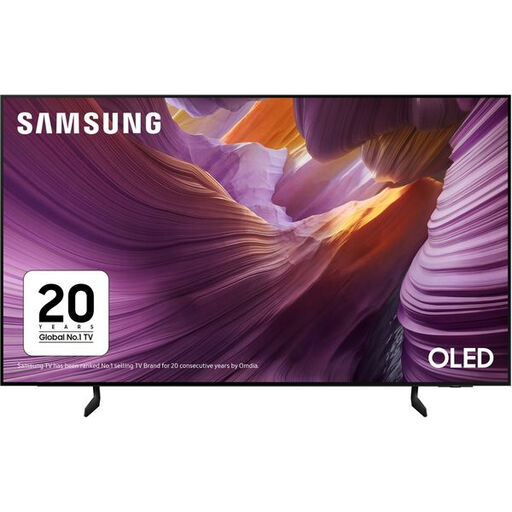
Why This Fits Their Persona: For those seeking the ultimate picture quality for films, this 65 inch 4K TV with an OLED panel delivers the deep blacks and vibrant colours that make movies feel truly cinematic.
The OLED panel's self-lit pixels provide the pixel-level contrast needed for true HDR performance, avoiding the "HDR in name only" trap of lesser screens.
Features Object Tracking Sound Lite and Dolby Atmos support for immersive audio that follows the on-screen action. Also includes a 120Hz refresh rate for smooth motion.
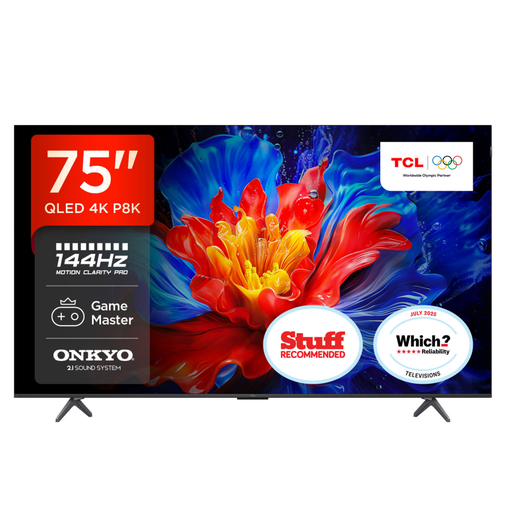
Why This Fits Their Persona: This huge 75-inch TV is built for high-performance gaming. It combines a massive screen with the speed and features needed to gain a competitive edge in fast-paced games.
It directly counters the "smooth motion" illusion by offering a true 144Hz native refresh rate and full HDMI 2.1 support, delivering the genuine high-frame-rate performance gamers demand.
Includes Game Master Pro with VRR and ALLM for tear-free, low-lag gaming. The integrated ONKYO 2.1 sound system with a subwoofer provides powerful audio straight out of the box.
We have compiled a complete, real-time list of products that fully satisfy these strict selection criteria and UK safety regulations.
A modern 4K Smart TV should provide excellent picture quality for at least seven to ten years under normal usage. The physical panel often lasts longer than the "smart" components. The more pressing concern is software support. Opting for a TV with a major, well-supported OS like Google TV or Samsung Tizen TV increases the likelihood of receiving app and security updates for longer, extending the useful life of your television.
The ideal size depends on your viewing distance. For a typical UK living room where you sit around 2 to 2.5 metres (6.5-8 feet) from the screen, a 55 inch smart TV offers an immersive experience without being overwhelming. If your seating position is further back, around 2.5 to 3 metres (8-10 feet), a 65 inch 4K TV will provide a more cinematic feel and allow you to appreciate the 4K detail more fully.
Both are excellent smart platforms. Google TV is known for its content-first approach, aggregating shows and movies from all your apps onto a single home screen and offering personalised recommendations. It also has Google Assistant and Chromecast built-in. Samsung Tizen TV features a clean, fast launcher bar at the bottom of the screen for quick access to apps and settings. It integrates well with Samsung's SmartThings ecosystem for controlling other smart home devices. The choice often comes down to personal preference in user interface design.