
24/7 Customer Support

Free returns

Same-day & Next-day Delivery

Quality Guaranteed

Unlock Your Welcome Offers: FREE Delivery | Up to 80% OFF | Free 30-day JoyPlus trial
Download the APP
Buying one of the many 4K Smart TVs available in the UK can be confusing. Screen size, QLED panels, OLED TVs, Mini LED TVs, HDR formats and refresh rates all affect the price, but not every feature will improve your viewing experience in the same way.
The right choice depends on your room, viewing habits and connected devices. A television for daytime sport may need different capabilities from one designed for evening cinema or console gaming.
All 4K Ultra HD televisions have a resolution of 3,840 × 2,160 pixels, but resolution is only one part of picture quality. Backlight control, contrast, colour reproduction and image processing can make a noticeable difference.
A basic Direct LED television may offer clear 4K detail, while QLED TVs use quantum-dot technology to support a wider colour range. OLED TVs can control individual pixels, while Mini LED TVs use many smaller backlight elements to improve brightness and contrast. These technologies suit different rooms and budgets.
A specification such as “144Hz TVs” can be useful, but check how it is delivered. Some models support a high refresh rate only in particular resolutions or through a dedicated game mode. Your console, graphics card, HDMI cable and selected game must also support the relevant signal.
For responsive gaming, look for HDMI 2.1, Variable Refresh Rate (VRR), Auto Low Latency Mode (ALLM) and a clearly stated supported refresh rate. A television with a 50Hz or 60Hz panel may still be suitable for films and everyday television, but it is not aimed at the same gaming audience as a 120Hz or 144Hz model.
Slim televisions often have limited space for speakers. Dolby Atmos support can process compatible soundtracks, but it does not automatically create cinema-style surround sound from built-in speakers. Check the audio output, eARC support and whether a soundbar may be needed.
Also check the UK energy label, which uses classes A to G. The label gives useful information about SDR and HDR consumption, although actual running costs depend on brightness, viewing hours and household electricity rates. Finally, measure your furniture, doorway and wall before ordering a large-screen TV.
For a living room, 55-inch, 65-inch and 75-inch televisions are common choices. Large-screen TVs can make films and sport more involving, but the panel must fit comfortably without obstructing shelves, radiators or walkways.
Check the manufacturer’s dimensions with the stand and without the stand. If wall mounting, confirm the VESA pattern, bracket compatibility and wall strength. Leave ventilation space around the set and secure freestanding televisions against tipping, particularly in homes with children or pets.
For HDR Smart TVs, look beyond the word “HDR”. Dolby Vision, HDR10+, HDR10 and HLG are different formats. Compatibility is useful, but the panel’s brightness and dimming system also influence how HDR content appears.
The operating system affects app availability, navigation and voice control. Google TV brings content recommendations and Google Assistant together. Samsung Tizen TVs provide access to Samsung’s connected services, while Hisense VIDAA TVs focus on a streamlined smart interface. Check the apps you actually use rather than choosing based only on the platform name.
Count the HDMI ports before buying. If you have a games console, soundbar, set-top box and Blu-ray player, three ports may become limiting. eARC is useful for sending compatible audio to a soundbar or AV receiver. Wi-Fi, Bluetooth and Ethernet are also worth checking for your home network.
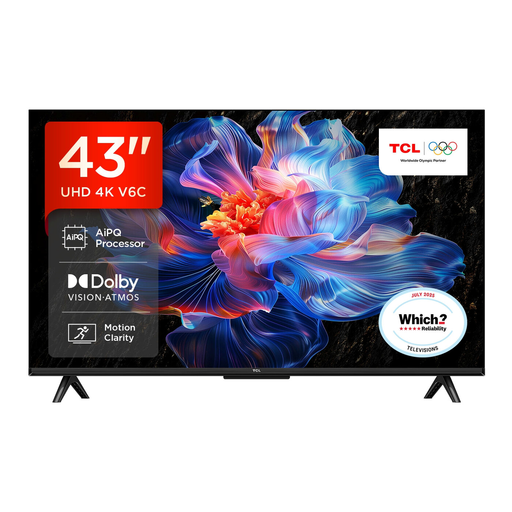
Why This Fits Their Persona: A practical choice for a bedroom, smaller lounge or first smart television, with 4K resolution and Google TV in a compact 43-inch format.
It provides specified support for HDR10+, Dolby Vision, HDR10 and HLG, rather than relying on a generic HDR label alone.
4K UHD resolution, Google TV, Dolby Atmos support, HDMI 2.1, ALLM and VRR.
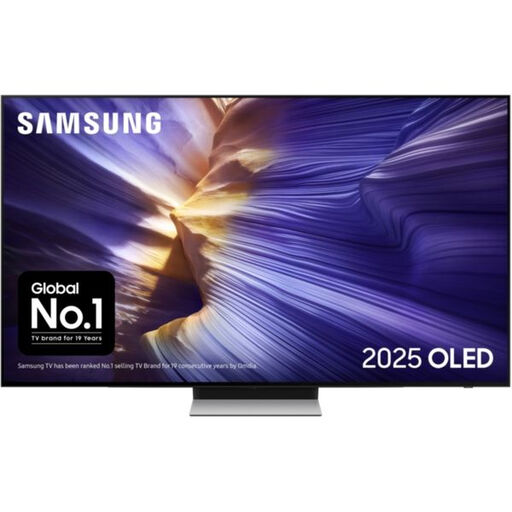
Why This Fits Their Persona: Suits viewers prioritising OLED contrast, cinematic films and a slim living-room design, while also supporting fast gaming features.
Its specification clearly identifies OLED technology, 144Hz supported refresh rate, VRR and FreeSync Premium Pro rather than presenting motion processing alone as gaming performance.
4K OLED display, Tizen OS, four HDMI ports, eARC and 60W 2.1.2-channel audio with Dolby Atmos.
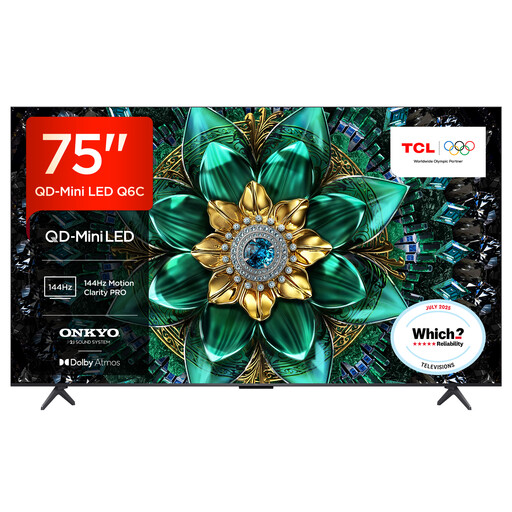
Why This Fits Their Persona: The 75-inch format, Mini LED backlight and high-refresh gaming specifications suit a large lounge, sports viewing and compatible console or PC gaming.
The specification lists a 144Hz native refresh rate, local dimming zones, HDMI 2.1, VRR and ALLM, helping buyers distinguish panel capability from software motion smoothing.
QD-Mini LED and QLED display technologies, Google TV, Dolby Vision IQ support and FreeSync Premium Pro.
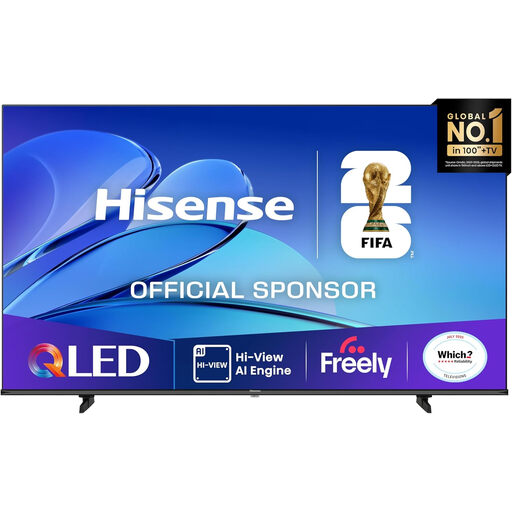
Why This Fits Their Persona: Designed for households with enough wall or furniture space for an 85-inch display and a preference for films, sport and shared viewing.
It lists the physical dimensions, 30W audio output, HDMI eARC and supported Dolby Vision and HDR10+ formats, making installation and equipment planning easier.
85-inch QLED panel, VIDAA Smart OS, VRR, ALLM, Dolby Atmos and DTS Virtual:X support.
We have compiled a complete, real-time list of products that fully satisfy these strict selection criteria and UK safety regulations.
They can be a sensible choice if you stream films, watch UHD content, use a games console or want a larger screen. Standard HD broadcasts can be upscaled, but the visible improvement depends on the source quality, viewing distance and television processing.
Lifespan varies with usage, operating environment and component reliability. Keep ventilation clear, install firmware updates where available and avoid exposing the screen to heat or moisture. Check the warranty and retailer terms before purchase, and retain proof of purchase.
Consumption varies by screen size, display technology, brightness and viewing hours. A large-screen TV generally uses more electricity than a smaller one. Compare the SDR and HDR kWh figures on the UK energy label, then consider your likely daily usage rather than relying only on the efficiency letter.