
24/7 Customer Support

Free returns

Same-day & Next-day Delivery

Quality Guaranteed

Unlock Your Welcome Offers: FREE Delivery | Up to 80% OFF | Free 30-day JoyPlus trial
Download the APP
Choosing a 4K smart TV in the UK is rarely as simple as comparing screen size and price. Marketing terms such as QLED, HDR, 144Hz and Dolby Atmos can sound impressive, but they do not always tell you how a television will perform in your room or with your devices.
The Joybuy Product Recommendation Officer approach is straightforward: check the specifications that affect daily use, match them to your viewing habits and avoid paying for features you are unlikely to use.
A 4K Ultra HD television has a resolution of 3840 × 2160 pixels, but this does not automatically guarantee strong contrast, accurate colour or convincing HDR. Backlight design, panel type, brightness and image processing also matter.
A basic Direct LED model can deliver sharp 4K detail, while a QLED TV may provide a wider colour range. Mini LED models use many smaller backlight zones to control bright and dark areas more precisely. However, the result still depends on the television’s processing and the content being watched.
A television may advertise 120Hz, 144Hz or a higher “Game Accelerator” figure, but the refresh rate can vary according to resolution, input and gaming mode. Some models support higher refresh rates only at Full HD, while 4K gaming may operate at 120Hz.
Before buying a gaming TV with HDMI 2.1, check:
A 75-inch 4K TV may suit a large lounge, but it can dominate a smaller UK living room. Conversely, a compact screen may feel underwhelming when viewed from several metres away.
Measure the television’s full width, height and depth with its stand. If wall mounting, check the VESA mounting pattern, wall strength and cable access. Also leave ventilation space around the rear panel and keep the set securely positioned to reduce the risk of tipping.
Standard LED televisions use an LED backlight behind or around an LCD panel. Direct LED models generally place the lighting behind the panel, which can help provide more consistent brightness.
A QLED TV adds a quantum-dot layer to support a wider colour range and stronger colour volume. This is useful for HDR films, sport and animated content, but QLED does not describe resolution: a QLED television can be Full HD or 4K.
A Mini LED TV uses smaller LEDs and more advanced local dimming. This can improve contrast and highlight control, particularly in dark-room viewing. It is worth comparing the number of dimming zones, HDR formats and brightness information rather than relying on the Mini LED label alone.
An HDR TV may support HDR10, HLG, HDR10+ or Dolby Vision. These formats are not identical, and availability depends on the streaming service, game or disc.
For broad compatibility, look for support for several formats. Also remember that HDR impact depends on panel brightness and contrast. A television that accepts HDR signals may not display the same visual intensity as a brighter model with more effective local dimming.
A smart TV with Wi-Fi should provide reliable access to the streaming services your household uses. Samsung models use Tizen, TCL televisions in this selection use Google TV and Hisense models use VIDAA. Interface layout, app availability and voice-control options differ between platforms.
For sound, built-in speakers are convenient, but specifications such as Dolby Atmos do not mean that a television creates the same effect as a dedicated surround system. Check speaker power, eARC support and whether the TV can connect to a soundbar.
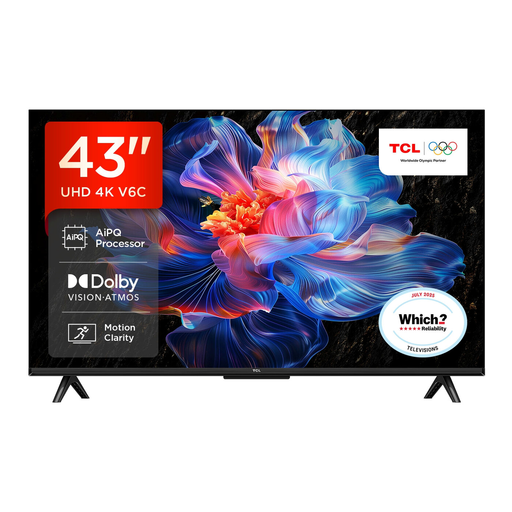
Why This Fits Their Persona: A practical choice for a bedroom, flat or smaller lounge where a 43-inch screen can provide 4K detail without taking over the room. Google TV and Wi-Fi support are suited to everyday streaming.
Its advertised gaming features should still be checked against the connected device and selected resolution, rather than assuming every mode runs at the highest stated rate.
4K HDR resolution, Google TV, Dolby Atmos support, HDMI 2.1 features and VRR are listed for this model.
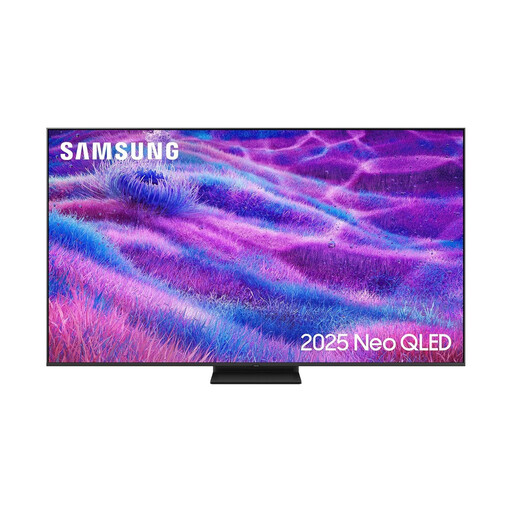
Why This Fits Their Persona: Designed for a spacious lounge or home cinema arrangement, this 75-inch model combines Neo QLED Mini LED backlighting with a 100Hz native refresh rate and support for up to 144Hz.
The specification identifies both native and supported refresh rates, helping buyers distinguish standard viewing performance from compatible gaming modes.
Mini LED backlighting, four HDMI ports, VRR, FreeSync Premium Pro and Dolby Atmos decoding are specified.

Why This Fits Their Persona: Suits console and PC gamers who want a 55-inch screen with a high refresh rate, HDMI 2.1 connectivity and built-in Dolby Atmos-compatible audio.
Its listing separates native 165Hz refresh, 4K 120Hz input and gaming functions such as VRR and ALLM, making the intended use clearer.
Mini LED with local dimming, 165Hz native refresh, four HDMI 2.1 ports and a stated two-year manufacturer’s warranty.
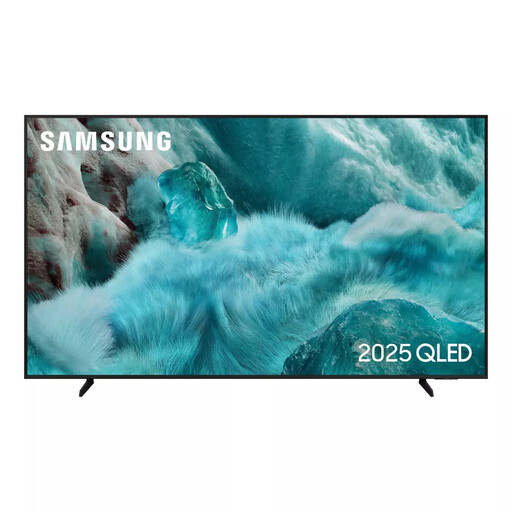
Why This Fits Their Persona: A 55-inch smart TV for households streaming films, television and children’s content through Wi-Fi, with Tizen, screen mirroring and access to Samsung TV Plus.
The 50Hz native refresh rate is clearly listed, so buyers can choose it for general viewing rather than assuming it is designed for high-refresh competitive gaming.
QLED display technology, 4K upscaling, HDR10+ support, Wi-Fi, Bluetooth and eARC are listed.
We have compiled a complete, real-time list of products that fully satisfy these strict selection criteria and UK safety regulations.
For many UK households, yes, particularly when choosing a 55-inch or larger screen or sitting relatively close to the television. Streaming services and devices must provide 4K content to use the full resolution; lower-resolution programmes are displayed through upscaling.
Lifespan varies with usage, ventilation, software support and component reliability. Keep the television away from heat and moisture, install firmware updates and avoid blocking ventilation openings. Check the supplied warranty and retailer terms before purchase.
Running costs depend on screen size, brightness, viewing hours and energy rating. A larger television generally uses more electricity than a smaller one, while HDR and high-brightness modes can increase consumption. Compare the energy label figures for SDR and HDR rather than judging from screen size alone.