
24/7 Customer Support

Free returns

Same-day & Next-day Delivery

Quality Guaranteed

Unlock Your Welcome Offers: FREE Delivery | Up to 80% OFF | Free 30-day JoyPlus trial
Download the APP
Choosing among 4K smart TVs can quickly become confusing. Screen size, QLED, Mini-LED, HDR, refresh rates and smart platforms all affect the buying decision, but product listings do not always explain what those specifications mean in a UK home.
There are also several common traps:
All genuine 4K smart TVs in this guide use a resolution of 3840 × 2160 pixels. The more important question is whether the screen size suits your room.
Do not rely only on the diagonal measurement. Check the television’s width, height, depth with stand and VESA mounting pattern. For wall mounting, use a compatible bracket and ensure the wall can support the combined weight.
A standard Direct LED TV uses LEDs behind the panel. This can provide consistent illumination, but black levels and contrast depend on the panel and processing.
A QLED TV adds a quantum-dot layer designed to produce a broader colour range and more saturated on-screen colours. It does not automatically mean superior contrast, so also check whether the television has local dimming.
A Mini-LED TV uses smaller backlight elements and multiple dimming zones. This can provide more precise control between bright and dark areas than a conventional Direct LED design. The Hisense 55U7QTUK Pro, for example, combines Mini-LED, QLED colour technology and local dimming.
For an HDR smart TV, look for the formats your content supports:
HDR performance also depends on brightness, contrast and room lighting. A television with multiple HDR formats but modest brightness may not deliver the same visual impact as a brighter model with stronger backlight control.
A 60Hz TV can be perfectly suitable for films, Freeview and general streaming. Gamers should look beyond the headline refresh-rate figure.
Check for:
A 144Hz TV or 165Hz TV may appeal to PC gamers with suitable graphics hardware. For console gaming, compatibility with 4K at 120Hz, HDMI 2.1 and VRR may be more relevant than the maximum number alone.
A Google TV model, such as the TCL V6C range, brings streaming apps, voice search and personalised recommendations into a Google-based interface. A Samsung Smart TV typically uses Tizen, while Hisense models in this selection use VIDAA. The Vispera models also specify Tizen, and Coocaa’s compact televisions use TiVo OS with Freely support.
For UK households, check whether the set includes a Freeview TV tuner or Freely functionality, depending on how you receive live channels. Built-in tuners can reduce the need for an external box, but aerial, satellite and internet requirements differ between services.
Audio is another area where listings can create unrealistic expectations. A Dolby Atmos TV may support Atmos decoding or processing, but built-in speakers cannot necessarily reproduce the same effect as a separate soundbar or surround system. Check speaker power, eARC support and available audio outputs if you plan to upgrade later.
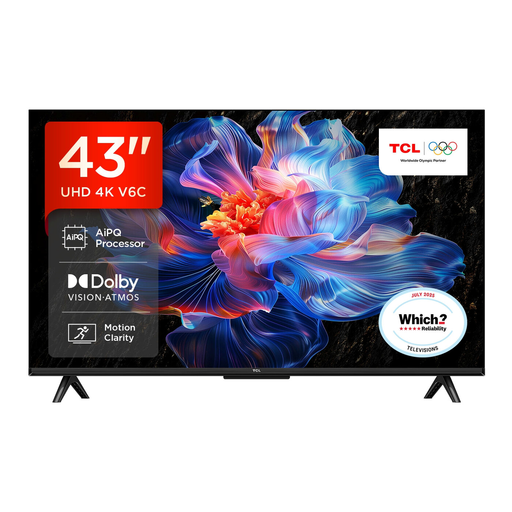
Why This Fits Their Persona: The 43-inch format suits smaller UK rooms while retaining 4K resolution, Google TV, HDR support and built-in streaming access.
The listing identifies the screen size, 4K resolution, Direct LED backlight and Google TV platform rather than relying only on vague picture claims.
Dolby Atmos support, HDR10+/Dolby Vision compatibility, HDMI 2.1 features and Google Assistant.

Why This Fits Their Persona: It is aimed at shoppers wanting advanced picture control, high-speed gaming features and stronger integrated audio in a manageable 55-inch format.
The specifications state native 165Hz performance, 165Hz VRR on HDMI inputs and local dimming, making the key features easier to verify.
Mini-LED and QLED display, Dolby Vision IQ, four HDMI 2.1 ports and 2.1.2-channel Dolby Atmos audio.
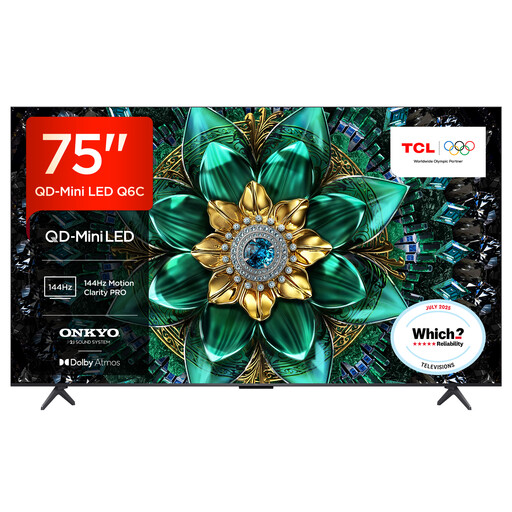
Why This Fits Their Persona: The 75-inch screen is suited to larger living rooms, sports viewing, films and PC or console gaming where scale and motion handling matter.
Its product details distinguish a 144Hz native display from the separate 288Hz Game Accelerator mode, helping buyers understand the conditions behind each figure.
QD-Mini LED backlighting, up to 512 local dimming zones, HDMI 2.1, VRR and Google TV.
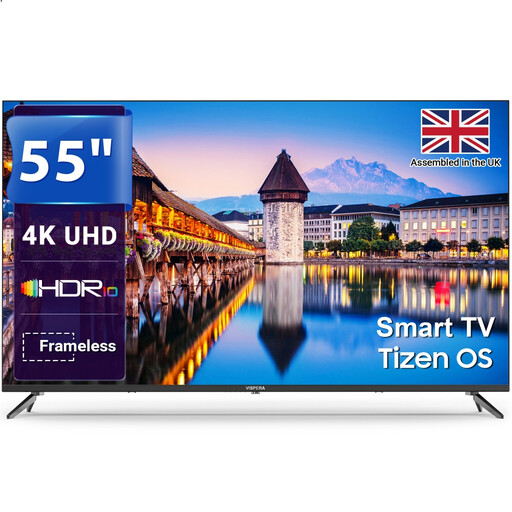
Why This Fits Their Persona: It suits households prioritising straightforward streaming, Freeview HD and familiar everyday connections over advanced gaming specifications.
The specification clearly lists a 60Hz refresh rate, three HDMI ports, Freeview HD and a VESA 200 × 200 mounting pattern.
4K resolution, Tizen OS, Freeview HD tuner and support for Netflix, Disney+ and Prime Video.
We have compiled a complete, real-time list of products that fully satisfy these strict selection criteria and UK safety regulations.
Many models include a compatible digital tuner, but specifications vary. Look for DVB-T2 and an explicit Freeview or Freely listing. You may still need a working aerial or a reliable broadband connection, depending on how live channels are delivered.
Running costs depend on screen size, brightness settings, usage and the model’s energy label. Larger screens generally use more electricity than smaller ones. Check the UK energy label, including SDR and HDR consumption where provided, and use automatic brightness or energy-saving settings when appropriate.
Lifespan depends on usage, ventilation, software support and component reliability. Keep ventilation openings clear, install the set securely, avoid placing it near moisture and apply software updates. Before buying, also check the manufacturer’s warranty, connection requirements and whether the smart apps you use are supported.