
24/7 Customer Support

Free returns

Same-day & Next-day Delivery

Quality Guaranteed

Unlock Your Welcome Offers: FREE Delivery | Up to 80% OFF | Free 30-day JoyPlus trial
Download the APP
Buying a 4K smart TV involves more than choosing the largest screen or the longest feature list. UK shoppers also need to consider room size, viewing distance, streaming platforms, energy use, gaming compatibility and whether the advertised specification applies to every input.
Marketing language can make similar televisions appear very different. The practical approach is to check the underlying panel, connections and smart platform before deciding which model suits your household.
A larger screen can make films, sport and games more engaging, but it also needs suitable viewing space. An 85-inch TV may dominate a compact lounge, while a 43-inch or 50-inch TV can be more appropriate for a bedroom, study or smaller living room.
Check the television’s full dimensions, including the stand, rather than relying only on the diagonal measurement. If wall mounting, confirm the VESA mounting pattern, wall strength and whether cables can be routed neatly.
A television may advertise a gaming accelerator or motion-processing figure that differs from its native panel refresh rate. For example, some models support enhanced motion modes at lower resolutions, while a true 144Hz TV is designed around a native 144Hz panel.
For console gaming, look for 4K at 120Hz, HDMI 2.1, VRR and ALLM. A high number on the box is not enough if the HDMI input, resolution or compatible device cannot support it.
A 4K HDR TV can accept HDR10, Dolby Vision, HDR10+ or HLG signals, but the visible effect depends on panel brightness, contrast and backlight control. A standard Direct LED television and a Mini LED TV may both support HDR while producing different levels of highlight intensity and black-level control.
Also check which HDR formats are supported by your streaming services and external devices. Format compatibility is useful, but it should not replace checking the rest of the display specification.
All of the televisions below provide a 3840 × 2160 4K Ultra HD resolution. The more important distinction is the panel and backlight:
Local dimming can be valuable for films with dark scenes, but it does not remove every possible halo effect around bright objects. Viewing angle, room lighting and personal preferences still matter.
For a gaming TV, check the complete connection chain: console or PC output, HDMI port bandwidth, supported resolution and refresh rate. Useful features include:
Not every HDMI port necessarily offers identical functionality, so read the product specification and manual before connecting multiple consoles.
The operating system affects app availability, navigation and voice control. Google TV suits households that use Google services, Google Cast or Google Assistant. Samsung smart TV models use Tizen, while Hisense smart TVs commonly use VIDAA. LG models use webOS, with a pointer-style remote on some ranges.
Built-in speakers are convenient, but Dolby Atmos support does not guarantee the same result as a separate surround system. Check speaker power, channel layout and whether the set includes eARC if you plan to connect a soundbar or AV receiver.
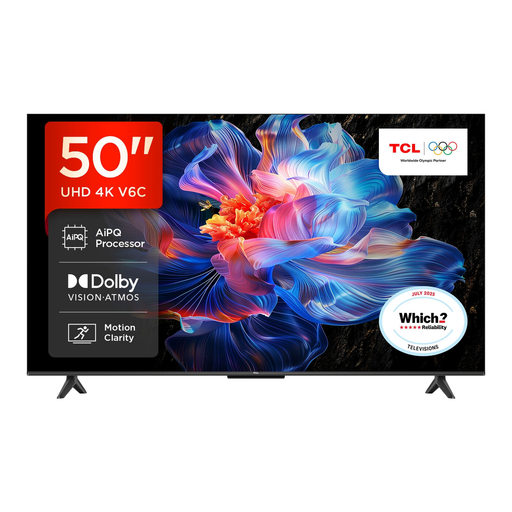
Why This Fits Their Persona: A practical 50-inch format for everyday streaming, live television and films in a typical UK lounge or bedroom.
Its specification clearly identifies Direct LED, 4K HDR, HDMI 2.1, VRR and Google TV instead of relying only on broad motion claims.
Dolby Atmos audio, Dolby Vision and HDR10+ support, plus built-in Google Assistant.
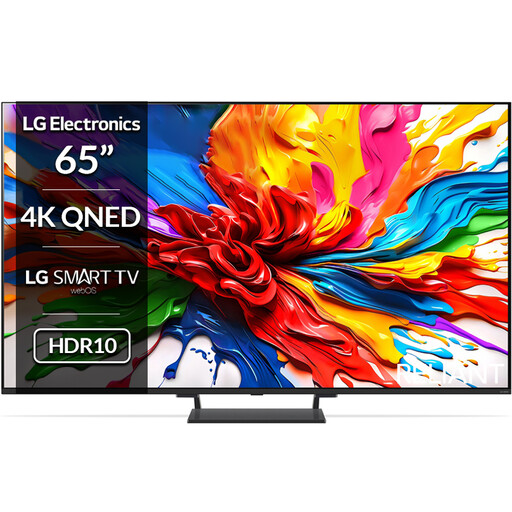
Why This Fits Their Persona: A 65-inch option for film fans and households wanting advanced picture processing, HDR support and a modern smart interface.
The Mini LED backlight, Precision Dimming Pro and listed HDR formats provide more useful detail than a refresh-rate figure alone.
Four HDMI 2.1 ports, VRR up to 144Hz, Dolby Atmos and 40W 2.2-channel audio.

Why This Fits Their Persona: Suited to competitive gaming, sport and fast-moving content where refresh rate and responsive connections are priorities.
Its specification separates the native 165Hz refresh rate from other processing features and lists four HDMI 2.1 inputs.
165Hz VRR, ALLM, FreeSync-related gaming support, Mini LED local dimming and a 2.1.2-channel Dolby Atmos system.
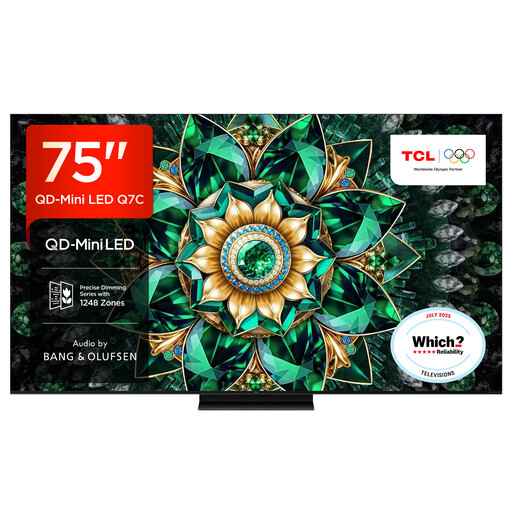
Why This Fits Their Persona: Designed for a spacious lounge or dedicated media area where a large screen, HDR brightness and integrated audio are important.
The listing specifies Mini LED backlighting, up to 2048 local dimming zones, native 144Hz and multiple HDMI 2.1 connections.
Google TV, Dolby Atmos-compatible audio and a 75-inch QD-Mini LED display with 144Hz refresh rate.
Check the product’s energy label before purchase and compare typical consumption rather than maximum power alone. A larger screen generally uses more electricity, while brightness settings, HDR content and standby behaviour also affect usage. Energy labels use the UK A-to-G scale, so compare models within the same size range.
Place the TV where ventilation openings remain clear. For wall mounting, use a compatible bracket, verify the VESA dimensions and secure the television to a suitable wall structure. Keep the screen stable and follow the manufacturer’s installation and electrical safety instructions.
We have compiled a complete, real-time list of products that fully satisfy these strict selection criteria and UK safety regulations.
Yes. A suitable model can combine a built-in digital tuner with internet apps. Check for the services you use, such as Netflix, YouTube, Disney+ or broadcaster catch-up platforms, as app availability can vary between Google TV, Tizen, VIDAA and webOS.
Lifespan depends on usage, operating conditions, software support and component durability. Keep ventilation clear, avoid physical impact and install software updates when recommended. Before buying, check the stated warranty period and retailer support arrangements.
Not for ordinary television or film streaming. HDMI 2.1 is more relevant to compatible games consoles and PCs that use 4K at higher refresh rates, VRR or ALLM. If you are buying a gaming TV, count the HDMI 2.1 ports and confirm which features each port supports.