
24/7 Customer Support

Free returns

Same-day & Next-day Delivery

Quality Guaranteed

Unlock Your Welcome Offers: FREE Delivery | Up to 80% OFF | Free 30-day JoyPlus trial
Download the APP
Buying one of the many 4K Smart TVs available in the UK can seem straightforward until you compare screen technologies, operating systems, HDR formats, audio features and energy labels. A television may look impressive on a product page but still be unsuitable for your room, viewing habits or connected devices.
This guide explains the practical details worth checking before you buy, then matches selected models to different household needs.
A 4K resolution means the panel displays 3,840 x 2,160 pixels, but it does not describe brightness, contrast or backlight control. A Direct LED model, QLED TV, QNED TV and Mini LED TV can produce noticeably different results.
For example, Mini LED backlighting uses many small LEDs and can offer more precise control of bright and dark areas than a conventional Direct LED design. However, the result still depends on the panel, processing and content source. Do not choose solely because a listing includes terms such as “cinematic” or “lifelike”.
An HDR TV can support a wider range of brightness and colour than standard dynamic range content, but the experience depends on the programme, streaming service and the television’s actual brightness and contrast performance.
Check which formats are supported. HDR10 and HLG are widely used, while HDR10+, Dolby Vision and Dolby Vision IQ may be relevant for particular films and streaming services. A TV that lists several formats is more flexible, but it will not automatically improve every programme.
A television may advertise a motion-enhancement feature or a “game accelerator”, but that is not necessarily the same as a native high refresh rate. Console and PC gamers should check the native refresh rate, HDMI specification, VRR and ALLM support.
A 120Hz or 144Hz-capable gaming TV may offer smoother compatible gameplay, but your console, PC, cable and game must also support the required signal. For casual gaming, ALLM and low-latency settings may matter more than a headline refresh-rate figure.
The most suitable screen depends on your room layout, seating position and furniture. A 43-inch smart TV can work well in a bedroom, smaller lounge or gaming room. A 50-inch 4K TV offers a useful balance for many living rooms, while a 55-inch 4K TV creates a more prominent home cinema feel.
Measure the available width, including the stand, rather than relying only on the diagonal screen measurement. Also check the depth of the stand and whether your TV unit can support the weight. If wall mounting, confirm the VESA pattern, wall strength and cable clearance.
For a bright lounge, prioritise measured brightness, anti-glare features and placement. For evening film viewing, contrast, local dimming and HDR format support may be more important.
The operating system determines how easily you access apps and connected devices. Roku TV focuses on a simple home screen and broad app access. Google TV integrates Google services, casting and voice control, while Tizen and webOS provide their own app ecosystems and smart-home features.
If you want a smart TV with Freeview, confirm the tuner and UK broadcast support in the specification rather than assuming every smart model includes the same channels or catch-up functions.
Built-in speakers can be adequate for everyday viewing, but dialogue and film sound may benefit from a soundbar. A Dolby Atmos TV may decode or process compatible audio, but immersive sound also depends on speaker placement and the source. For future upgrades, look for eARC, optical output, Bluetooth and enough HDMI ports for consoles, streaming boxes and Blu-ray players.
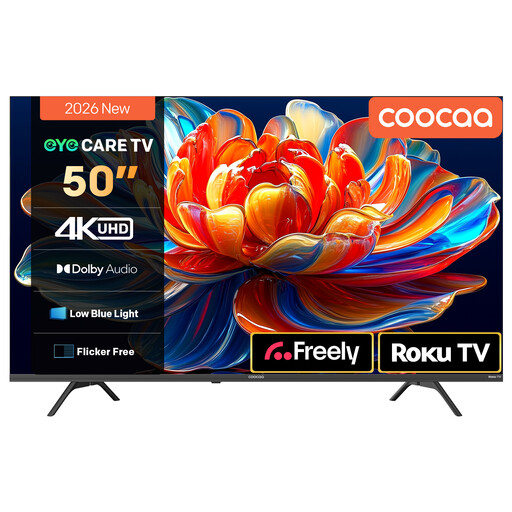
Why This Fits Their Persona: A practical 50-inch format for a first living-room TV, with Roku TV access to popular streaming services and Freely support described in the listing.
The listing identifies Direct LED backlighting, HDR10 and HLG support, rather than leaving the display specification vague. Its refresh-rate claims should still be checked against your gaming requirements.
Roku TV platform; HDR10 and HLG support; Dolby Audio with two 10W speakers.
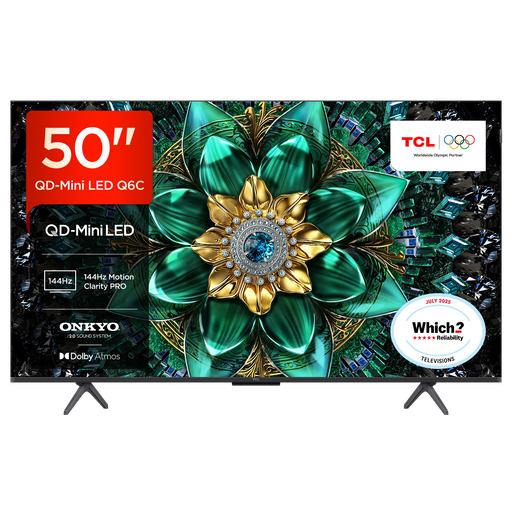
Why This Fits Their Persona: Suitable for viewers prioritising advanced picture control, broad HDR compatibility and a more substantial audio specification for films, sport and games.
The specification separates QD-Mini LED technology from gaming features, listing HDMI 2.1, VRR and ALLM. Buyers should verify the exact ports and supported resolution for their devices before ordering.
QD-Mini LED backlight; Google TV; up to 144Hz VRR; 30W Onkyo audio with Dolby Atmos and DTS Virtual:X.
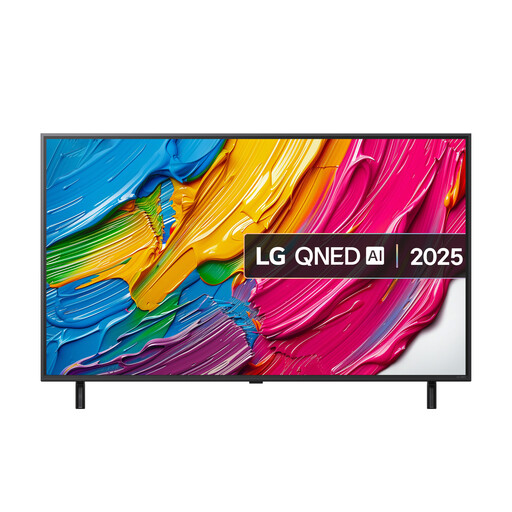
Why This Fits Their Persona: A flexible option for households combining streaming, console gaming and smart-home use, with webOS, voice control and Freeview Play listed in the specification.
The listing states a 60Hz native refresh rate while separately identifying VRR and ALLM. This distinction helps buyers avoid assuming that every “gaming” label means native 120Hz performance.
QNED display; three HDMI 2.1 connections with eARC, VRR and ALLM; webOS; Freeview Play tuner support.
We have compiled a complete, real-time list of products that fully satisfy these strict selection criteria and UK safety regulations.
Running cost depends on screen size, brightness settings, viewing hours and the model’s energy rating. Use the energy label’s kWh figures to compare likely consumption. Switching off rather than leaving the television in standby may reduce standby use, although modern sets generally use low standby power.
It can be, provided your seating distance and furniture allow comfortable viewing. Measure the TV’s total width and stand depth, then consider wall reflections and viewing angles. A smaller 43-inch smart TV may be easier to place in a bedroom or compact lounge.
Lifespan varies with usage, ventilation, panel technology and software support. Keep ventilation openings clear, avoid pressing or striking the screen, install software updates when offered and use a surge-protected setup where appropriate. Before buying, check the operating system, app availability and warranty terms so the television remains useful for your intended viewing habits.