
24/7 Customer Support

Free returns

Same-day & Next-day Delivery

Quality Guaranteed

Unlock Your Welcome Offers: FREE Delivery | Up to 80% OFF | Free 30-day JoyPlus trial
Download the APP
Buying one of the many 4K smart TVs available in the UK can be confusing. Screen size, QLED, Mini-LED, HDR, refresh rates and smart platforms all affect the viewing experience, but headline specifications do not always tell the whole story.
A television that looks impressive on a product page may be unsuitable for your room, lack the connections needed for your console or offer apps that do not match your viewing habits. The practical approach is to start with your room and usage, then compare the specifications that genuinely affect everyday use.
A 120Hz, 144Hz or 165Hz panel can make movement appear smoother, particularly during gaming and sport. However, the source also needs to support the relevant frame rate. Many films and television programmes are not produced at 120 frames per second, while some televisions only achieve higher refresh rates in particular resolutions or gaming modes.
Check whether the quoted figure is a native panel refresh rate, a motion-processing figure or a gaming accelerator mode. For console gaming, also confirm support for HDMI 2.1, VRR and ALLM.
HDR TVs can accept formats such as HDR10, HLG, HDR10+ and Dolby Vision, but format compatibility alone does not guarantee a dramatic picture improvement. Brightness, contrast control and local dimming are also important.
Direct LED models can offer consistent backlighting, while QLED TVs use quantum-dot technology to expand colour volume. Mini-LED TVs add much smaller backlight zones, allowing more precise control of bright and dark areas. The number of dimming zones, peak brightness and the quality of picture processing are more useful comparison points than a long list of HDR badges.
A 75-inch TV can create an engaging cinema-style display, but it needs suitable wall or furniture space and a comfortable viewing distance. Measure the television’s width and depth with its stand, not only the diagonal screen measurement.
For smaller lounges, bedrooms or student accommodation, 43-inch TVs and 55-inch TVs may be easier to position. 65-inch TVs often suit a larger main living room, while 75-inch TVs work well where several people watch together from a greater distance.
A 4K Ultra HD television has a resolution of 3840 × 2160 pixels, providing four times the pixel count of Full HD. This can show finer detail, although the benefit depends on content quality and viewing distance. Built-in upscaling can improve older broadcasts and standard-definition streams, but it cannot recreate all the detail of native 4K content.
QLED TVs use a quantum-dot layer to produce a wider range of colours. Mini-LED TVs use a dense LED backlight with local dimming. OLED is another display category, but it should not be confused with QLED or Mini-LED: each technology has different strengths and limitations.
For gaming TVs, look beyond the refresh-rate number. Confirm:
The Hisense 55U7QTUK Pro, for example, lists a native 165Hz refresh rate, VRR at up to 165Hz on its HDMI ports and a stated input lag of ≤7ms at 4K 120Hz input. These specifications are particularly relevant to competitive gaming, although the connected device and game must support the required signal.
Smart platforms vary in interface, app availability and voice-control features. Google TV brings streaming services and recommendations into one interface, while Samsung smart TVs use Tizen, LG smart TVs use webOS and Hisense smart TVs commonly use VIDAA.
If you want live and on-demand UK television over broadband, check for a Freely smart TV rather than assuming every television includes the same service. The Coocaa CTQH38 includes Freely through TiVo OS, but it is a Full HD model rather than a 4K television. This may be suitable for a bedroom or smaller room where 4K resolution is less important.
Also check whether the required apps are available before buying. Smart platforms can change over time, and an external streaming device may still be useful if a particular service is unavailable.
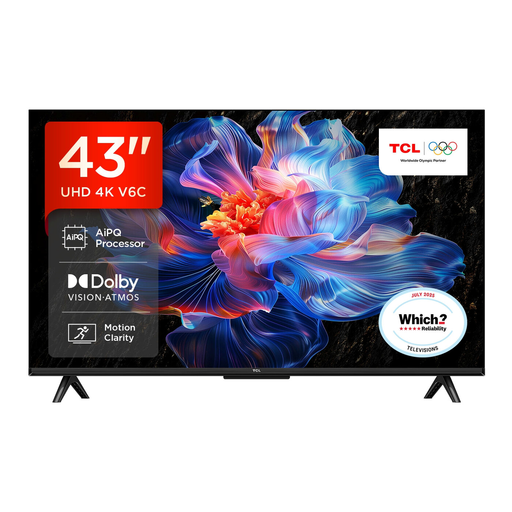
Why This Fits Their Persona: A compact option for flats, bedrooms and smaller UK living rooms, with Google TV for everyday streaming and voice control.
The 43-inch format helps prevent overbuying for a limited space, while Direct LED and 4K resolution are clearly specified.
4K UHD resolution, Dolby Atmos support, HDMI 2.1, VRR and Google Assistant.
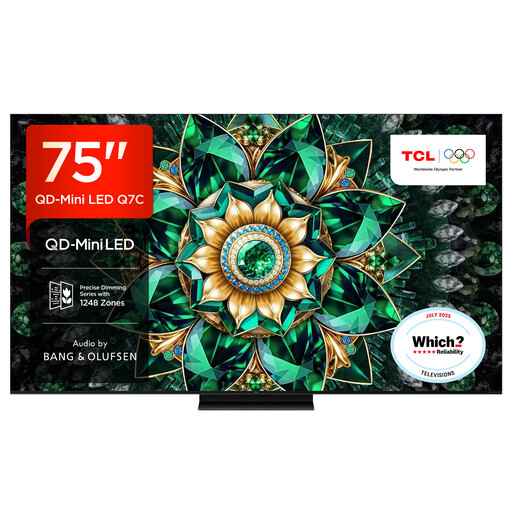
Why This Fits Their Persona: Designed for a large lounge or dedicated media room where a wide viewing area and detailed HDR picture are priorities.
It specifies QD-Mini LED backlighting, up to approximately 2,048 local dimming zones and a 144Hz native refresh rate rather than relying only on generic HDR wording.
75-inch 4K display, Google TV, HDMI 2.1 connectivity and audio by Bang & Olufsen.

Why This Fits Their Persona: A practical match for households combining console gaming, sport, films and regular streaming on one 55-inch screen.
Its specification lists the native refresh rate, local dimming, HDMI 2.1, VRR and ALLM, making gaming suitability easier to assess.
165Hz native refresh rate, Dolby Vision IQ, Dolby Atmos and four HDMI 2.1 ports.
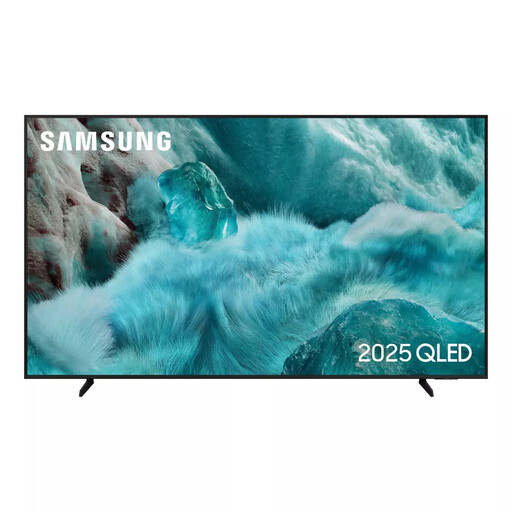
Why This Fits Their Persona: Suitable for families wanting a familiar smart interface, streaming access and everyday gaming features without moving to a specialist gaming display.
The published specification states a native 50Hz rate, helping buyers distinguish everyday motion processing from high-refresh gaming hardware.
QLED display, Tizen OS, AirPlay 2, HDR10+ support and built-in gaming features including ALLM.
Measure doorways, staircases and the intended wall or TV unit. Large screens can be difficult to move safely, and wall mounting requires a compatible VESA bracket rated for the television’s weight. Keep ventilation gaps clear and secure freestanding televisions on a stable surface, particularly in homes with children.
Audio is another consideration. Dolby Atmos TVs can process compatible soundtracks, but built-in speakers do not always replace a dedicated soundbar. Check for eARC if you plan to connect one.
We have compiled a complete, real-time list of products that fully satisfy these strict selection criteria and UK safety regulations.
Running costs depend on screen size, brightness, usage time and the model’s energy rating. Larger televisions generally use more electricity. Check the UK energy label and the stated consumption per 1,000 hours, then compare it with your expected daily viewing.
There is no single guaranteed lifespan. Longevity depends on operating hours, ventilation, software support and component reliability. Keep the set updated, avoid blocking ventilation and use a surge-protected socket where appropriate. Review the manufacturer’s warranty terms before purchase.
Choose according to viewing distance and available furniture or wall space. A 55-inch TV is often easier to accommodate in a standard lounge, while a 65-inch model can provide a more engaging shared viewing experience from farther away. Always compare the complete product dimensions, including the stand.