
24/7 Customer Support

Free returns

Same-day & Next-day Delivery

Quality Guaranteed

Unlock Your Welcome Offers: FREE Delivery | Up to 80% OFF | Free 30-day JoyPlus trial
Download the APP
Buying one of the many 4K Smart TVs UK shoppers can find online involves more than choosing the largest screen or the lowest price. A television may advertise QLED, HDR, 144Hz or Dolby Atmos, yet still be unsuitable for your room, viewing habits or gaming equipment.
This guide explains which specifications matter, which marketing details need closer inspection, and how to match a television to your household.
A label such as 144Hz gaming TV does not automatically mean every connected device will run at 144Hz. Check whether the television has compatible HDMI 2.1 ports, VRR and ALLM. You will also need a suitable gaming PC or console, the correct cable and a game that supports the required frame rate.
Some models advertise a higher refresh rate through a game accelerator mode rather than a native panel refresh rate. Read the specification carefully to distinguish between the panel’s native rate and an enhanced gaming mode.
A 4K HDR TV can support HDR formats while offering limited brightness or contrast. HDR performance depends on the panel, backlight, local dimming system and the content source.
OLED panels can switch individual pixels off for deep blacks, while QLED and Mini LED televisions use a backlight. Mini LED models with more local dimming zones can offer finer control over bright and dark areas, although the result also depends on processing and viewing conditions.
A large-screen TV may look appealing online but be difficult to position in a typical UK living room. Measure the wall, TV unit, doorway and viewing distance before ordering. Also check the width with the stand fitted, not just the screen size.
Bright rooms may benefit from a high-brightness QLED or Mini LED model. If your room has windows opposite the screen, an anti-glare or matt display may be more practical than focusing solely on resolution.
Terms such as “over one billion colours” describe colour capability, not a guarantee that every source will display that range. Streaming quality, calibration and the content itself remain important.
For films and most television broadcasts, a standard refresh rate may be adequate. Sports viewers and gamers may prefer a 144Hz native refresh rate or a model supporting 120Hz or 144Hz VRR.
Look for:
The number of HDMI ports also matters. Four HDMI inputs can be useful if you have a games console, soundbar, streaming box and Blu-ray player.
A Google TV model can bring streaming services, Chromecast and voice control into one interface. Samsung smart TV models use Tizen, LG smart TVs use webOS and Hisense smart TVs commonly use VIDAA. Compare the apps you use regularly before purchase, as availability can vary by platform and region.
Built-in speakers are convenient, but sound quality varies. A television with Dolby Atmos support may process compatible soundtracks, but the perceived result depends on speaker layout and room acoustics. A soundbar connected through eARC can provide a more substantial upgrade.
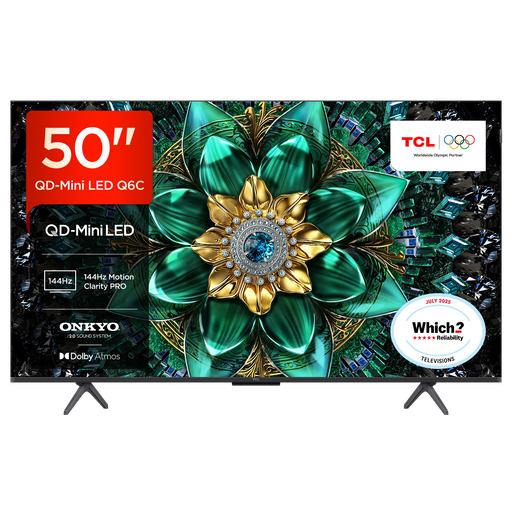
Why This Fits Their Persona: A 50-inch format is easier to accommodate in a flat or smaller lounge, while Google TV provides access to popular streaming services and voice features.
The listed specification includes HDMI 2.1, ALLM and VRR, rather than relying only on a headline refresh-rate claim.
QD-Mini LED backlighting, up to 144Hz gaming support and a 30W Onkyo audio system with Dolby Atmos and DTS Virtual:X.
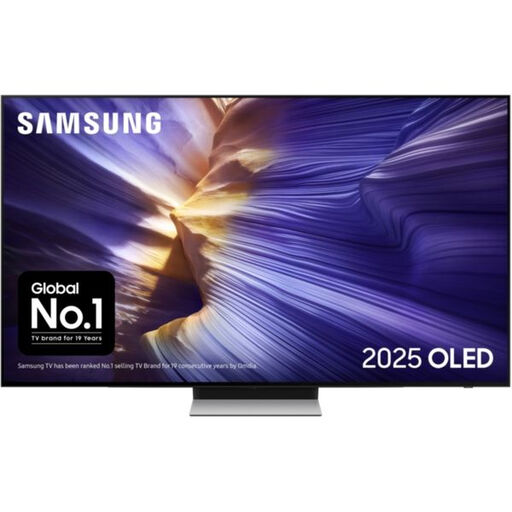
Why This Fits Their Persona: Suitable for film-focused households seeking an OLED panel, a compact premium screen and Tizen smart features in a 55-inch size.
Its specifications identify an OLED panel, 144Hz supported refresh rate, VRR, ALLM and four HDMI ports, making the feature set easier to verify.
OLED display technology, FreeSync Premium Pro, Dolby Atmos and a 60W 2.1.2-channel audio system.
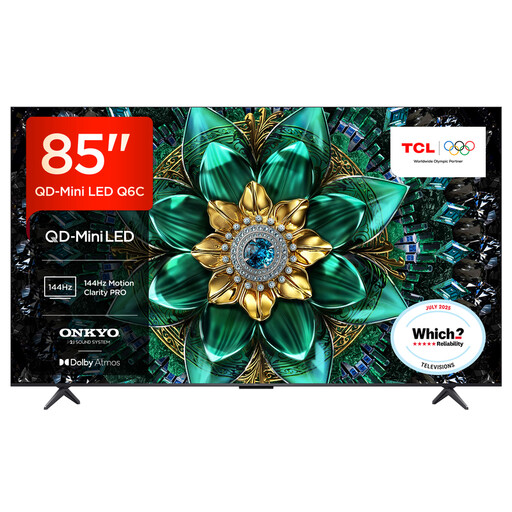
Why This Fits Their Persona: Designed for large UK living rooms, sports viewing, console gaming and shared family entertainment where screen size and integrated sound are priorities.
The specification separates its 120Hz panel rate from up-to-144Hz VRR gaming support and lists four HDMI inputs including HDMI 2.1.
85-inch QD-Mini LED display, up to 512 dimming zones, 144Hz VRR and a 40W 2.1-channel Onkyo system.
We have compiled a complete, real-time list of products that fully satisfy these strict selection criteria and UK safety regulations.
For television programmes and films, 144Hz is not essential. It can be useful for sports and compatible PC gaming, where smoother motion and VRR may improve the experience. Console users should check the console’s maximum supported output before paying extra for a higher refresh rate.
Running cost depends on screen size, energy class, brightness settings and daily usage. A large-screen TV generally uses more electricity than a smaller model. The energy label provides consumption information per 1,000 hours, allowing you to compare likely usage between models.
Lifespan varies according to panel technology, operating hours, ventilation and software support. Keep the vents clear, avoid excessive heat and install firmware updates when available. OLED owners should also vary content and avoid leaving static logos or menus displayed for long periods.