What should you check first?
Check the required apps on your current TV before adding hardware. If its screen remains suitable, compare a streaming player or set-top box with the built-in platform; assess a TV replacement against separate screen and hardware needs.
| Concern |
What to check |
Who this matters to |
| Required apps and discovery |
Look for each required UK app on the exact TV, player or set-top box model. Check that you can find and open it through the intended interface. |
If a broadcaster app is missing or buried on my TV, changing platforms is useful only if the alternative gives me access I can navigate. About 40% of consumers put required apps and discovery first. |
| Keeping a satisfactory TV |
Check for a free HDMI input, power and a suitable internet connection before choosing an external device. Match any 4K or HDR plans to the TV, connection and content. |
If my current screen still does its job, I want to address the streaming problem without replacing the television. Keeping that screen is the primary need for about 30% of consumers. |
| Accessibility and controls |
Try the required apps’ subtitles, audio description or signing, and check the remote, search and setup controls you need. |
When I rely on access features, I need to find programmes and operate playback as well as turn a setting on. Accessible, usable controls come first for about 20% of consumers. |
| Screen and TV hardware |
Separate display or connection limitations from app problems. Check the exact replacement model’s UK apps and the display features you intend to use. |
If the screen or TV hardware needs changing too, a separate streaming interface will not resolve the whole problem. Broader TV replacement is the main concern for about 10% of consumers. |
Joybuy products for each route
These selections start with streaming sticks for a TV whose screen still suits you, then move to smart TVs for households considering a screen replacement. Check required apps on the exact model whichever route you take.
 No image available
Roku Streaming Stick 4K Doly Vision
Consider this streaming-stick route if the existing TV’s screen suits you but you want a separate interface. The product title identifies a 4K variant; check the TV’s HDMI compatibility, the content formats you use and each required UK app before relying on those features.
View on Joybuy
 No image available
Roku Streaming Stick 4KPlus
This is another separate-interface option for a household keeping its current screen. Check its connection and setup requirements against your TV, then confirm that its UK app selection covers your services; the 4KPlus name alone does not establish what your TV can display.
View on Joybuy
 No image available
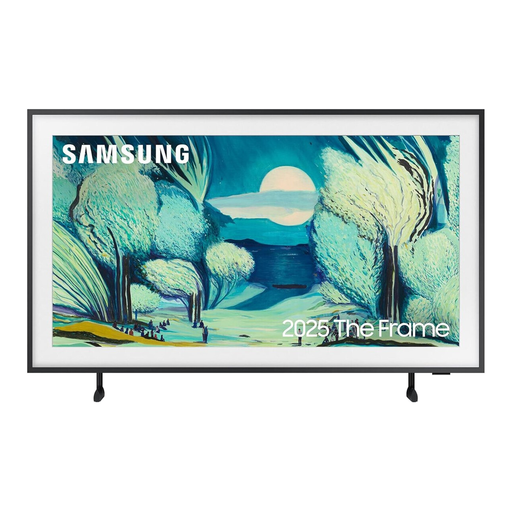
Samsung The Frame QE43LS03FAU 43-inch 4K Smart TV
Consider this model if you are replacing the screen as well as choosing a connected-TV platform. Its listed size is 109.2 cm (43 inches) and its resolution is 4K Ultra HD. Check required UK apps and software support for QE43LS03FAU before treating the replacement as a solution to an app-access problem.
View on Joybuy
 No image available
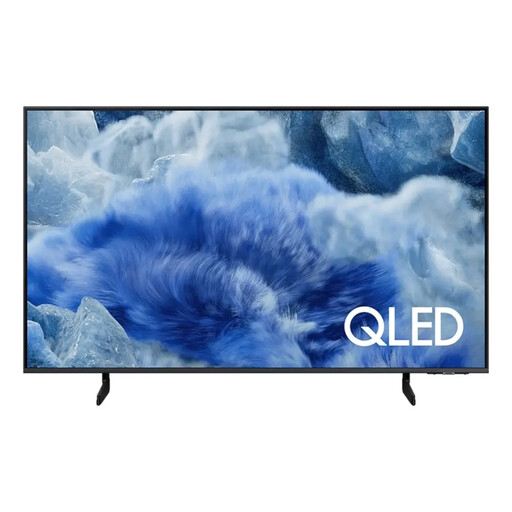
Samsung Q8F QE55Q8FAAU 55-inch 4K Smart TV
This replacement-TV route is relevant if you also want a 139.7 cm (55-inch) screen. The title specifies 4K Ultra HD resolution. Confirm that the exact UK model carries your required apps; a larger screen does not, by itself, resolve a platform-access issue.
View on Joybuy
 No image available
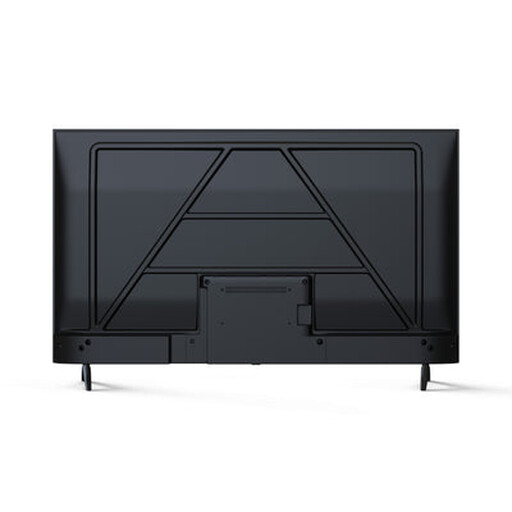
Haier H50K85GUF K85 36200181 50-inch 4K Smart TV
Consider this model when a 127 cm (50-inch) replacement screen is part of the decision. The title specifies 4K Ultra HD, Direct-LED, 60 Hz, HDR10 and Wi-Fi. Confirm app availability and software support for this exact UK model rather than treating those display specifications as evidence of service access.
View on Joybuy
Common questions
Does adding a streaming device change whether I need a TV Licence?
No: the UK requirement depends on what you watch, not whether you use a TV’s built-in platform or an added device. GOV.UK says you need a TV Licence to watch or record programmes as they are broadcast, or to watch on-demand BBC programmes on iPlayer.
Will an app available on one smart TV work on another?
Do not assume it will. Check the app on the exact UK TV or player model: LG says support can vary by TV model, purchase region and app compatibility, while Ofcom explains that platform-provider arrangements affect which services are carried and promoted.
Will a 4K streaming stick make my current TV display 4K or HDR?
No, not if the TV cannot display those formats. Roku specifies a compatible 4K TV, HDMI HDCP 2.2 port, suitable cable and 4K content for its players’ 4K use; HDR also needs an HDR-capable TV and compatible content. Check the requirements for the exact player you choose.
How can I check accessibility before choosing a player or TV?
Try the services and controls you intend to use, from setup and search through to subtitles, audio description or signing during playback. Ofcom highlights the difficulty of finding accessible content in inconsistent on-demand interfaces; Google documents TalkBack-guided setup on specified Google TV devices, but that does not establish accessibility across every app.
Does a streaming player include access to every paid service?
No. Roku notes that some channel content requires a paid subscription or another payment. Confirm the apps on the exact player, then check any service requirements separately from the device decision.


