Choose a 4K monitor by assessing reflections at your desk, its stated typical or sustained brightness, and the colour mode your render workflow requires. If you cannot control the daylight, give brightness and screen treatment greater weight; if you can reposition the display and use blinds, colour-management features may matter more. No monitor specification removes a direct window reflection.
Who this matters to
Daylight-exposed 3D artists
If you inspect materials and shadow detail at a desk beside a bright window, screen reflections and positioning deserve attention before an HDR peak-brightness figure. The Health and Safety Executive advises arranging the desk and screen to avoid glare and bright reflections.
Colour-critical visualisers
If a render needs colour-managed review, check the intended output colour space against the monitor's modes and calibration options. BenQ and ASUS publish model-specific colour specifications, but those specifications do not configure your computer or render application.
Single-cable workstation users
If a laptop shares the render desk with peripherals, a monitor with charging and hub features may simplify connections. Check the laptop, cable and monitor together before relying on one-cable operation.
What to check before buying
Start with the window and your usual render-review mode, then decide whether colour control, laptop connections or HDR capability changes the monitor you need.
| Concern | What to check | Who this matters to |
|---|
| Window reflections and readability |
Check the screen treatment and stated typical or sustained brightness. Make sure the stand or mount lets you turn the screen away from reflections. |
I need to see shadow detail in daylight without mistaking a reflected window for part of the render. Around 33% of consumers put glare control and readability first. |
| Colour-managed review |
Match the monitor mode to the render's working or output space; check relevant gamut modes and calibration documentation. |
When colour sign-off matters, I need the display settings to correspond to the file I am reviewing. Roughly 33% of consumers make colour-managed checking their primary concern. |
| Laptop connectivity |
Check video support over the chosen port, the laptop's charging requirement and any hub or KVM connections you need. |
I want to connect my laptop and desk peripherals without changing my setup each time I review a render. Around 20% of consumers put workstation connectivity first. |
| HDR and high brightness |
Confirm that HDR is part of the review workflow; compare sustained and peak brightness separately, alongside HDR modes and calibration options. |
If I review HDR output, I need a display configured for that delivery target rather than using HDR settings for every render. About 14% of consumers prioritise HDR-capable, high-brightness review. |
Buying pitfalls
-
Choosing by HDR peak brightness alone
A brief HDR peak figure does not describe normal SDR desktop brightness, and it cannot remove a direct reflection from the window.
Compare typical or sustained brightness for your intended mode, check the surface treatment, and assess where the screen will sit during daylight.
-
Treating factory calibration as the whole colour workflow
A calibration report or stated Delta E applies under the maker's conditions; it does not align the computer, application, monitor mode and render output automatically.
Confirm the render's working and output spaces, select the corresponding display mode and keep the calibration documentation for colour-critical review.
Ongoing colour-critical approvals may also require access to a compatible calibrator or a calibration service.
-
Settling the monitor's position before checking reflections
Window glare can obscure the detail you are trying to judge. The Health and Safety Executive advises arranging the desk and screen to avoid glare and bright reflections.
Try the screen at the planned desk position in daylight. Reposition it or use blinds or curtains where needed, then adjust its angle and height if the stand or mount allows.
-
Assuming every USB-C connection provides one-cable operation
Video output, charging and peripheral connections depend on the laptop and cable as well as the monitor.
Check the laptop's USB-C or Thunderbolt video capability, its charging requirement and the cable specification before choosing a connection setup.
Monitor brands and product lines
ASUS ProArt
The PA32UCG-K is a 32-inch 4K option to examine when high stated sustained brightness, HDR review and hardware calibration are relevant to the work.
- ASUS specifies an anti-glare IPS Mini-LED panel, 1,000 cd/m² sustained brightness, 1,600 cd/m² HDR peak brightness and 1,152 local-dimming zones for the PA32UCG-K.
- Those brightness figures describe different operating conditions. Check the exact model listing and intended SDR or HDR mode rather than treating the peak figure as everyday brightness.
BenQ DesignVue
The PD3225U is a 32-inch 4K creative-monitor option for a desk where window light can be managed and documented colour modes and laptop connections matter.
- BenQ specifies a matte coating, 400 nits typical brightness, sRGB, Rec.709 and P3 coverage, a factory calibration report, and Thunderbolt power delivery rated at 85W.
- The coating and brightness specification do not replace checking reflections at the actual desk position. Match its colour mode to the render workflow.
Dell UltraSharp
The U3225QE is a 31.5-inch 4K hub-monitor option when screen positioning and laptop-desk connections are prominent needs.
- Dell specifies an anti-glare, anti-reflective surface, an ambient-light sensor, a 120Hz refresh rate and power delivery up to 140W for the U3225QE.
- For colour-critical sign-off or HDR review, confirm that the exact display modes and calibration workflow meet your requirements before choosing it on the strength of its hub features.
Joybuy monitors for render review
These 4K displays cover different ways to check renders at a daylight-exposed desk, from a professional HDR model to adjustable general-purpose monitors. Compare each one against your window position and colour workflow; the list order does not establish which screen will work at your desk.
 No image available
ASUS ProArt Display PA32UCG-K 32-inch 4K HDR Mini-LED
Consider this model if your render review includes HDR and you need to assess a high-brightness professional display for the window-side desk.
Its product title specifies a 32-inch 4K IPS Mini-LED display, 120Hz, Dolby Vision, HDR10 and hardware calibration. Confirm the exact SKU's typical or sustained brightness and the mode you will use: brightness figures in its listing conflict.
Match the selected colour mode to the render application and output profile before relying on colour-critical judgements.
Joybuy
 No image available
Dahua 32-inch 4K 165Hz Curved OLED Monitor
Consider the curved format if it suits how you inspect renders, but assess reflections at the intended window-side position.
The product title specifies 3840 × 2160 resolution, 165Hz, HDR400, 99% DCI-P3 and a Type-C connection rated at 65W. Check the screen treatment and normal-use brightness before depending on it for daytime review.
Joybuy
 No image available
iiyama ProLite XUB2792UHSU-B6 27-inch 4K Monitor
A 27-inch 4K display may suit a desk where screen position can be adjusted to manage the window reflection.
Check the surface treatment at the planned position, and confirm the colour modes and calibration documentation your render workflow requires. Matte Black in the product name describes its finish, not a confirmed matte screen surface.
Joybuy
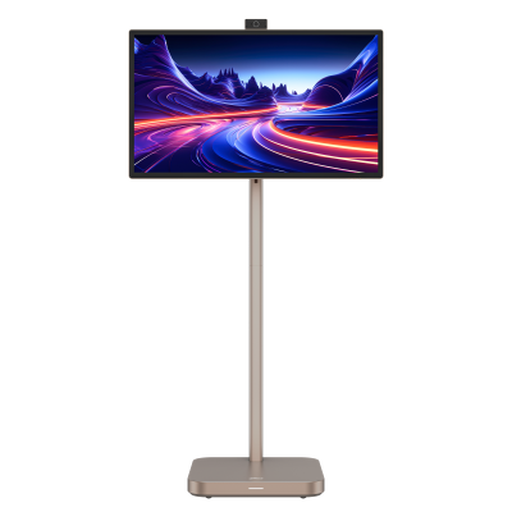 No image available
Dahua 31.5-inch 4K Explorer Portable Smart Monitor
Consider this model if its portable smart-display format is useful beyond a fixed render-review desk; for window-side work, assess reflections separately.
The product title specifies a 4K UHD IPS panel, Android 11, 8GB+128GB and a built-in battery. Check the screen treatment and the Type-C video and power capabilities against your computer before buying.
Joybuy
 No image available
ASUS EYE CARE VY27UQ 4K UHD 60Hz
This 4K model is worth checking for straightforward render-detail review if you can place the screen to avoid the window reflection.
The product title specifies 4K UHD and 60Hz. Confirm its screen treatment, calibration requirements and whether its tilt adjustment gives you enough freedom at this desk; a different mounting arrangement may be needed to change height.
Joybuy
Common questions
Will an anti-glare 4K monitor solve reflections from a bright window?
No: screen treatment cannot replace a workable desk position. The Health and Safety Executive advises arranging the desk and screen to avoid glare and bright reflections, with blinds or curtains useful when window light intrudes.
Should I switch on HDR to check every 3D render?
No. Use HDR when the render pipeline and intended review or delivery target call for it and the monitor is configured accordingly. For an SDR render, check the SDR colour mode and brightness instead; an HDR peak-brightness figure does not establish SDR colour accuracy.
Can a 4K monitor display video and charge my laptop through one cable?
It can if the laptop supports video over the chosen connection and the monitor's power-delivery rating meets the laptop's needs. Dell specifies up to 140W for the U3225QE, while BenQ specifies 85W over Thunderbolt for the PD3225U; check your laptop and cable against the exact monitor connection.


