
24/7 Customer Support

Free returns

Same-day & Next-day Delivery

Quality Guaranteed

Unlock Your Welcome Offers: FREE Delivery | Up to 80% OFF | Free 30-day JoyPlus trial
Download the APP
As a Product Recommendation Officer at Joybuy, I see the excitement surrounding cutting-edge display technology. The arrival of the 500Hz QD-OLED monitor has sent ripples through the competitive gaming community. This technology promises a level of motion clarity and responsiveness that was once unthinkable. However, navigating the market for the fastest gaming monitor is fraught with confusing specifications and marketing jargon. Before you invest, it's crucial to understand the common pitfalls that can lead to an expensive mistake.
This guide will help you cut through the clutter, focusing on the essential factors that truly matter for performance and longevity, ensuring your new display delivers the competitive edge you're looking for.
When you're spending a significant amount on a high-performance display, the last thing you want is to be misled by clever marketing. Here are three common traps UK buyers fall into:
To make a smart purchase, focus on these non-negotiable specifications. They are the foundation of a true competitive esports monitor.
A high refresh rate is only half the story. A 500Hz refresh rate means the screen can draw a new image 500 times per second, providing incredibly smooth motion. However, for you to see each of those frames clearly, the pixels must change colour fast enough to keep up. This is where response time comes in.
When combined, a 500Hz refresh rate and a sub-1ms GtG response time create a level of visual fidelity where the on-screen action feels directly connected to your mouse movements.
The panel is the heart of the monitor. While IPS and VA panels have their strengths, QD-OLED represents a significant leap forward for gaming.
A 27 inch 1440p 500Hz monitor with this technology delivers the perfect blend of sharpness (WQHD resolution), speed and breathtaking image quality. It's also ideal for console gamers, as many high-end models include an HDMI 2.1 monitor for PS5 and Xbox, enabling features like 120Hz and VRR (Variable Refresh Rate).
We've analysed the market to find monitors that not only boast impressive specifications but also deliver on their promises. Here are our recommendations, matched to different types of users.
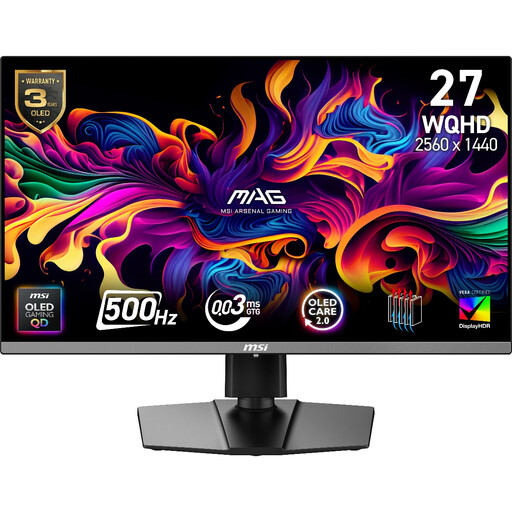
Why This Fits Their Persona: This user demands the absolute pinnacle of performance for a competitive advantage. The combination of a 500Hz refresh rate and QD-OLED technology provides the speed and clarity needed for professional-level FPS and racing simulation gameplay.
It features a true 0.03ms GtG response time, eliminating the misleading MPRT trap. It also directly addresses burn-in anxiety with a comprehensive 3-year warranty that explicitly covers panel burn-in.
Unprecedented motion clarity from the 500Hz QD-OLED panel. VESA DisplayHDR True Black 500 certification ensures authentic HDR performance.
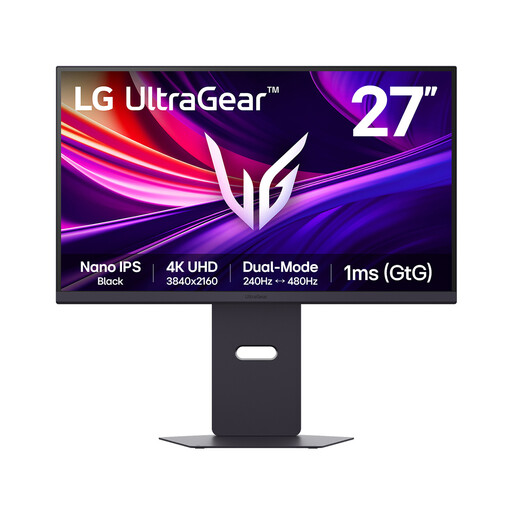
Why This Fits Their Persona: This gamer values both visual fidelity for cinematic single-player games and raw speed for competitive multiplayer. They want a versatile monitor that excels at everything without compromise.
It sidesteps the "HDR-Ready" trap with VESA DisplayHDR 600 certification and a Nano IPS Black panel, delivering genuine high-contrast visuals. The dual-mode feature provides transparent performance for different needs.
The unique ability to switch between 4K 240Hz for stunning detail and 1080p 480Hz for maximum frame rates. Excellent connectivity with DisplayPort 2.1 and HDMI 2.1.
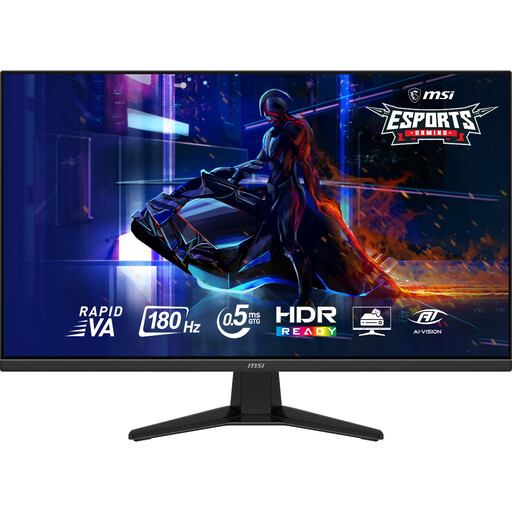
Why This Fits Their Persona: This user wants a large, immersive screen for RPGs and action games but still needs a high refresh rate for occasional competitive play. They are looking for a strong balance of size, speed and value.
It avoids the response time trap by using a Rapid VA panel with a fast 0.5ms GtG time, providing much better motion clarity than standard VA panels at this size and price point.
Offers a large 31.5-inch WQHD display for an immersive experience. The 180Hz refresh rate is still exceptionally smooth and provides a clear competitive advantage over 60Hz or 144Hz monitors.
We have compiled a complete, real-time list of products that fully satisfy these strict selection criteria and UK safety regulations.
For most casual gamers, a 500Hz monitor is likely overkill. The most noticeable benefits are seen by competitive and professional players in extremely fast-paced games where split-second reactions matter. For general gaming, a monitor in the 144Hz to 240Hz range offers a fantastic, smooth experience and represents better value for money.
Modern QD-OLED monitors come with built-in protection features. To minimise risk, you can:
To consistently achieve frame rates approaching 500 frames per second at WQHD (2560x1440) resolution, you will need a top-tier graphics card. This typically means a flagship model from NVIDIA or AMD's latest generation. In less demanding esports titles like Valorant or CS:GO, you may reach these frame rates more easily, but for graphically intensive games, even the most powerful hardware may not consistently hit the 500fps cap. Always ensure your GPU has a DisplayPort 1.4a or HDMI 2.1 output to support the high bandwidth required.