
24/7 Customer Support

Free returns

Same-day & Next-day Delivery

Quality Guaranteed

Unlock Your Welcome Offers: FREE Delivery | Up to 80% OFF | Free 30-day JoyPlus trial
Download the APP
A 512GB USB flash drive with USB-C can be a practical way to move photos, video projects, documents and game files between modern devices. However, not every high-capacity memory stick offers the same connection options, speed or build quality.
For UK shoppers, the main challenge is separating useful specifications from attractive but incomplete advertising. A drive may quote its highest read speed while omitting write performance, require a compatible USB port to reach that figure or include USB-C without clearly explaining whether it supports phones and tablets.
This guide focuses on the features that matter when selecting a dual USB-A and USB-C flash drive, with recommendations matched to different usage profiles.
Terms such as “high-speed thumb drive” and “USB 3.2” do not guarantee a particular transfer rate. Actual performance depends on the drive, the host device, the file type, available power and whether the device supports the relevant USB standard.
Large video files may transfer more efficiently than thousands of small documents. A quoted speed should therefore be treated as an up-to figure rather than a guaranteed everyday result.
A USB-C plug may fit a laptop, tablet or smartphone, but that does not automatically mean every function will work. Check the device’s operating system, USB support, available storage permissions and whether it can supply sufficient power.
A dual-interface drive is useful because it includes both USB-A and USB-C, but older USB-A ports may operate at lower speeds. For iPhone, Android and tablet use, confirm that the device supports external USB storage and that the required file-management app or system function is available.
A 512GB memory stick provides considerably more working space than a small document drive, but it is not a substitute for a properly managed backup system. Capacity also appears slightly lower after formatting, and transferring large media libraries can create heat during extended use.
For irreplaceable files, keep another copy on a computer, cloud service or separate storage device. A USB-C storage drive is most useful as portable external storage, a transfer tool or an additional backup location.
A USB 3.2 Gen 2 flash drive can offer higher potential throughput than USB 3.2 Gen 1 models, but the complete connection chain matters. The computer or tablet port, cable arrangement and file system can all affect results.
Pay attention to both read and write figures. Read speed affects opening or copying files from the drive, while write speed affects saving footage, backups and project files to it. If the product listing provides separate figures, compare both rather than focusing only on the larger number.
For households with a mixture of older laptops and newer devices, dual connectivity can reduce the need for adapters. USB-A remains common on desktops, monitors, car systems and older notebooks, while USB-C is increasingly used on phones, tablets and current laptops.
Before purchase, check whether both connectors are built into the same body and whether the product supports your operating systems. Compatibility information for Windows, macOS and Android is particularly useful for mixed-device households.
A zinc alloy USB flash drive can offer a more rigid outer shell than lightweight plastic, although the casing alone does not make a drive waterproof or indestructible. Look for a protected connector design, a secure sliding or swivel mechanism and a keychain hole if the drive will be carried regularly.
Avoid storing the drive in damp conditions, leaving it in direct sunlight or disconnecting it while data is being written. Use the operating system’s safe-eject function where available.
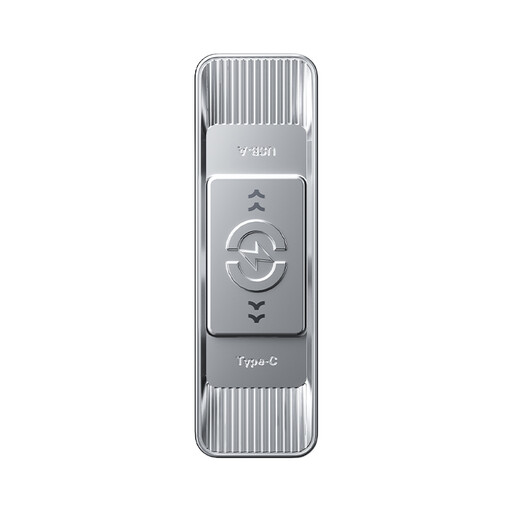
Why This Fits Their Persona: A practical choice for students, commuters and everyday users moving files between a laptop and a USB-C phone or tablet.
The listing states separate read and write figures, rather than presenting only one headline number. It also identifies USB-A and Type-C connectivity.
Up to 570MB/s read and 520MB/s write; 3D NAND flash and a zinc alloy sliding body.
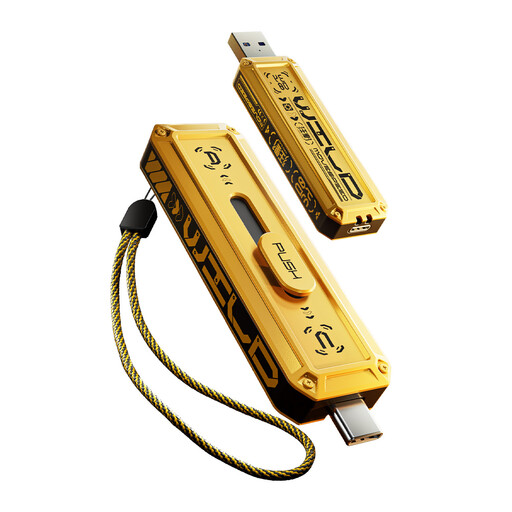
Why This Fits Their Persona: Suited to content creators and professionals who frequently move large photographs, video folders and project files between compatible devices.
Its specification lists both USB-A and Type-C interfaces and gives separate up-to performance figures. Actual results still depend on the connected hardware.
Up to 1090MB/s read and 1030MB/s write; zinc alloy housing with a three-stage push-slide mechanism.

Why This Fits Their Persona: A suitable format for travellers, gamers and creators who carry large libraries and want more headroom than a 512GB drive provides.
The larger capacity helps reduce the need to carry several small drives, while the dual-head design supports USB-A and USB-C equipment.
1TB capacity; up to 1090MB/s read and 1030MB/s write, with a zinc alloy push-slide body.
We have compiled a complete, real-time list of products that fully satisfy these strict selection criteria and UK safety regulations.
It can be, provided the phone supports USB OTG or external storage and has an appropriate USB-C port. Android support varies by model. Check the manufacturer’s specifications and ensure the phone has enough battery power for the transfer.
Lifespan depends on write volume, storage conditions, heat and physical handling. Occasional document transfers place less demand on flash memory than frequent video recording or repeated full-drive backups. Safely eject the drive and avoid using it as the only archive for important files.
The effect on household electricity use is generally limited because transfers are short and the drive draws power from the connected device. A faster drive may reduce the time it remains active, but the actual result depends on the host port, file sizes and workload.