
24/7 Customer Support

Free returns

Same-day & Next-day Delivery

Quality Guaranteed

Unlock Your Welcome Offers: FREE Delivery | Up to 80% OFF | Free 30-day JoyPlus trial
Download the APP
A 55-inch 4K Smart TV can suit a typical UK lounge, open-plan living area or larger bedroom, but comparing models by screen size alone can lead to an expensive mismatch. A television with an impressive specification sheet may still disappoint if its smart platform lacks your preferred apps, its refresh rate is overstated, or its built-in sound is too thin for film nights.
This guide explains the specifications that matter, the common purchasing traps to avoid and which models may suit different household needs.
Some televisions advertise motion-enhancement features that make video appear smoother, but this does not necessarily mean the panel has a native 120Hz, 144Hz or 165Hz refresh rate. This distinction matters for sports and gaming.
A standard 50Hz or 60Hz panel can be suitable for everyday broadcast television and streaming. However, console and PC gamers should check the native refresh rate, supported resolution and whether VRR operates at the advertised frequency.
HDR TV compatibility means the television can process a high dynamic range signal. It does not guarantee identical HDR impact across different screens. Backlight type, local dimming, panel contrast and peak brightness all affect how highlights and shadows appear.
A direct LED model may offer good value for general viewing, while a QLED TV can provide quantum-dot colour enhancement. Mini-LED TV models use many smaller backlight zones, which can provide more precise brightness control than conventional LED designs. Performance still varies by model, content and room lighting.
Google TV, Tizen Smart TV and VIDAA Smart TV each organise apps and recommendations differently. Before ordering, check access to the services your household uses, including Netflix, Prime Video, Disney+, YouTube and BBC iPlayer.
If you want live television without relying entirely on an aerial, look for details such as Freely support. A built-in tuner may also be important for households that still use Freeview broadcasts. Do not assume that every smart television includes exactly the same catch-up services or live-TV functions.
All of the televisions in this guide provide 4K Ultra HD resolution of 3840 × 2160 pixels, but the panel and backlight technology differ.
The room should also influence your choice. A bright lounge may benefit from a higher-brightness QLED or Mini-LED model, while a darker room may make contrast and local dimming more noticeable.
For films and standard UK broadcasts, a 50Hz or 60Hz television may be sufficient. Sports viewers can benefit from effective motion processing, while gamers should look for:
A 144Hz or 165Hz TV is mainly relevant to compatible gaming PCs and selected gaming modes. Many consoles output at up to 4K 120Hz, so purchasing a high-refresh model does not automatically improve console performance unless the console, game and HDMI connection support it.
Built-in television speakers are convenient, but wattage and channel layout vary significantly. A Dolby Atmos TV may process compatible soundtracks, although the sense of immersion depends on speaker placement, room acoustics and the content source. Models with a 2.1 or 2.1.2-channel system may offer more substantial sound than basic 2.0-channel designs.
Also check:
Measure your furniture before ordering. A 55-inch screen is usually around 122–124cm wide, but stand placement and depth can determine whether it fits safely.
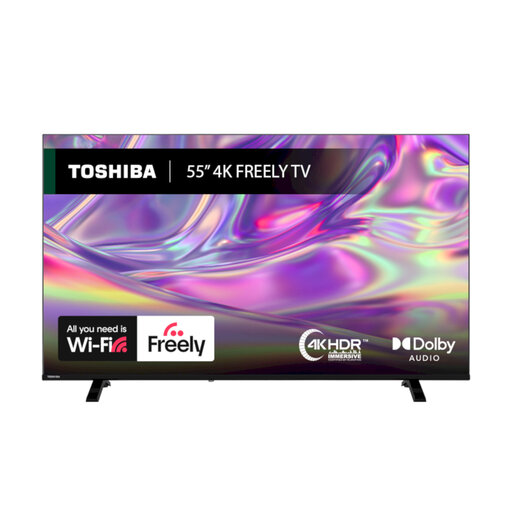
Why This Fits Their Persona: A practical option for households wanting a 55-inch smart TV with 4K resolution, mainstream streaming apps and Freely support through Wi-Fi.
The listing clearly identifies its Direct LED display, Dolby Vision, HDR10 and HLG support, rather than relying only on a generic HDR label.
4K resolution, VIDAA OS, Freely support and TRU Flow motion processing; includes a one-year manufacturer warranty.
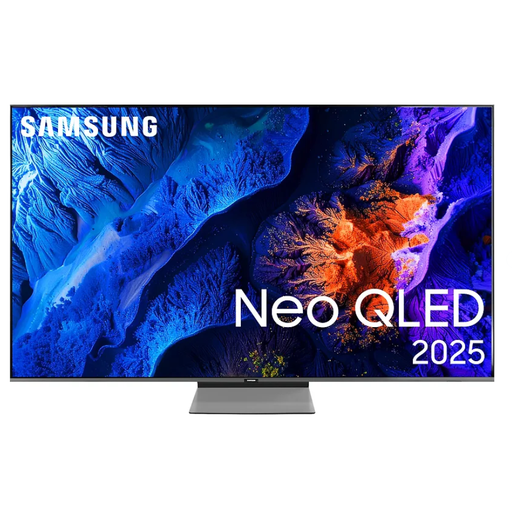
Why This Fits Their Persona: Suits film and sports viewers who want Neo QLED technology, a 100Hz native refresh rate and a Tizen Smart TV interface.
Its specification separates the 100Hz native rate from supported 144Hz display refresh rates, helping buyers interpret the figures accurately.
Neo QLED display, four HDMI inputs, VRR, ALLM, FreeSync Premium Pro and 40W 2.2-channel audio with Dolby Atmos decoding.

Why This Fits Their Persona: Designed around fast gaming and sports, with four HDMI 2.1 ports and a native 165Hz refresh rate.
The listing specifies native refresh performance, 165Hz VRR across HDMI ports and an input-lag figure at 4K 120Hz input.
Mini-LED and QLED display, Dolby Vision IQ, HDR10+ Adaptive, VRR, ALLM and 2.1.2-channel Dolby Atmos audio.
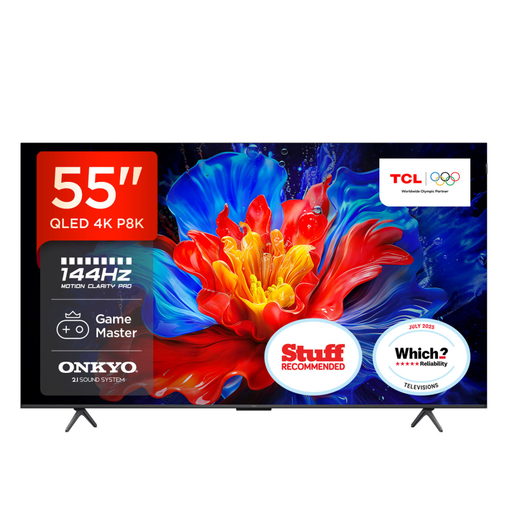
Why This Fits Their Persona: A strong match for households combining streaming, film nights and occasional console or PC gaming.
The specification states a 120Hz panel with up to 144Hz VRR for gaming, rather than presenting the gaming figure as the standard refresh rate.
QLED colour, Google TV, four HDMI 2.1 inputs and a 35W 2.1-channel Onkyo sound system with Dolby Atmos.
We have compiled a complete, real-time list of products that fully satisfy these strict selection criteria and UK safety regulations.
For many UK lounges, 55 inches provides a useful balance between viewing area and furniture compatibility. The suitable size depends on seating distance, room layout and personal preference. Measure the cabinet width and consider whether subtitles and menus are comfortable to read from your usual seat.
A 120Hz TV can make fast motion appear smoother and is particularly relevant to sports and gaming. For broadcast television and most streaming content, a 50Hz or 60Hz model may be adequate. Check whether the quoted rate is native, interpolated or available only in a specific gaming mode.
Electricity use depends on screen technology, brightness settings, viewing hours and the television’s energy rating. Freeview or Freely availability does not determine running cost by itself. Review the energy label and use automatic brightness or energy-saving settings where appropriate.