
24/7 Customer Support

Free returns

Same-day & Next-day Delivery

Quality Guaranteed

Unlock Your Welcome Offers: FREE Delivery | Up to 80% OFF | Free 30-day JoyPlus trial
Download the APP
A 55-inch 4K Smart TV can become the centre of a living room, home cinema or gaming setup, but comparing models is not simply a matter of choosing the largest discount. Similar-looking televisions can differ significantly in panel technology, refresh rate, smart platform, audio output and connection options.
Before buying, watch for three common traps:
A standard LED or Direct LED television can provide a practical balance of brightness and price. QLED TV models add a quantum-dot layer designed to produce a wider colour range, while Mini-LED TV models use smaller backlight zones to improve control over bright and dark areas.
OLED TV technology uses self-lit pixels, allowing individual pixels to switch off for very dark scenes. This can suit film-focused rooms, although buyers should compare brightness, room lighting and usage habits rather than choosing based on the panel name alone.
For HDR TV viewing, check the actual formats supported. Common specifications include HDR10, HLG, HDR10+ and Dolby Vision. Compatibility does not guarantee identical results across different screens, so also look for contrast technology, local dimming and the manufacturer’s brightness information where available.
For everyday television, films and streaming, 50Hz or 60Hz may be sufficient. Sports viewers and console players may prefer a panel with a higher native refresh rate. However, check whether the advertised figure applies to the display itself or only to a processing mode.
A gaming TV should ideally include:
For example, the Hisense 55U7QTUK Pro lists a native 165Hz refresh rate, four HDMI 2.1 ports, VRR, ALLM and a stated input lag of up to 7ms at 4K 120Hz input. These are useful specifications for buyers comparing gaming TVs, but your console and cables must also support the relevant standards.
The operating system affects navigation, voice control and app availability. Google TV integrates Google Assistant and Google Cast, while a Samsung Tizen TV may suit households already using Samsung services and devices. Roku TV emphasises a straightforward content interface, and VIDAA Smart TV provides access to popular streaming services through its own platform.
Audio is another frequent compromise. Slim televisions may have limited speaker space, so compare the rated output and audio formats. Dolby Audio can be suitable for everyday viewing, while a television with Dolby Atmos, eARC and a stronger multi-channel speaker system may be more appropriate for films or a soundbar upgrade.
Finally, measure the furniture and wall. A 55-inch screen is roughly 122–123cm wide in many models, but stand positions vary. For wall mounting, check the VESA pattern, wall strength, ventilation clearance and cable access before ordering a bracket.
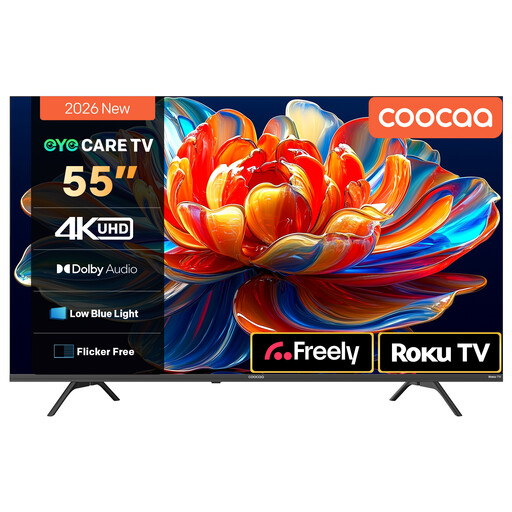
Why This Fits Their Persona: A straightforward option for UK households wanting a large screen for streaming, live television and general viewing without prioritising advanced gaming specifications.
Its listing specifies 4K HDR10 and HLG support, MEMC motion processing and Roku TV access rather than relying only on a generic “smart” label.
Roku interface; Dolby Audio with two 10W speakers; voice-assistant compatibility.
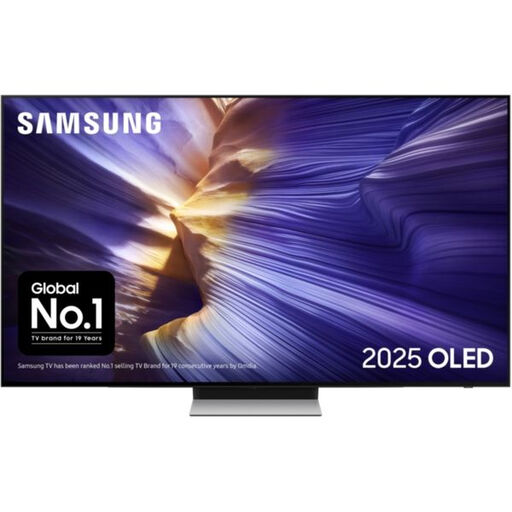
Why This Fits Their Persona: Suits film and premium entertainment users seeking OLED technology, a slim design and an extensive set of smart and gaming features.
The specification lists OLED HDR+, a native 100Hz rate with support for 144Hz, four HDMI ports and eARC, making the key features easier to verify.
OLED panel; Dolby Atmos; VRR, ALLM and FreeSync Premium Pro support.
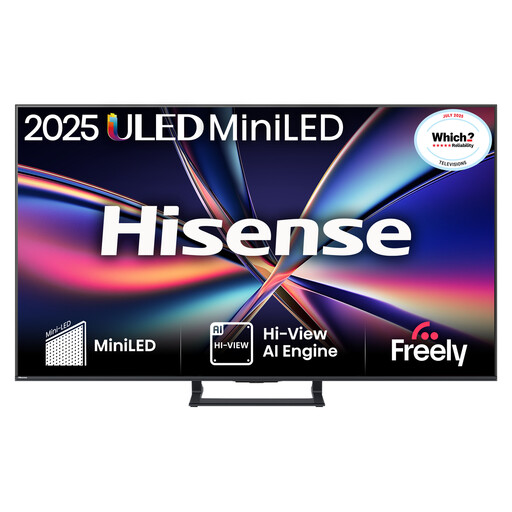
Why This Fits Their Persona: A practical match for competitive gaming, sports and film viewers who want Mini-LED contrast, high refresh performance and stronger built-in audio.
The listing identifies a native 144Hz rate, local dimming, four HDMI 2.1 ports, VRR and ALLM, rather than presenting motion smoothing as a substitute for gaming hardware.
Mini-LED with QLED colour; Dolby Atmos and built-in subwoofer; two-year manufacturer’s warranty.
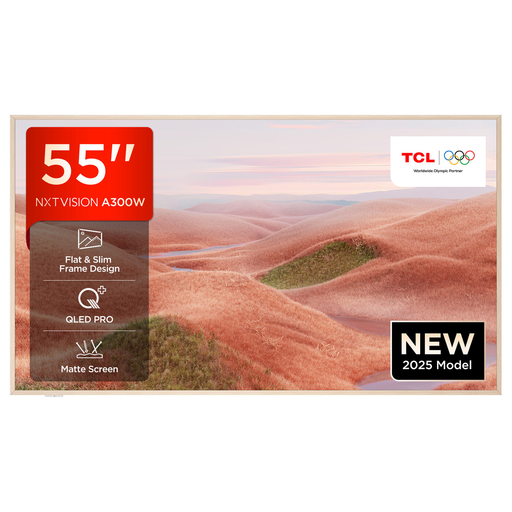
Why This Fits Their Persona: Suitable for households that want Google TV discovery, voice control, a slim wall-mountable design and gaming-ready connectivity.
Its listed features include HDMI 2.1, VRR and ALLM, alongside support for Dolby Vision, HDR10+ and HLG.
QLED panel; Google TV with Google Assistant; matte anti-glare screen listed for the model.
We have compiled a complete, real-time list of products that fully satisfy these strict selection criteria and UK safety regulations.
It can suit many medium-to-large living rooms, but viewing distance and room layout matter more than screen size alone. Measure the available wall or stand area and avoid placing the screen where windows create distracting reflections. A wall-mountable TV can help save furniture space, provided the bracket and wall are suitable.
Running costs depend on screen brightness, picture mode, usage hours and energy efficiency. Check the TV’s energy label and the listed kWh consumption for SDR and HDR content. Using an energy-saving mode, reducing excessive brightness and switching the set fully off when not needed can reduce unnecessary consumption.
There is no single guaranteed lifespan for every model. Service life depends on operating hours, ventilation, software support and component reliability. Keep ventilation openings clear, install the television securely, update its software when prompted and avoid placing it near heat or moisture. Also compare the supplied manufacturer’s warranty before buying.