
24/7 Customer Support

Free returns

Same-day & Next-day Delivery

Quality Guaranteed

Unlock Your Welcome Offers: FREE Delivery | Up to 80% OFF | Free 30-day JoyPlus trial
Download the APP
A 55-inch 4K Smart TV can become the centre of family viewing, streaming, sport and console gaming. However, comparing models by screen size and a few impressive-sounding features can lead to an unsuitable purchase. Refresh-rate figures may apply only to certain inputs, smart platforms do not all offer the same apps and a slim design does not guarantee strong built-in sound.
This guide explains which specifications matter, which marketing traps to avoid and which models suit different households.
A television may list HDR10, Dolby Vision or HLG support, but that does not automatically mean it will produce bright highlights or deep contrast. Panel type, backlighting and local dimming also influence the visible result.
For instance, an entry-level 55-inch UHD TV may accept an HDR signal while offering more limited brightness than a Mini-LED or OLED model. Check the display technology and picture-processing features rather than judging the television by the HDR logo alone.
A model advertised as a 144Hz gaming TV may require a compatible PC, suitable HDMI input and the correct settings to reach that figure. Many consoles operate at lower refresh rates, particularly when using demanding 4K graphics.
Look for practical gaming features such as HDMI 2.1, VRR and ALLM, then confirm which HDMI ports support them. A television with a 50Hz or 60Hz panel can still suit everyday television and films, but it may not be the right choice for competitive gaming.
A smart TV with Netflix should also be checked for the other services your household uses. Tizen Smart TV, Google TV and VIDAA Smart TV each have different layouts, app libraries and voice-control ecosystems. Some UK buyers may also want Freely or Freeview functionality, while others mainly stream through a set-top box or games console.
For a 4K HDR TV, confirm the supported HDR formats and whether the television includes suitable picture modes, such as Filmmaker or Game mode.
Check for the services you actually use, including Netflix, BBC iPlayer, Disney+, Prime Video and YouTube. Also review:
Built-in speakers are convenient, but a thin television has limited space for large drivers. Features such as TV with Dolby Atmos processing can create a more spacious effect, but results depend on the room, speaker layout and source material. Check the audio output and eARC connection if you may add a soundbar later.
For installation, measure the furniture and wall space carefully. A wall-mountable TV should list its VESA pattern, such as 200 × 200mm or 400 × 200mm. Use a compatible bracket and ensure the wall can safely support the television.
UK energy labels run from A to G. Compare the SDR and HDR energy ratings, as HDR viewing can consume more power. The energy label is a useful comparison tool, but actual running costs depend on brightness, viewing hours and standby settings.
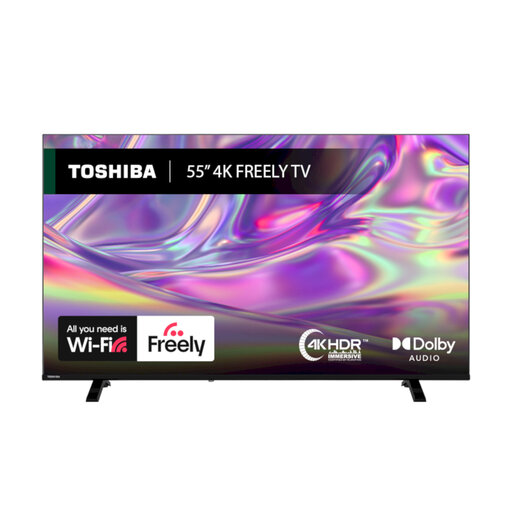
Why This Fits Their Persona: A practical choice for families wanting streaming, live television and films without immediately adding a separate media box.
The listing specifies Dolby Vision, HDR10 and HLG support, plus Freely over Wi-Fi, making the feature set clearer than relying on a generic “smart” label.
VIDAA OS, two HDMI inputs, Bluetooth, Ethernet and a stated D energy rating for SDR viewing.
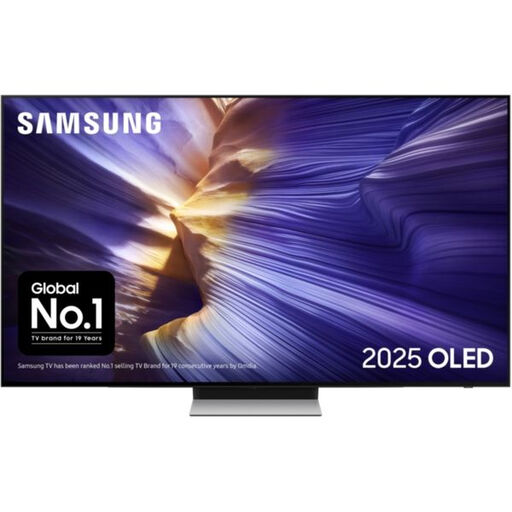
Why This Fits Their Persona: Suits film-focused households and players who want OLED contrast, a slim profile and advanced motion features.
Its listing specifies OLED, four HDMI inputs, VRR and a 144Hz supported refresh rate, rather than presenting a high refresh figure without supporting connections.
OLED display, 60W 2.1.2-channel audio, Dolby Atmos decoding, eARC and FreeSync Premium Pro.

Why This Fits Their Persona: Designed for households that combine console or PC gaming with sports, HDR films and regular streaming.
The specification lists four HDMI 2.1 ports, VRR, ALLM and a native 165Hz refresh rate, allowing buyers to check the connection details behind the gaming claim.
Mini-LED with local dimming, QLED colour technology, Dolby Atmos audio and VESA 400 × 200mm mounting support.
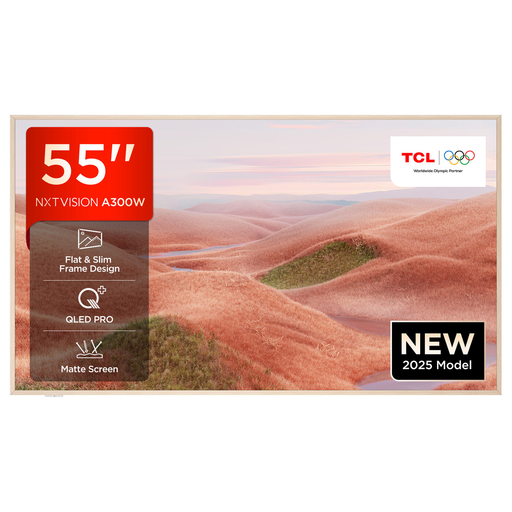
Why This Fits Their Persona: A suitable route for viewers who prefer Google TV recommendations, voice control and a design-led screen for a modern lounge.
The listing identifies Google TV, HDMI 2.1, VRR and ALLM, so buyers can compare platform and gaming connectivity separately.
QLED display, stated 144Hz capability, Dolby Vision and HDR10+ support, plus a wall-mount-ready design.
We have compiled a complete, real-time list of products that fully satisfy these strict selection criteria and UK safety regulations.
For many UK living rooms, 55 inches offers a practical balance between immersion and furniture space. Measure the viewing distance, stand width and wall area before ordering. Leave ventilation space around the television and check the manufacturer’s dimensions with and without its stand.
Many smart televisions provide these apps, but availability can vary by operating system, region and software version. Check the individual listing for Netflix, BBC iPlayer, Freely or Freeview support. A reliable Wi-Fi or Ethernet connection is also required for internet streaming.
Running cost depends on the energy label, screen brightness, HDR use and daily viewing time. Compare the TV’s stated kWh usage on its UK energy label, enable energy-saving settings where suitable and avoid leaving the television in unnecessary standby for extended periods.