
24/7 Customer Support

Free returns

Same-day & Next-day Delivery

Quality Guaranteed

Unlock Your Welcome Offers: FREE Delivery | Up to 80% OFF | Free 30-day JoyPlus trial
Download the APP
By Joybuy Product Recommendation Officer27 August 2026
Shopping for a high-performance gaming TV can feel like navigating a minefield of technical jargon and ambitious marketing claims. You know you want that ultra-smooth, responsive experience for your console or PC, but it's easy to end up with a screen that doesn't quite deliver on its promises. Before you invest in a new centrepiece for your gaming setup, let's cut through the clutter and look at the common pitfalls that can lead to buyer's remorse.
One of the most frequent traps is the misleading refresh rate. Many televisions advertise high "motion rates" or use "game accelerators," but their screen panel has a native refresh rate of only 60Hz or 120Hz. This means they use software processing to create extra frames, which can introduce visual artefacts and more critically for gamers, increase input lag.
Another costly oversight is assuming all ports labelled "HDMI 2.1" are created equal. To unlock the full potential of a next-generation console like a PS5 or a high-end gaming PC, a TV needs more than just the port. It must fully support key features like VRR (Variable Refresh Rate) to prevent screen tearing and ALLM (Auto Low Latency Mode) to ensure the fastest possible response time. Without these, you are leaving performance on the table.
To ensure you get the competitive edge and visual fluidity you're paying for, focus on these non-negotiable specifications. These are the technical foundations of a genuine gaming television.
This is the single most important factor for smooth motion. A TV with a native 144Hz panel can physically display up to 144 frames per second from a compatible source, such as a gaming PC. This results in exceptionally fluid and clear motion, giving you a split-second advantage in fast-paced games. Be wary of terms like "motion enhancement" or "288Hz Game Accelerator" if the TV's native panel speed isn't clearly stated as 144Hz. While these processing technologies can smooth out content, they are not a substitute for a true high-refresh-rate panel for gaming.
For console and PC gamers, this is essential. A proper Google TV with HDMI 2.1 should offer the full 48Gbps bandwidth needed for 4K resolution at 120Hz or 144Hz. Crucially, it must also include:
When it comes to a bright, vibrant picture that performs well in various lighting conditions, a QLED gaming TV is an excellent choice. QLED (Quantum Dot Light Emitting Diode) screens use a layer of quantum dots to produce a wider and more accurate range of colours compared to standard LED TVs. This technology delivers brilliant highlights and deep contrast, making game worlds and cinematic content look incredibly vivid and lifelike. A 65 inch QLED TV often provides a great balance of immersive size and picture quality for the average UK living room.
We've identified several models that meet these strict criteria, matching them to different user needs and spaces.
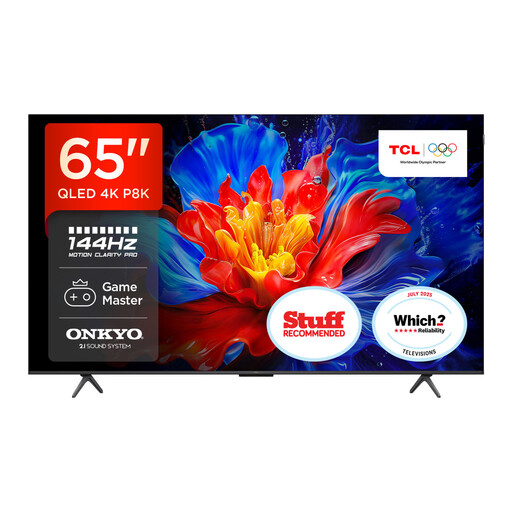
Why This Fits Their Persona: This user wants a single screen that excels at everything. They need top-tier gaming performance for their console but also a fantastic smart TV experience for movie nights and streaming apps. The 65-inch size is the perfect sweet spot for most UK living rooms.
It features 144Hz Motion Clarity Pro for genuine high-refresh-rate gaming and includes GAME MASTER technology, which bundles the essential HDMI 2.1 features like VRR and ALLM. There are no compromises on gaming connectivity.
The integrated smart TV with Onkyo sound system provides impressive audio clarity straight out of the box, while the Google TV platform offers a seamless and comprehensive hub for all your streaming content.
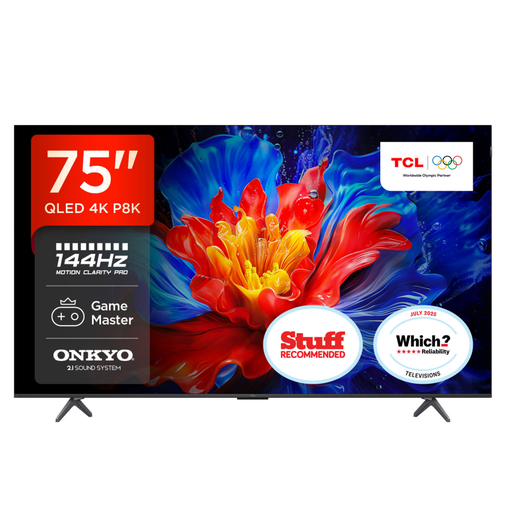
Why This Fits Their Persona: For this user, immersion is everything. They have a larger living space and want a screen that delivers a true cinematic feel for both blockbuster movies and expansive open-world games. They are willing to dedicate more space for a truly epic experience.
This model scales up the size without scaling down the performance. It retains the crucial 144Hz VRR capability and four HDMI 2.1 ports, ensuring that the massive 75-inch display is driven with the same low latency and smoothness as its smaller siblings.
The sheer scale of the 75-inch QLED panel provides an unparalleled level of immersion. The integrated 2.1 Onkyo sound system includes a built-in subwoofer, delivering more impactful audio to match the grand visuals.
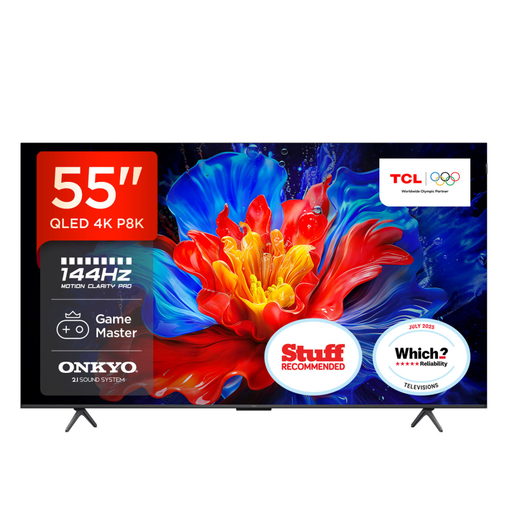
Why This Fits Their Persona: This gamer has invested in a PS5 or Xbox Series X and wants a TV that can keep up, but they may have a smaller room, a tighter budget, or be using it in a bedroom or study. They need the core gaming features without paying for a huge screen.
It offers the same core gaming DNA as the larger models, including 144Hz VRR and ALLM across four HDMI 2.1 ports. You get the essential next-gen features without having to compromise, proving that a smaller size doesn't mean a lesser experience.
This model provides access to premium QLED picture quality and high-refresh-rate gaming at a more accessible price point and size. It's an ideal choice for finding the right **TV for PS5** without breaking the bank.
A stunning picture deserves equally impressive sound to complete the experience. To elevate your setup, consider pairing your new television with a dedicated audio solution.
We have compiled a complete, real-time list of products that fully satisfy these strict selection criteria and UK safety regulations.
The PlayStation 5 currently supports a maximum output of 120Hz. While you won't use the full 144Hz capability with a PS5 alone, a 144Hz TV is still an excellent choice. It guarantees you can extract the maximum 120Hz performance from the console smoothly and provides future-proofing for potential console updates. Furthermore, it's ideal if you also plan to connect a gaming PC, which can often output games at 144Hz.
The primary differences are size, features and intended use. Gaming TVs are designed for the living room, offering large screen sizes (55-inch and above), comprehensive smart TV platforms and more powerful built-in speakers. Gaming monitors are typically smaller, sit on a desk and often prioritise raw speed, with some models offering even higher refresh rates (240Hz+) and marginally lower input lag. For couch-based console or PC gaming, a large gaming TV provides a more immersive and convenient experience.
Yes. To ensure you get the full signal for 4K resolution at high refresh rates (120Hz or 144Hz) along with features like VRR, you must use an Ultra High Speed HDMI 2.1 certified cable. Older HDMI cables do not have the 48Gbps bandwidth required and will limit your performance. Always check that your cable is certified to avoid a bottleneck in your setup.