
24/7 Customer Support

Free returns

Same-day & Next-day Delivery

Quality Guaranteed

Unlock Your Welcome Offers: FREE Delivery | Up to 80% OFF | Free 30-day JoyPlus trial
Download the APP
A 65-inch 4K Smart TV can transform a living room, gaming area or home cinema setup, but the largest specification on the box is not always the most useful one. A high refresh rate may be irrelevant for a household that mainly watches BBC iPlayer, while an attractive slim design may leave little room for an external soundbar.
Before choosing between a 65-inch QLED TV, 65-inch OLED TV or 65-inch Mini LED TV, consider how the television will be used, where it will be installed and which features are genuinely supported by your connected devices.
TV listings may mention figures such as 120Hz, 144Hz, 165Hz or even a higher “game accelerator” rate. These numbers do not always describe the panel’s native refresh rate. Some are processing modes or apply only at particular resolutions.
For everyday streaming and Freeview, a 60Hz or 100Hz panel may be sufficient. Buyers choosing a gaming TV should check the native refresh rate, supported resolution and whether VRR works through the required HDMI input. The source device also matters: a console or PC must be capable of sending a high-refresh signal.
A television may include several HDMI inputs, but not all necessarily support HDMI 2.1, 4K at 120Hz, eARC or VRR. Check the product specification before connecting a PlayStation 5, Xbox Series X, gaming PC or soundbar.
For a modern gaming setup, look for ALLM, VRR and sufficient high-bandwidth HDMI connections. If you plan to connect multiple devices, count the ports carefully rather than relying on the total number shown in a listing.
QLED, OLED and Mini LED describe different display approaches, but picture quality also depends on brightness, local dimming, viewing angle, processing and HDR support. A 65-inch OLED TV can provide individually controlled pixels and strong black levels, while a 65-inch Mini LED TV generally uses a backlight divided into dimming zones. QLED models use Quantum Dot colour technology with LED backlighting.
Also check which HDR formats are included. HDR10, HDR10+, Dolby Vision and HLG are not interchangeable, and streaming services vary in the formats they provide.
A 65-inch screen measures approximately 163–165cm diagonally. Several models in this size class are around 144–145cm wide, although stands can increase the overall depth to approximately 28–34cm.
Measure the furniture, wall area, doorways and lift access before ordering. If wall mounting, check the VESA pattern, wall strength and the position of sockets. The TV should be securely mounted or placed on stable furniture to reduce the risk of tipping. Two people may be required for unpacking and installation.
A 4K Ultra HD TV has a resolution of 3,840 × 2,160 pixels. This is useful for native 4K streaming, UHD Blu-ray and compatible games. AI or processor-based upscaling can improve the appearance of HD and lower-resolution content, but it does not turn the original source into native 4K.
Choose OLED if controlled lighting and deep blacks are a priority. QLED can suit bright living rooms and general mixed viewing. Mini LED may appeal to buyers looking for high brightness, local dimming and advanced gaming specifications.
For console and PC gaming, compare:
A 144Hz TV or 165Hz model is mainly relevant to PC gaming and selected compatible sources. Consoles commonly operate at lower maximum refresh rates, so do not pay for a specification you cannot use.
Samsung models generally use Tizen Smart TV, LG uses webOS Smart TV, while many TCL models use Google TV. Hisense models may use VIDAA. Compare the apps you actually use, voice controls, casting support and software update policy.
Built-in speakers are convenient, but slim televisions often have limited cabinet space. Check the audio output and whether Dolby Atmos, eARC or Bluetooth are available if you plan to add a soundbar.
UK energy labels run from A to G. Review the stated SDR and HDR consumption in kWh per 1,000 hours, as HDR viewing can use more power than standard dynamic range content.
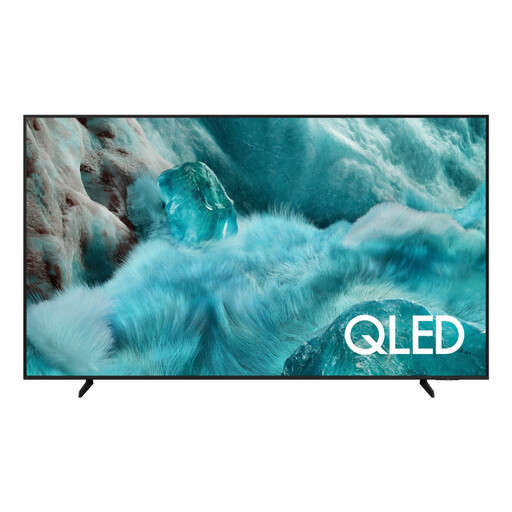
Why This Fits Their Persona: A practical option for households wanting a large 4K screen, built-in streaming and familiar Tizen navigation without moving to OLED or Mini LED pricing.
The listing identifies three HDMI inputs, one USB port, Quantum HDR and a 5-year manufacturer warranty upon registration. Check registration terms before purchase.
QLED display, 4K upscaling, Tizen OS, Bluetooth and a stated 144.6cm width.
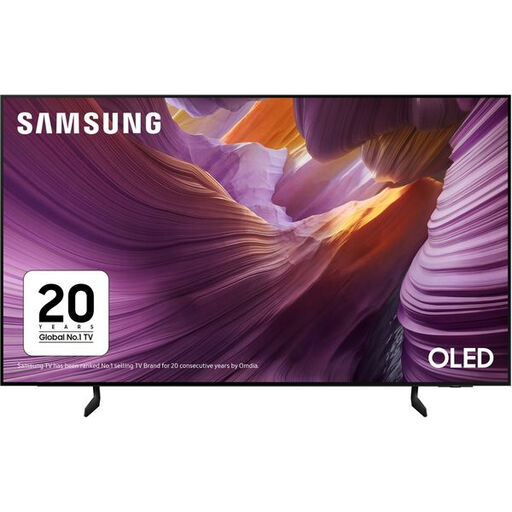
Why This Fits Their Persona: Suits film and series viewers who prioritise OLED technology, a slim design and a broad selection of streaming apps.
Its specification states a 100Hz native rate, 120Hz supported refresh rate and four HDMI ports, helping buyers distinguish panel capability from general motion processing.
OLED panel, HDR10+ support, eARC, AMD FreeSync and Tizen smart features.
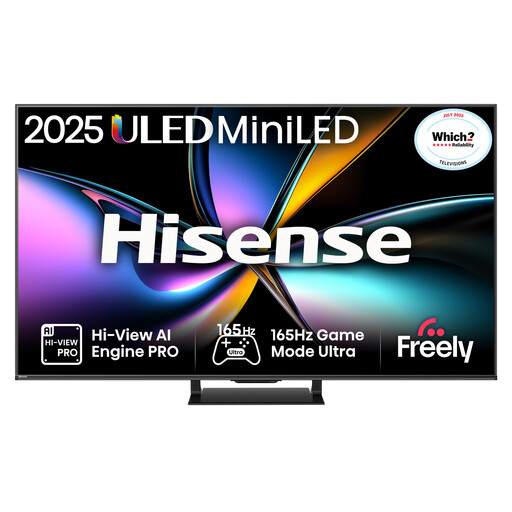
Why This Fits Their Persona: Designed around fast gaming and sports viewing, with high-refresh support and a wide selection of gaming connections.
The specification lists four HDMI 2.1 ports, VRR up to 165Hz, ALLM and a 6ms panel response time. Confirm source compatibility before selecting the highest refresh mode.
Mini LED with local dimming, Dolby Vision IQ, 2.1.2-channel audio and a 2-year manufacturer warranty.
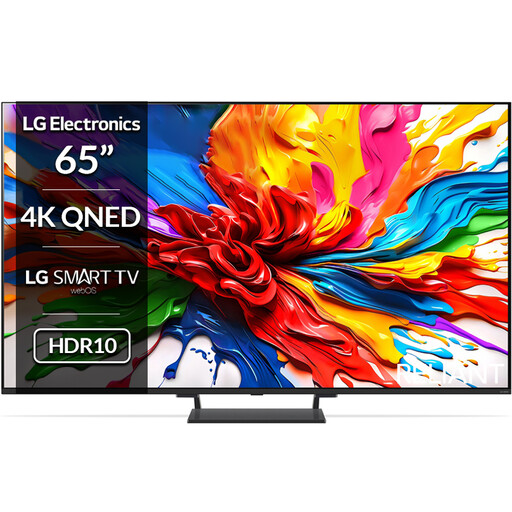
Why This Fits Their Persona: A suitable match for buyers wanting webOS, Dolby Vision and a high-refresh gaming setup alongside a strong built-in audio specification.
The listed specification clearly separates its native 120Hz panel from 144Hz VRR support and identifies four HDMI 2.1 inputs.
Mini LED backlighting, Dolby Vision, 40W 2.2-channel sound and webOS 25.
We have compiled a complete, real-time list of products that fully satisfy these strict selection criteria and UK safety regulations.
Not necessarily. Viewing distance, room layout and personal preference matter more than a fixed rule. Measure the distance between the sofa and screen, then check the television’s actual width and stand depth. Wall mounting can help preserve furniture space, but the wall and mounting hardware must support the set.
Consumption varies by panel, brightness, picture mode and viewing time. Use the manufacturer’s SDR and HDR figures shown on the UK energy label to compare models. Standby consumption is usually much lower than active viewing, but disabling unnecessary always-on features can reduce household usage.