
24/7 Customer Support

Free returns

Same-day & Next-day Delivery

Quality Guaranteed

Unlock Your Welcome Offers: FREE Delivery | Up to 80% OFF | Free 30-day JoyPlus trial
Download the APP
A 65-inch 4K Smart TV can transform films, sport, streaming and console gaming, but choosing by screen size alone often leads to disappointment. A television may advertise 4K resolution and HDR while still having limited brightness, basic sound or insufficient connections for your devices.
Before buying, check the panel technology, actual refresh rate, HDMI specification, smart platform, energy label and wall-mount compatibility. These details have a greater effect on everyday use than promotional terms alone.
Terms such as “motion clarity”, “Game Accelerator” and motion interpolation can describe image processing rather than the panel’s native refresh rate. A 120Hz 4K TV, 144Hz TV or 165Hz model may offer smoother movement than a 60Hz television, but the source device and connection must also support the relevant signal.
For console gaming, look for:
PC gamers should check whether the television supports the required resolution and refresh rate through its HDMI inputs. Some models advertise a higher gaming refresh rate at a lower resolution.
A 4K HDR Smart TV can support HDR10, HLG, HDR10+ or Dolby Vision, but the visible effect depends on panel brightness, contrast control and the content being watched. OLED panels can control individual pixels, while QLED and Mini LED televisions use LED backlighting and, in some models, local dimming zones.
Consider the room before choosing:
Slim televisions have limited space for speakers. Dolby Atmos support can process compatible soundtracks, but it does not automatically mean the built-in speakers will produce a full home-cinema effect. Check the speaker output, channel configuration and eARC support if you plan to connect a soundbar or AV receiver.
A 65-inch screen measures approximately 163–165cm diagonally, with a width of around 145cm on many models. Measure the furniture or wall before ordering, allowing space for ventilation, cables and the stand.
For wall mounting, compare the TV’s VESA pattern with the bracket. For example, a television with a 300 × 200mm pattern needs a compatible mount; a 400 × 400mm bracket is not automatically suitable. The wall itself and the fixing method must also support the television’s weight.
A suitable TV wall mount should match:
Choose the display technology according to your room and viewing habits rather than the label alone.
The operating system affects app availability, voice controls and smart-home integration. Google TV brings supported streaming services, Google Assistant and Google Cast into one interface. Samsung televisions use Tizen, while LG models use webOS. Sony 65-inch TV options commonly combine Google TV with Google Cast and PlayStation-related features.
Check the number and type of ports before buying. A gaming setup with a console, soundbar, streaming box and PC may need four HDMI inputs. Also check whether all or only some HDMI ports support 4K at 120Hz, VRR and eARC.
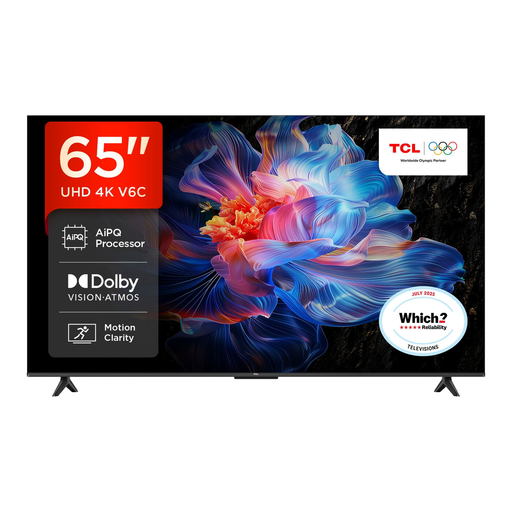
Why This Fits Their Persona: A practical large-screen option for UK households wanting streaming, films and occasional gaming through Google TV without prioritising OLED or Mini LED technology.
The listed specifications identify 4K resolution, HDR format support, Google TV, Dolby Atmos processing and Game Master features rather than relying only on a refresh-rate slogan.
Google Assistant, Google Cast, Dolby Vision, HDR10+ and VRR are specified, providing useful flexibility for streaming and compatible games.
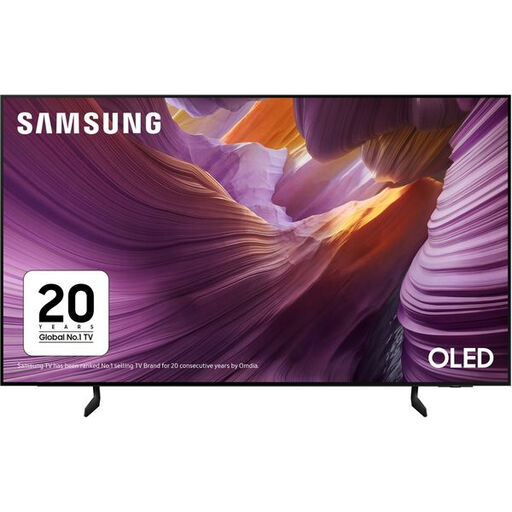
Why This Fits Their Persona: Suits film and series viewers who value OLED technology, a slim flat design and Samsung’s Tizen smart platform.
Its listed native refresh rate is 100Hz with supported refresh rates up to 120Hz, making the distinction clearer than a generic motion-enhancement claim.
OLED display technology, four HDMI ports, eARC, AMD FreeSync, VRR and Dolby Atmos decoding are specified.
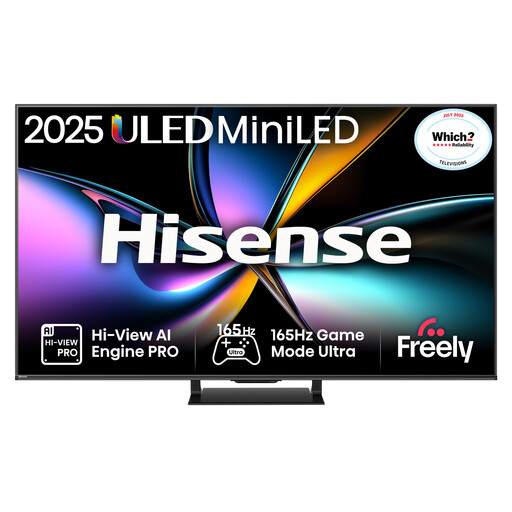
Why This Fits Their Persona: A specification-led choice for heavy gaming, sport and multi-device households that want high refresh-rate support and multiple HDMI 2.1 connections.
The specification lists a native 165Hz refresh rate, VRR on all HDMI ports and HDMI 2.1 connectivity, helping buyers distinguish hardware support from software interpolation.
Mini LED with QLED colour, Dolby Vision IQ, HDR10+ Adaptive, Dolby Atmos and a stated two-year manufacturer warranty.
We have compiled a complete, real-time list of products that fully satisfy these strict selection criteria and UK safety regulations.
It can work well where there is enough viewing distance and wall or furniture space. Measure the television’s actual width, not just the diagonal screen size, and leave room for ventilation and connected cables.
It is mainly valuable for compatible consoles, PCs and fast-moving games. Check for HDMI 2.1, 4K at 120Hz, VRR and ALLM rather than relying on a quoted motion-processing figure.
Energy use depends on screen technology, brightness, viewing hours and picture settings. Compare the UK A-to-G energy label and the stated kWh per 1,000 hours. Eco modes and automatic brightness controls may reduce consumption, but they can also change the picture output.