
24/7 Customer Support

Free returns

Same-day & Next-day Delivery

Quality Guaranteed

Unlock Your Welcome Offers: FREE Delivery | Up to 80% OFF | Free 30-day JoyPlus trial
Download the APP
A 65-inch 4K smart TV can become the centre of a living room, gaming setup or home cinema. However, a larger screen also makes weaknesses more noticeable. Soft upscaled content, distracting reflections, weak built-in speakers and unsuitable refresh-rate claims can all lead to disappointment after purchase.
The right choice depends less on a long list of headline features and more on how those features match your room, content and connected devices. This guide explains the specifications worth checking, common marketing traps and our top recommendations for different UK households.
A TV advertised as a 120Hz TV or 144Hz TV may use motion processing or a special gaming mode rather than offering that refresh rate in every resolution. For example, some televisions support higher refresh rates only with compatible PC input, while console gaming may be limited to 4K at 120Hz.
Check the specification for:
A TV with a genuine high-refresh panel is more relevant to competitive gamers and sports viewers than a model that simply advertises motion smoothing.
4K HDR TV compatibility means the television can process HDR formats, but it does not guarantee the same visible impact. Panel type, brightness, local dimming and room lighting all affect the result.
OLED panels can control individual pixels for very deep blacks. QLED and Mini-LED models use LED backlighting and can offer higher brightness, particularly in rooms with daylight. However, edge-lit models may show less precise contrast than a full-array Mini-LED design.
Look beyond the phrase “HDR supported” and check whether the TV supports formats such as HDR10, HDR10+, Dolby Vision or HLG, as well as the backlight type.
Slim televisions often have limited space for speakers. A set with 20W, 2.0-channel audio may be adequate for everyday viewing, but films, sport and games can benefit from a soundbar or a stronger built-in system.
Also measure the wall before ordering. A 65-inch television is typically around 1.45 metres wide, while the stand can add considerable depth. Confirm the VESA mounting pattern, TV weight and wall type before buying a TV wall mount. The bracket’s maximum load must exceed the TV’s weight, and the VESA dimensions must match exactly.
If you use a PlayStation, Xbox or gaming PC, prioritise smart TV with HDMI 2.1 connectivity. HDMI 2.1 can support features such as 4K at 120Hz, VRR and ALLM, but the exact implementation differs between models.
Check the number of HDMI 2.1 ports if you have more than one console, a PC and an eARC soundbar. A TV may have several HDMI sockets but only some may support the highest bandwidth.
The operating system affects app availability, recommendations and voice control. Google TV integrates streaming services and Google Cast, while Samsung models use Tizen and LG televisions use webOS. VIDAA is used on selected Hisense televisions and provides access to popular services including Netflix, YouTube and Disney+.
For UK households, confirm support for Freeview Play, the apps you use most and compatibility with your existing smart-home devices. Wi-Fi, Ethernet, Bluetooth and eARC are also worth checking before purchase.
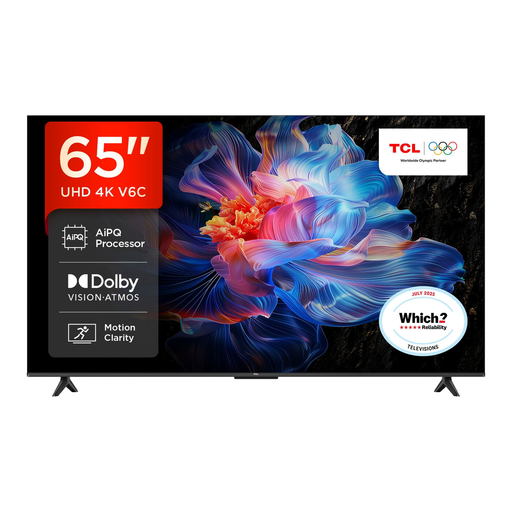
Why This Fits Their Persona: A straightforward large-screen option for households wanting Google TV, HDR support and everyday streaming without prioritising premium panel technology.
Its specifications clearly identify a Direct LED display and a 120Hz Game Accelerator limited to FHD, helping buyers avoid assuming native 4K 120Hz gaming.
Google TV, Dolby Atmos support, HDR10+, Dolby Vision, VRR and ALLM.
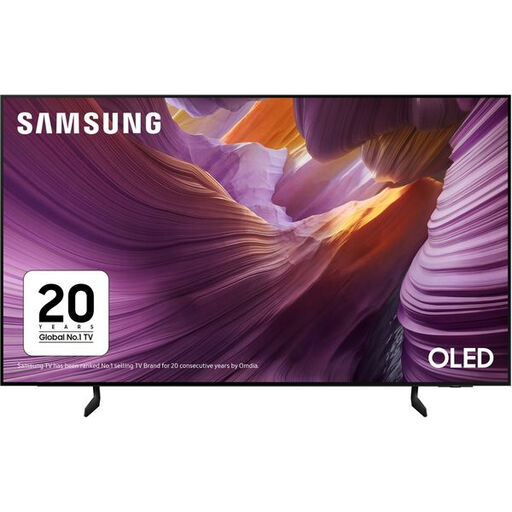
Why This Fits Their Persona: Suits film and streaming viewers who value OLED contrast, a slim design and a familiar smart platform for a dedicated lounge setup.
The listing identifies an OLED panel and a supported 120Hz refresh rate, rather than relying only on generic motion-enhancement wording.
OLED display, Tizen, four HDMI ports, eARC, VRR, ALLM and FreeSync Premium.
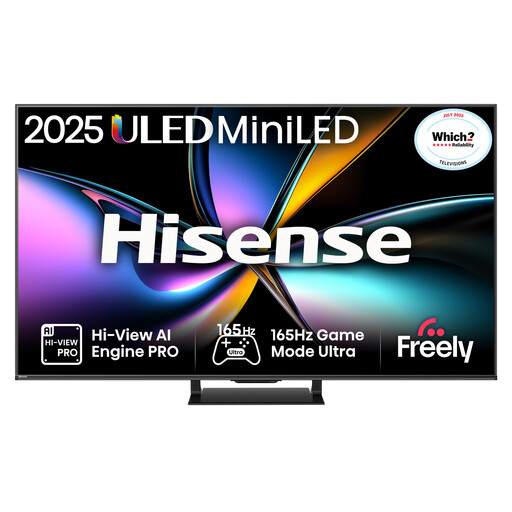
Why This Fits Their Persona: Designed for households combining bright-room viewing, sport and fast-paced console or PC gaming.
It specifies Mini-LED local dimming, a native 165Hz rate and VRR across all HDMI 2.1 ports, making the gaming connectivity easier to verify.
165Hz native refresh rate, four HDMI 2.1 inputs, Mini-LED dimming and 2.1.2-channel audio.
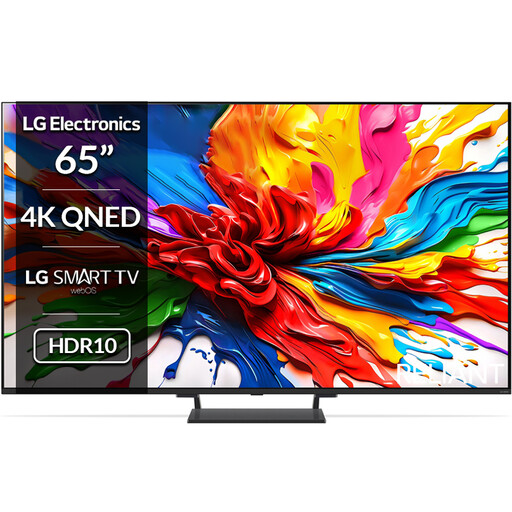
Why This Fits Their Persona: A strong match for viewers seeking Mini-LED contrast, Dolby Vision and high-refresh gaming features in one large-screen system.
The specification separates its native 120Hz panel from support for up to 144Hz VRR, while listing four HDMI 2.1 ports for compatible devices.
Mini-LED backlight, Dolby Vision, 40W 2.2-channel audio, webOS and HDMI 2.1 gaming support.
We have compiled a complete, real-time list of products that fully satisfy these strict selection criteria and UK safety regulations.
It can be, provided you have enough viewing distance and wall space. Measure the room rather than relying only on screen size. A 65-inch display is approximately 1.45 metres wide, so check furniture placement, viewing angles and whether subtitles can be read comfortably.
Not necessarily for films, which are commonly produced at lower frame rates. A higher refresh rate can be useful for sports and gaming because it may display fast movement more smoothly. Confirm the native rate and supported input resolution before paying extra for a 120Hz TV or 144Hz TV.
The bracket is an additional cost unless included, and installation may require suitable fixings, cable routing and professional help. A fixed mount keeps the screen close to the wall, but it offers less adjustment after installation. Always match the mount to the TV’s VESA dimensions, weight and the construction of the wall.