
24/7 Customer Support

Free returns

Same-day & Next-day Delivery

Quality Guaranteed

Unlock Your Welcome Offers: FREE Delivery | Up to 80% OFF | Free 30-day JoyPlus trial
Download the APP
A 65-inch 4K smart TV can turn a living room into a convincing home cinema, but a large screen also makes weaknesses easier to notice. Uneven brightness, limited HDMI connections or disappointing built-in sound can become expensive annoyances once the television is mounted and connected.
The main challenge is separating useful specifications from attractive labels. “HDR”, “AI picture processing” and “high refresh rate” can mean very different things between models. Before buying, check the panel technology, actual input support, physical dimensions and energy information rather than relying on promotional wording alone.
A television may advertise 120Hz, 144Hz, 165Hz or even a higher “game accelerator” figure, but this does not automatically mean every input supports that refresh rate at 4K resolution. Some modes work only at Full HD, while others require a compatible PC, cable and graphics hardware.
For console gaming, look for HDMI 2.1, 4K at 120Hz, VRR and ALLM. A 144Hz gaming TV can be useful for a suitable PC, but PlayStation and Xbox consoles have their own output limits. Confirm the detailed specification before paying extra for a number you may not use.
HDR compatibility indicates that a TV can accept certain HDR formats. It does not guarantee identical brightness, black levels or highlight detail. Standard LED models may have limited local dimming, while QLED 4K TV models generally use quantum-dot colour layers and Mini LED TV models can offer more precise backlight control.
OLED 4K TV screens control each pixel individually, which can produce very deep blacks. However, room brightness, viewing habits and manufacturer settings still affect the experience. Compare supported formats such as HDR10, HLG, HDR10+ and Dolby Vision, but also consider the display technology and your room’s lighting.
Slim televisions often have limited space for speakers. Features such as Dolby Atmos TV support may improve compatible audio processing, but built-in speakers cannot always reproduce the scale of a separate soundbar or AV system.
Also measure the TV stand, not just the screen. A typical 65-inch panel is approximately 145cm wide, and its feet may require a cabinet wider than expected. For wall mounting, check the VESA pattern, wall type, bracket rating and cable access before ordering.
For a 65-inch 4K TV, the native resolution should be 3840 × 2160 pixels. Upscaling can improve HD or broadcast content, but it cannot recreate all the detail of native 4K footage.
If gaming is important, check the number of high-bandwidth HDMI ports rather than assuming all sockets have identical capabilities. Useful features include:
A television with four HDMI 2.1 ports may be more convenient for a console, gaming PC, soundbar and streaming device. Models with only three HDMI inputs may require occasional cable swapping.
A 65-inch smart TV UK shoppers commonly compare platforms including Google TV, Samsung Tizen TV, LG webOS TV, Sony’s Google TV interface and VIDAA. Check that the apps you use—such as BBC iPlayer, ITVX, Netflix, Prime Video, Disney+ and NOW—are available for the model and region.
For audio, check the rated output, channel configuration, eARC support and compatibility with Dolby Atmos. A 2.1-channel system with a dedicated bass speaker may sound fuller than a basic two-channel arrangement, although a soundbar remains an upgrade option.
Energy labels range from A to G. The supplied models include ratings such as F or G, so compare the stated kWh per 1,000 hours figures for SDR and HDR viewing. HDR viewing can consume more power because the screen operates at higher brightness.
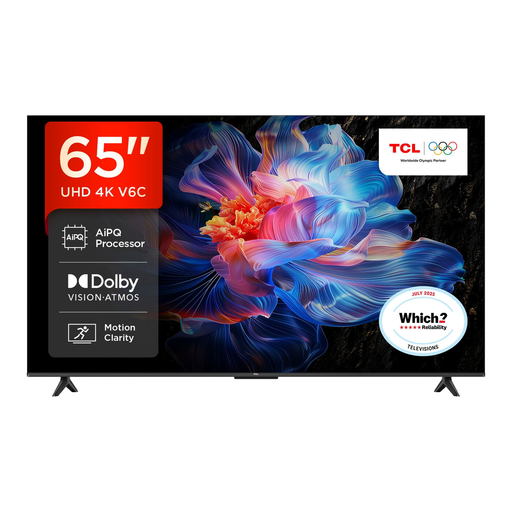
Why This Fits Their Persona: A practical choice for households wanting a large screen for streaming, films and occasional gaming without prioritising OLED or advanced Mini LED hardware.
Its listed features identify the Direct LED panel, HDR formats, Google TV and gaming connections instead of relying only on a refresh-rate headline.
Dolby Vision, HDR10+ and Dolby Atmos support; HDMI 2.1, VRR and ALLM are listed for compatible gaming equipment.
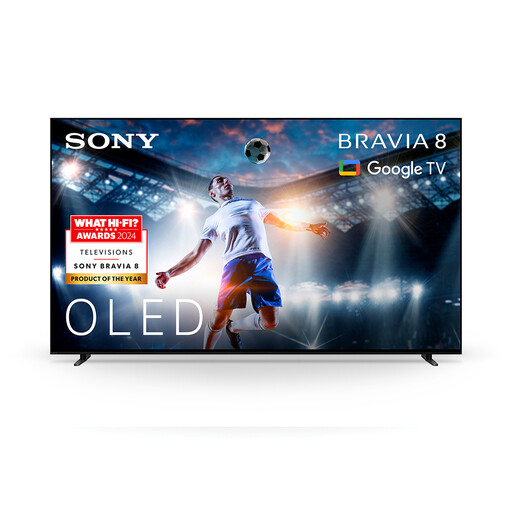
Why This Fits Their Persona: Suited to film enthusiasts and streamers who value OLED contrast, cinematic formats and an integrated Google TV experience.
The OLED panel specification is clear, while Dolby Vision, Dolby Atmos and the listed XR processing provide identifiable features beyond a generic HDR label.
OLED display technology; Google TV, Google Cast, Dolby Vision, Dolby Atmos and DTS:X are listed.
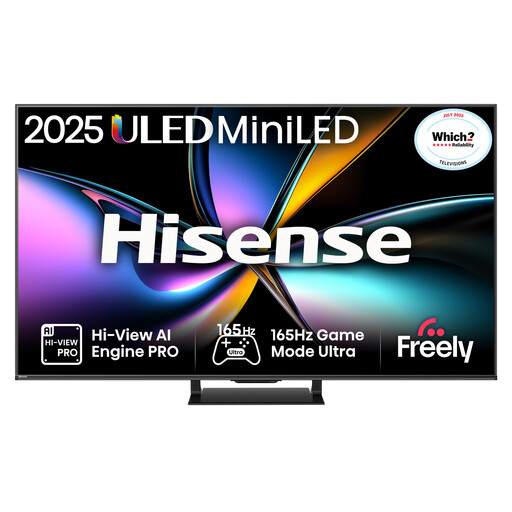
Why This Fits Their Persona: Designed around fast refresh, multiple HDMI 2.1 inputs and gaming-oriented features for console and PC users.
The specification lists a native 165Hz refresh rate and 165Hz VRR across HDMI inputs, helping clarify what the headline gaming figure refers to.
Mini LED and QLED display technology; four HDMI 2.1 ports, VRR, ALLM and Dolby Vision Gaming are listed.
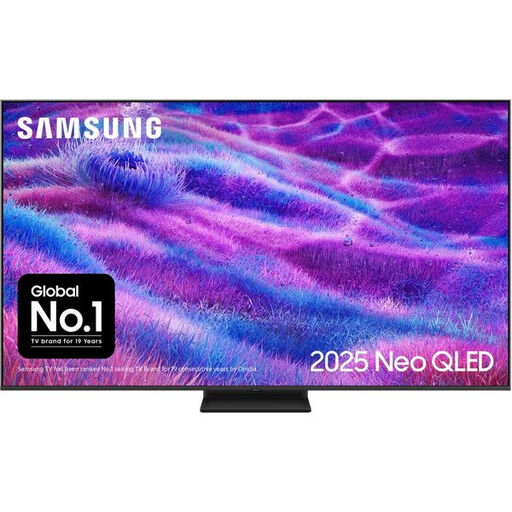
Why This Fits Their Persona: A suitable feature set for households watching sport, films and games in a bright lounge and using Samsung’s connected services.
The listing identifies Quantum Matrix Mini LED technology, supported 144Hz input, four HDMI ports and the stated 101 kWh SDR usage figure.
Tizen smart platform, Dolby Atmos, 144Hz support, FreeSync Premium Pro and VESA mounting are listed.
We have compiled a complete, real-time list of products that fully satisfy these strict selection criteria and UK safety regulations.
Not necessarily. A 65-inch screen is commonly comfortable when viewed from roughly 2 to 3 metres, although personal preference and content resolution matter. Measure the room before buying, and remember that the television’s overall width is usually around 145cm rather than exactly 65 inches.
Consumption varies by panel, brightness, picture mode and viewing hours. Use the product’s energy label and compare the SDR and HDR kWh per 1,000 hours figures. Lower brightness and automatic energy modes can reduce usage, but they may also change the picture’s appearance.
Many models are wall-mountable, but the VESA pattern, screw size, bracket capacity and wall construction must match. A large television should be lifted by two people, with cables connected carefully and adequate ventilation left behind the panel.