
24/7 Customer Support

Free returns

Same-day & Next-day Delivery

Quality Guaranteed

Unlock Your Welcome Offers: FREE Delivery | Up to 80% OFF | Free 30-day JoyPlus trial
Download the APP
A 75-inch 4K Smart TV can turn a UK living room into a more engaging home cinema, sports screen or gaming display. However, the large format also makes buying mistakes more expensive. A screen may look impressive in a product title while using a basic 60Hz panel, limited HDR support or a smart platform that does not include the apps your household uses.
The right choice depends on your room, viewing distance, lighting, content and connected devices. Use the checks below to compare models more practically than simply searching for the “best 75-inch TV”.
A standard Direct LED TV, a 75-inch QLED TV and a 75-inch Mini LED TV do not use the same backlight design.
The panel type is only part of the picture. Processing, contrast, viewing angle and HDR brightness also influence what you see. A QLED label does not automatically mean the television has strong local dimming, while Mini LED specifications should be checked for the number and control of dimming zones.
Refresh-rate claims can describe different modes. Some televisions have a native 144Hz panel, while others use a lower native refresh rate with a game accelerator available at a particular resolution.
If gaming matters, check whether VRR, ALLM and HDMI 2.1 are available on the required ports. Also confirm the supported resolution and refresh rate. A 144Hz gaming TV may need a compatible PC, suitable cable and game output settings to use its higher rate.
A 75-inch television is typically around 1.67 metres wide and can weigh more than 30kg with its stand. Measure the furniture, doorway, lift and wall before ordering. For wall mounting, match the bracket to the TV’s VESA pattern, weight and wall construction.
UK energy labels run from A to G. Compare the listed SDR and HDR consumption in kWh per 1,000 hours rather than relying on the panel name alone. HDR viewing can use more power, particularly on bright large-screen models.
All models in this guide use 4K Ultra HD resolution, normally 3,840 × 2,160 pixels. This is suitable for 4K streaming, UHD discs and modern consoles. Lower-resolution Freeview or broadcast content will be upscaled, so processing quality remains important.
For a 4K HDR TV, check the formats supported. HDR10 and HLG are common, while Dolby Vision and HDR10+ can provide additional format compatibility from selected streaming services and devices. HDR performance also depends on brightness, contrast and the content itself.
If your room receives substantial daylight, a brighter QLED or Mini LED model may be easier to view. In a darker cinema-style room, contrast and dimming control become more significant. Buyers considering a 75-inch OLED alternative should remember that OLED uses self-lit pixels rather than a conventional LED backlight; QLED and Mini LED options can offer a different balance of brightness, price and screen-size availability.
Choose the operating system around your household’s habits:
Check the exact app availability before buying, particularly if you use less common services. For live television, a built-in DVB tuner and Freeview Play support can reduce the need for an external box, although reception and service availability depend on your home.
Slim televisions commonly have modest built-in speakers. Features such as Dolby Atmos TV processing can create a more spacious effect, but they do not replace a separate soundbar or surround system in every room. Look for eARC if you plan to connect a compatible soundbar or AV receiver.
Count your devices before purchase. Consoles, a streaming box, soundbar, set-top box and PC can quickly use several HDMI inputs. Place high-bandwidth gaming devices on HDMI 2.1 ports where applicable, and check whether eARC shares a port.
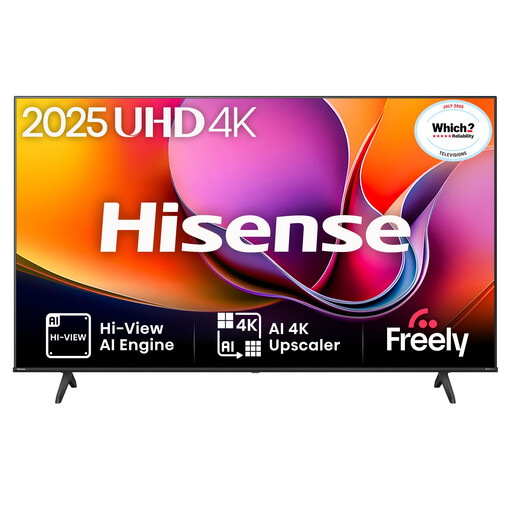
Why This Fits Their Persona: It suits families wanting a large screen for streaming, live television and occasional gaming without prioritising a high native refresh rate.
Its specification states a 60Hz refresh rate, making the gaming capability clearer than vague high-refresh marketing. It also lists Dolby Vision, HDR10+, HDR10 and HLG support.
VIDAA U8.5, three HDMI inputs, one eARC connection, 30W DTS Virtual:X audio and VESA 600 × 400 mounting.
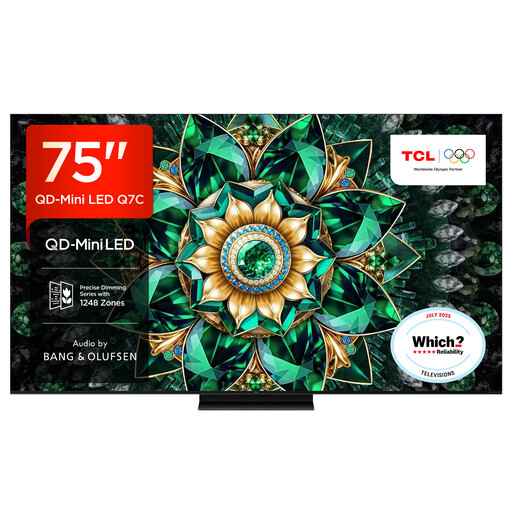
Why This Fits Their Persona: It is suited to buyers building a bright-room cinema setup and wanting a higher-refresh panel for films, sport and gaming.
The listing specifies QD-Mini LED, up to approximately 2,048 local dimming zones and a native 144Hz refresh rate rather than only quoting an accelerator mode.
Google TV, HDMI 2.1 connectivity, broad HDR support and audio by Bang & Olufsen are listed features.
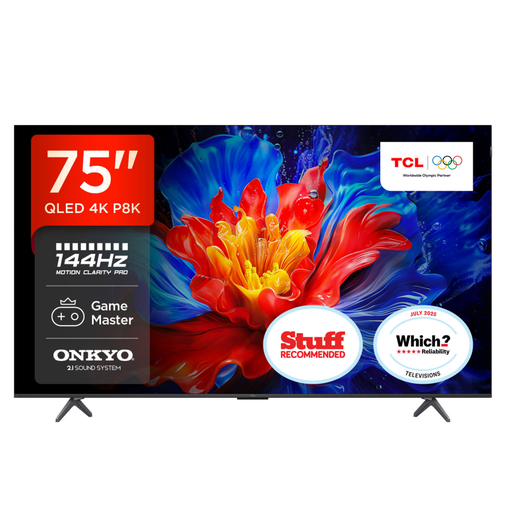
Why This Fits Their Persona: Its listed gaming connections and refresh-rate specifications target players using current consoles or a gaming PC in a dedicated entertainment room.
The specification separates its 120Hz refresh rate from up-to-144Hz VRR gaming and identifies four HDMI 2.1 ports, ALLM and FreeSync Premium.
QLED colour, Google TV and a 35W 2.1-channel Onkyo audio system with Dolby Atmos support.
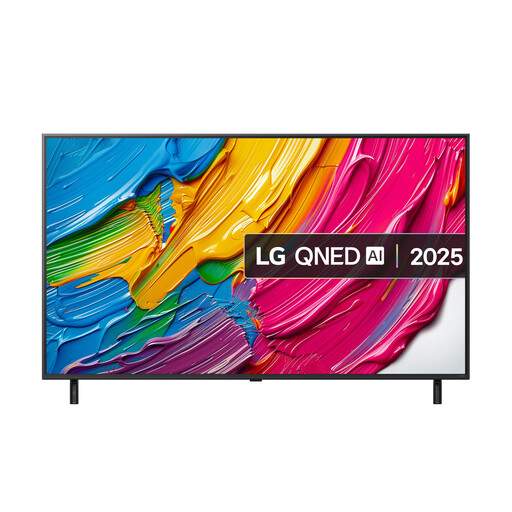
Why This Fits Their Persona: It combines a large QNED display with webOS, Freeview Play, voice-related smart features and gaming support for mixed household use.
Its listing clearly states a native 60Hz rate and VRR up to 60Hz, helping buyers avoid assuming that every HDMI 2.1 feature means 144Hz gaming.
Three HDMI 2.1 inputs with eARC, ALLM and VRR, plus a 20W audio system with AI Sound Pro processing.
We have compiled a complete, real-time list of products that fully satisfy these strict selection criteria and UK safety regulations.
Not necessarily. The practical fit depends on seating distance, furniture width and viewing preference. Measure the television’s full width with its stand, not only the diagonal screen size. A wall-mounted installation can also require space for ventilation and cable access.
Lifespan varies with usage, heat, power conditions, software support and component durability. Keep ventilation clear, avoid direct impact or harsh cleaning products, and install firmware updates when offered. Check the seller’s warranty and returns terms before purchase.
Consumption varies by panel, brightness, picture mode and viewing hours. Use the UK energy label’s kWh per 1,000 hours figure to compare models. HDR, high brightness and extended daily viewing can increase running costs, so energy efficiency should be considered alongside the purchase price.