
24/7 Customer Support

Free returns

Same-day & Next-day Delivery

Quality Guaranteed

Unlock Your Welcome Offers: FREE Delivery | Up to 80% OFF | Free 30-day JoyPlus trial
Download the APP
A 75-inch 4K smart TV can turn a UK living room into a more immersive viewing space, but a larger panel also makes weaknesses easier to notice. Soft streaming footage, uneven lighting, weak built-in sound and limited connectivity are more apparent when the screen occupies much of your field of view.
Before choosing a large-screen TV, look beyond phrases such as “cinematic”, “AI-powered” or “smart”. Check the measurable specifications, the available inputs and whether the set suits your room, viewing habits and devices.
A 4K resolution means 3,840 × 2,160 pixels, but it does not guarantee identical picture quality. Panel type, brightness, contrast, processing and the source itself all affect the result. Standard-definition broadcasts may still look soft after upscaling, while high-quality 4K streaming can look considerably more detailed.
An AI upscaling TV may process lower-resolution content, but processing cannot create all the detail missing from the original source. Check the processor and upscaling features, while keeping realistic expectations for older programmes and compressed streams.
Terms such as VRR, ALLM, “Game Accelerator” and HDMI 2.1 are useful only when they match your console or PC. Many current consoles target up to 120Hz rather than the very highest refresh rates advertised by some televisions.
Check how many HDMI inputs support the required bandwidth, whether VRR works at the desired resolution and whether eARC is available for a soundbar. A television may have a gaming mode without offering every HDMI 2.1 feature on every port.
A 75-inch panel is typically around 167–168cm wide. Measure the wall, furniture and route into the room before ordering. Large televisions should be moved by at least two people, and a wall bracket must match the TV’s VESA mounting pattern and weight.
Built-in speakers also vary significantly. A slim TV may provide around 20W of output, while another model may include a 30W or 2.1-channel system. For films and larger rooms, budget for a compatible soundbar if dialogue clarity and bass are priorities.
UK energy labels run from A to G. Compare SDR and HDR consumption figures, as HDR viewing can use more power than standard content.
A 75-inch QLED TV uses a quantum-dot layer to produce colour, but QLED models can still differ in brightness, contrast and backlight control. Direct LED, edge LED and Mini LED describe the backlight arrangement rather than the complete picture performance.
For HDR, check the actual formats supported. A 4K HDR TV may list HDR10 or HLG, while models with Dolby Vision can process compatible content using that format. Support does not mean every film or streaming service will use it, so consider the platforms you watch.
A native 60Hz panel is adequate for broadcast television, films and many streaming services. Console gamers may prefer a gaming TV with VRR and ALLM, which can help synchronise refresh behaviour with compatible hardware and switch to a lower-latency mode.
A higher advertised figure may apply only in a specific gaming mode or resolution. Read the full specification rather than relying on a headline number. If you use several consoles, a PC and a soundbar, count the HDMI ports carefully. An HDMI 2.1 TV can be useful for modern gaming equipment, but confirm which ports support 4K at higher refresh rates.
Choose the smart interface around your preferred ecosystem. A smart TV with Google TV can combine streaming apps, Google Cast and voice control, while other platforms may offer different app libraries and smart-home compatibility.
For audio, look for eARC when connecting a soundbar, and check whether the television supports Dolby Atmos pass-through or decoding. Audio branding does not replace speaker placement or a dedicated sound system.
Finally, confirm the VESA dimensions, stand width, TV depth and ventilation requirements. A wall-mountable 75-inch TV still needs a suitable wall, bracket and clearance around the set.
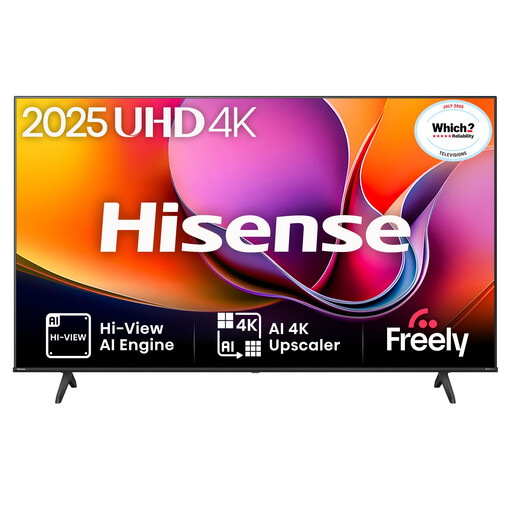
Why This Fits Their Persona: A practical choice for households wanting a 75-inch screen for streaming, Freeview Play, films and everyday family viewing without prioritising advanced high-refresh-rate gaming.
It lists Dolby Vision, HDR10, HDR10+ and HLG support, plus 60Hz, ALLM and VRR, making the feature set clearer than relying on vague “cinema” wording.
VIDAA U8.5, three HDMI inputs, two USB ports, 30W DTS Virtual:X audio and VESA 600 × 400mm mounting.
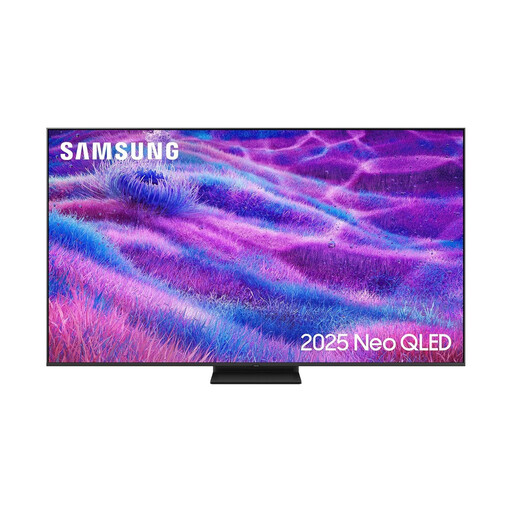
Why This Fits Their Persona: Suits viewers who want Mini LED backlighting, a higher native refresh rate and a broad smart-home feature set for films, sport and connected devices.
The specification identifies Mini LED backlighting, a 100Hz native refresh rate, support up to 144Hz and four HDMI inputs, rather than presenting refresh rate as an unexplained headline.
Neo QLED display, FreeSync Premium Pro, VRR, Dolby Atmos decoding, Tizen and 400 × 400mm VESA support.
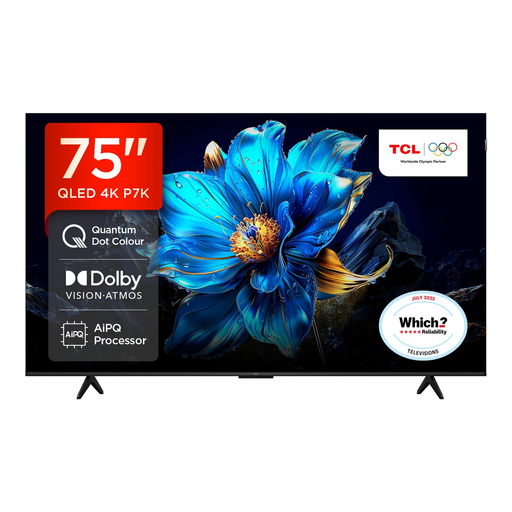
Why This Fits Their Persona: A strong feature match for console gamers, sports viewers and streamers who want Google TV, multiple HDR formats and gaming controls in one large display.
Its listed features separate the 120Hz Game Accelerator mode from the core 4K specification, while HDMI 2.1, ALLM and VRR provide clearer information for device matching.
QLED panel, Dolby Vision and HDR10+ support, Dolby Atmos, Google TV, hands-free voice control and Motion Clarity.
We have compiled a complete, real-time list of products that fully satisfy these strict selection criteria and UK safety regulations.
Not necessarily. Room layout, seating distance and wall width matter more than a fixed room-size rule. Measure the TV with its stand, allow space for ventilation and ensure viewers are not sitting so close that the image feels uncomfortable. A wall-mounted installation can reduce furniture depth, but the wall and bracket must be suitable.
Consumption varies by model, brightness, viewing mode and whether content is SDR or HDR. Use the product’s UK energy label figures, normally shown per 1,000 hours, to compare sets. Reducing brightness and using energy-saving settings may reduce consumption, although the actual amount depends on daily usage.
Service life depends on usage, ventilation, power conditions and component durability. Keep the set away from moisture and heat, install software updates when offered, avoid blocking ventilation and use a surge-protected setup where appropriate. Check the seller’s warranty and returns policy before purchase, particularly for a heavy wall-mounted television.