
24/7 Customer Support

Free returns

Same-day & Next-day Delivery

Quality Guaranteed

Unlock Your Welcome Offers: FREE Delivery | Up to 80% OFF | Free 30-day JoyPlus trial
Download the APP
An 85-inch 4K smart TV can turn a living room into a dedicated cinema, sports-viewing space or gaming setup. However, a large screen also makes weaknesses more noticeable. Low-quality sources may look soft, motion settings can create unwanted artefacts and an unsuitable wall mount can create a serious installation problem.
This guide explains the specifications that matter, the common buying traps to avoid and which models may suit different UK households.
An 85-inch display is physically imposing, but size alone does not determine contrast, colour or motion handling. Two TVs with the same 3840 × 2160 4K Ultra HD resolution can use different panel and backlight systems.
An entry-level LED television may be suitable for everyday streaming, while a QLED or Mini LED model may offer stronger brightness control and colour volume. OLED screens are also available in nearby sizes, such as 83 inches, but they are not the same display technology as LED or QLED.
A television advertised as a “144Hz gaming TV” may support 144Hz only in selected gaming modes or through compatible HDMI inputs. Check whether the specification states a native refresh rate, a supported gaming refresh rate or a variable refresh rate range.
For console users, HDMI 2.1, ALLM and VRR are generally more important than a headline number. A compatible console, suitable HDMI cable and game that supports higher frame rates are also required.
An 85-inch television is typically around 1.9 metres wide and may weigh over 30 kg with its stand. Measure doorways, stairwells, furniture and the intended wall before ordering. The packaged size is often considerably larger than the television itself.
For wall mounting, verify the TV’s VESA mounting pattern, the bracket’s stated size range, its load capacity and the wall type. A mount designed for a 75-inch television may not be suitable simply because its maximum weight appears adequate.
HDR support should also be checked carefully. HDR10 and HLG are common formats, while some televisions additionally list HDR10+, Dolby Vision or Dolby Vision IQ. Compatibility does not guarantee identical results across every streaming service, as the source content and picture settings also matter.
For films and television broadcasts, a 50Hz or 60Hz panel may be sufficient. Fast sports and gaming users should look for:
The TCL 85Q6C and TCL 85P8K list up to 144Hz VRR, four HDMI inputs and gaming features including ALLM. The Hisense 85E78QTUK PRO lists a native 144Hz refresh rate, 144Hz VRR and AMD FreeSync Premium Pro.
Choose the platform that includes the apps and voice services you actually use. Google TV is available on the TCL models listed here, while Samsung televisions use Tizen, Hisense uses VIDAA and the LG 86QNED80 uses webOS.
Built-in speakers are convenient, but a large picture does not automatically mean room-filling sound. Compare output figures and audio formats. The TCL 85Q6C lists a 40W 2.1-channel Onkyo system, while the Hisense 85E7Q lists 30W audio with Dolby Atmos and DTS Virtual:X support.
Also check the UK energy label, particularly if the television will be used for several hours every day. The listed models range across energy classes, so the difference in rated consumption may be relevant to running costs.
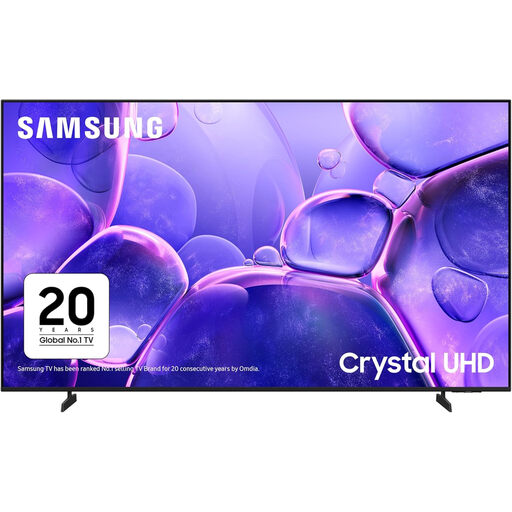
Why This Fits Their Persona: A straightforward option for households moving to a cinema-sized screen for streaming, Freeview and everyday television without prioritising advanced gaming specifications.
Its listed 50Hz native refresh rate makes the specification clear, while Wi-Fi, Ethernet and three HDMI ports cover common home entertainment connections.
4K resolution, Tizen smart TV, HDR10 support, ALLM and VRR; VESA mounting interface measures 400 × 300 mm.
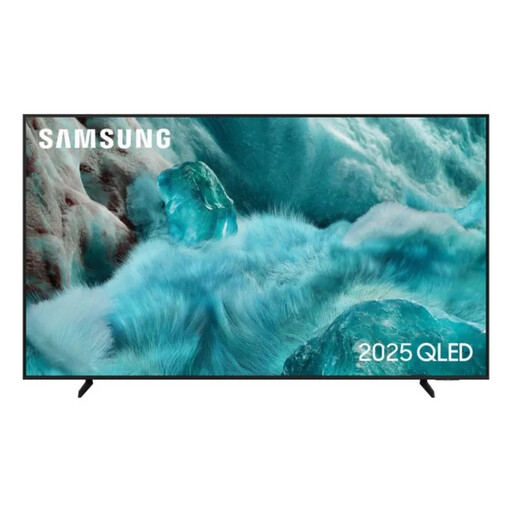
Why This Fits Their Persona: Suits film and sports viewers who want a large QLED display, Tizen services and a slim design for a main living-room setup.
Its specification identifies QLED, Quantum HDR and a 50Hz native refresh rate, helping buyers distinguish colour technology from high-refresh gaming performance.
85-inch 4K resolution, QLED colour technology, HDR10+ support and three HDMI inputs with Tizen smart features.
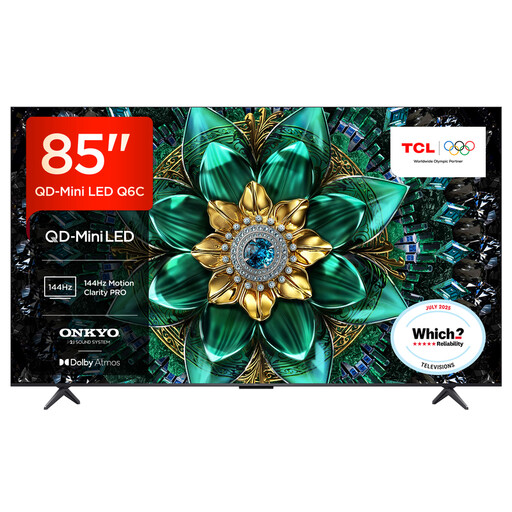
Why This Fits Their Persona: Designed for buyers combining next-generation console or PC gaming with films, streaming and sports on one large-screen smart TV.
The listing separates its 120Hz specification from up-to-144Hz VRR gaming and identifies four HDMI inputs including HDMI 2.1.
QD-Mini LED backlighting with up to 512 dimming zones; Google TV, 40W 2.1-channel audio and AMD FreeSync Premium Pro.
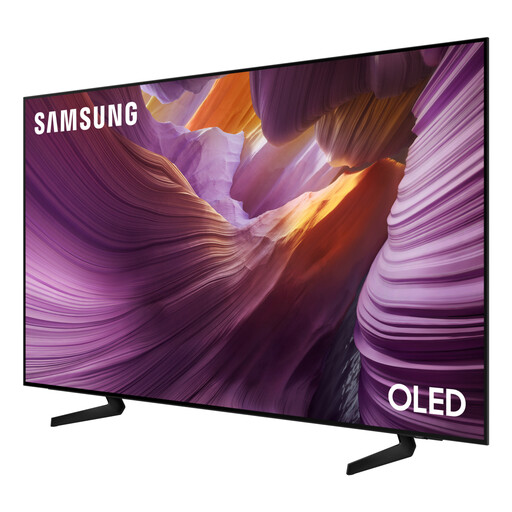
Why This Fits Their Persona: A suitable nearby-size alternative for viewers who place OLED technology, film presentation and advanced gaming features above having exactly 85 inches.
The listing clearly states its 83-inch OLED panel, 100Hz native refresh rate and support for 120Hz input rather than presenting size and refresh rate as the same feature.
OLED display, four HDMI inputs, VRR, ALLM, HDR10+ Gaming and a 400 × 300 mm VESA interface.
We have compiled a complete, real-time list of products that fully satisfy these strict selection criteria and UK safety regulations.
For a flush installation, check the TV’s VESA pattern before selecting a TV wall mount for an 85-inch TV. A fixed mount keeps the screen close to the wall, while a tilting model can help reduce reflections from windows or ceiling lights. A full-motion mount is useful when seating is positioned at an angle, but it needs more clearance and places greater leverage on the wall fixings.
The Sanus Vuepoint Large Full-Motion Mount supports TVs from 47 to 90 inches and extends up to 25 inches from the wall. The Sanus Extra Large Tilting Mount is listed for 65 to 140-inch televisions and sits 2.5 inches from the wall. Always confirm the television’s weight, VESA spacing and the suitability of your brick, concrete or stud wall before installation.
A practical starting point is around 2.6 to 3.5 metres, depending on your eyesight, content quality and personal preference. Sitting closer can make 4K detail more noticeable, but lower-resolution broadcasts may reveal compression or softness.
Running cost depends on the model’s energy label, brightness setting, HDR use and daily viewing time. Compare the stated energy consumption per 1,000 hours on the UK product label, then multiply it by your expected usage and electricity tariff.
Large televisions are difficult to lift safely and can be damaged if twisted. Two or more people are normally required for unboxing and stand installation, while wall mounting should use suitable fixings and, where necessary, a qualified installer.