
24/7 Customer Support

Free returns

Same-day & Next-day Delivery

Quality Guaranteed

Unlock Your Welcome Offers: FREE Delivery | Up to 80% OFF | Free 30-day JoyPlus trial
Download the APP
Choosing A4 printer paper may seem straightforward, but the wrong specification can lead to paper jams, show-through, faded-looking documents and unnecessary restocking costs. Offices, schools, home users and print-heavy businesses all have different requirements, so a low shelf price is not the only factor worth checking.
This guide explains the practical differences between A4 copier paper, white printer paper and coloured A4 paper, helping you select a suitable option for your equipment and workload.
Some paper is designed primarily for laser printers, while other types are better suited to inkjet printing. Paper that is too textured, damp or heavy for a machine can feed inconsistently. For shared offices using copiers and multifunction printer devices, look for paper clearly marked as compatible with laser, inkjet, copier and multifunction equipment.
A cheaper ream may use a lighter 75gsm A4 paper, which can be suitable for everyday correspondence but may feel less substantial than 80gsm A4 paper. Conversely, paying for 120gsm A4 paper for routine internal documents may add cost and use more storage space than necessary.
Terms such as “eco-friendly” can cover several different attributes. Check for recognised certifications, including FSC certification or the EU Ecolabel, rather than relying solely on packaging language. Also consider how many sheets your organisation actually needs: buying bulk printer paper can reduce repeat deliveries, but over-ordering creates storage and moisture risks.
GSM means grams per square metre and indicates the paper’s weight.
Paper weight does not alone determine print quality. Printer settings, ink or toner, paper brightness and surface finish also affect the result.
A bright white sheet can make black text and colour graphics appear more distinct. Whiteness, often expressed using a CIE value, describes the paper’s visual tone, while opacity indicates how much printing from the reverse side is concealed.
High opacity is useful for double-sided printing because it can reduce visible show-through. However, no paper can eliminate bleed-through in every combination of printer, ink coverage and document design. For double-sided reports, check both the paper’s opacity specification and your device settings.
A smooth matte surface is generally practical for office paper because it feeds consistently and provides a readable finish without the glare associated with some coated sheets. Inkjet paper may use a surface designed to manage liquid ink, while laser printer paper needs to withstand the printer’s heat-fusing process.
For a shared workplace, multifunction printer paper with compatibility across laser, inkjet, copier and all-purpose devices can simplify purchasing. Coloured sheets should also be checked for machine compatibility. Pastel coloured A4 paper can be useful for notices, filing systems and marketing materials, but it may change how printed colours appear.
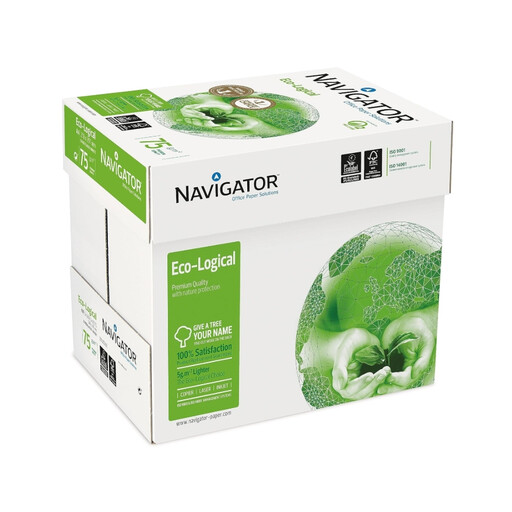
Why This Fits Their Persona: A five-ream box provides 2,500 sheets for households, small offices and organisations that want a lighter everyday paper without frequent replenishment.
Its specifications clearly state compatibility with laser, inkjet, copier and multifunction devices, while the 75gsm weight avoids paying for heavier paper where it is not needed.
White matte paper with 169 CIE whiteness, 93% opacity and EU Ecolabel certification.
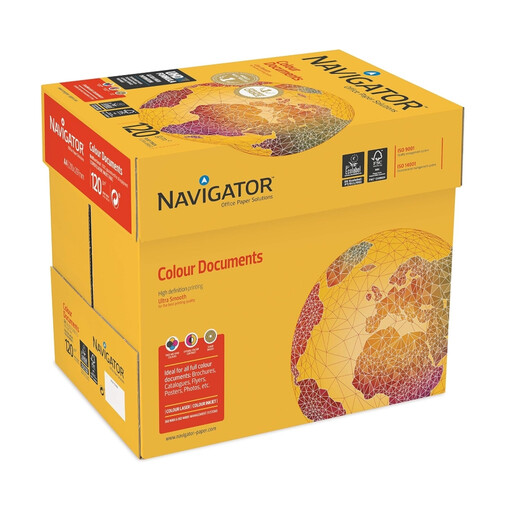
Why This Fits Their Persona: Marketing teams, tutors and client-facing offices can use the heavier sheets for presentations, brochures and colour-led documents that need a more substantial feel.
The 120gsm specification makes its intended use clearer than vague “premium” wording. Confirm that your printer supports this weight before ordering.
Smooth matte finish, 169 CIE whiteness and compatibility with inkjet and laser printers; FSC certified and EU Ecolabel approved.
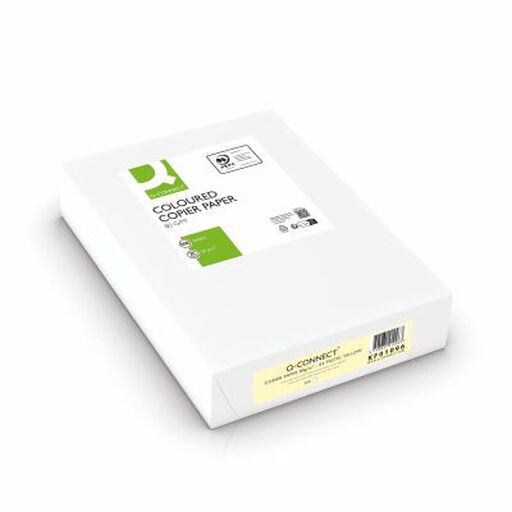
Why This Fits Their Persona: Schools, offices and community groups can use pastel yellow sheets for notices, filing codes, flyers, leaflets and internal communications.
The product specifies an 80gsm weight, A4 dimensions and laser printer and copier suitability, rather than leaving machine compatibility unclear.
Pastel yellow colour, smooth surface and a 500-sheet ream for regular print runs.
Paper absorbs moisture, which can affect feeding and print consistency. Keep unopened reams in their original packaging and store them in a cool, dry cupboard or storeroom. Avoid placing paper directly on floors, near radiators or beside damp areas.
For a small home printer, one 500-sheet ream may be easier to store. Offices and print-heavy businesses may find paper boxes more convenient, provided there is enough dry storage. Compare the total number of sheets rather than only the pack price, and consider whether the paper supports duplex printing to reduce consumption.
We have compiled a complete, real-time list of products that fully satisfy these strict selection criteria and UK safety regulations.
In many cases, yes. 80gsm A4 paper is a common general-purpose specification for home and office printing. Always check the printer manual for supported paper weights and select the correct paper type in the print settings.
When kept sealed in a dry, stable environment, paper can remain usable for a long time. Opened reams should be protected from humidity and dust. If sheets curl, feel damp or feed inconsistently, allow them to acclimatise in the room before printing and check the printer tray.
It can be, but suitability depends on the paper’s stated specifications and your equipment. Look for objective information such as FSC certification, EU Ecolabel approval, paper weight, opacity and printer compatibility. These details are more useful than a general environmental claim without supporting certification.