
24/7 全天候客户支持

免费退货

当日/次日达

品质保障

开启新人专享福利: 全场免邮 | 低至 2 折 | 免费试用 30 天 JoyPlus 会员
下载 Joybuy
Buying A4 printer paper can seem straightforward until sheets jam, ink shows through the page or a large bulk order proves unsuitable for the printer. For UK offices, schools, home users and creative teams, the right choice depends on more than price per ream.
This guide explains the practical specifications to check before buying, highlights common purchasing traps and matches several options to different printing needs.
A cheaper ream may contain thinner 75gsm printer paper, while a standard office option is often 80gsm printer paper. The difference can affect how the sheet feels, how it handles double-sided printing and how it performs in different machines.
Thinner paper can be suitable for high-volume internal documents, but it may not provide the same opacity or sturdiness as 80gsm paper. For reports, handouts or colour documents, check the weight before comparing prices.
Laser printer paper, inkjet paper and copier paper can overlap in their uses, but printers have different feeding and media requirements. Some heavyweight sheets may require a manual feed tray, while certain coloured or coated papers may not be suitable for every inkjet model.
Always check the printer manual for its supported paper weight, finish and tray capacity. The product description should also state whether the paper is designed for laser printers, inkjet printers, copiers or multifunction devices.
Terms such as “green”, “eco” or “responsibly made” can be vague. If sustainability is important to your organisation, look for a named standard such as FSC certification or the EU Ecolabel. These indicate that the product has been assessed against the relevant certification requirements, rather than relying only on general packaging language.
Some products may also describe their material as biodegradable. This is useful information, but it is not the same as an FSC-certified paper or EU Ecolabel paper, so check the exact environmental information supplied.
Heavier paper generally feels more substantial, but it can increase storage requirements and may feed differently. It is not automatically the right choice for routine copying.
A smooth, matt or uncoated surface can support predictable feeding and readable text. White A4 paper is the most versatile choice for contracts, invoices and reports. Coloured A4 paper can help separate departments, flag important notices or add visibility to leaflets and event materials.
Pastel colours are often more practical for text-heavy documents than very dark shades, as black print remains easier to read. Coloured paper can also alter the appearance of printed graphics, so consider the background shade when preparing marketing artwork.
A standard ream contains 500 sheets. Businesses with regular printing requirements may save time by buying a box containing several reams, while occasional home users may prefer a single pack to avoid unnecessary storage.
Keep paper sealed in its original packaging until needed, then store it in a cool, dry place. Moisture can affect feeding and print consistency. Avoid placing heavy boxes directly in areas where they may become damp or difficult to lift safely.
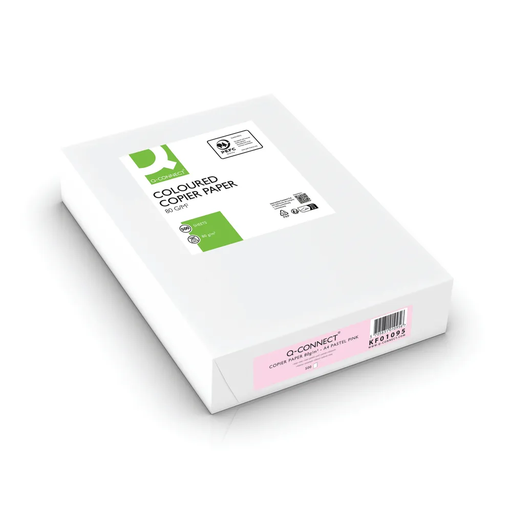
Why This Fits Their Persona: A single 500-sheet ream gives home users, small offices and schools a manageable way to introduce coloured printing without committing to a multi-ream box.
The listed 80gsm weight and laser/copying compatibility make the specification clearer than relying on colour or packaging alone.
Pastel pink shade; 500 sheets; uncoated surface for laser printers and copiers.
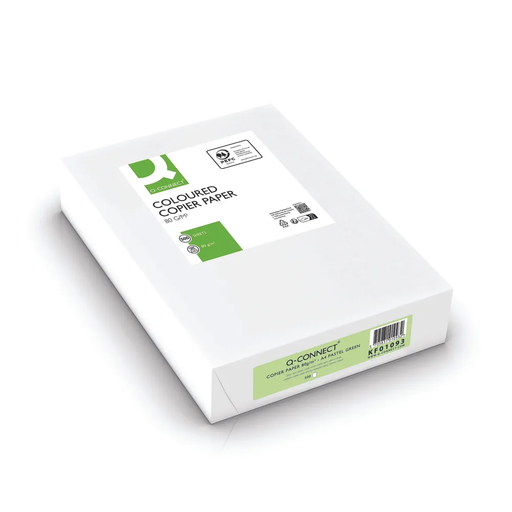
Why This Fits Their Persona: Suitable for colour-coded school worksheets, internal office notices and home projects where a full box would take too long to use.
It provides a defined sheet count and paper weight, helping buyers compare it directly with other 80gsm copier paper.
Pastel green colour; matt finish; 500-sheet ream for laser printers and copiers.
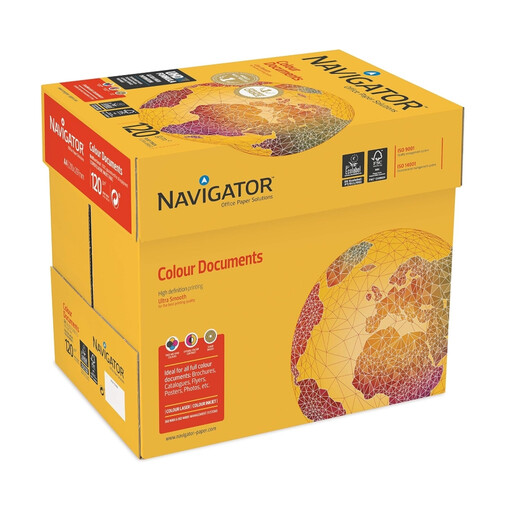
Why This Fits Their Persona: Marketing teams, creative studios and organisations producing presentations or brochures may value the heavier 120gsm format and smooth matt finish.
The stated 120gsm weight, printer compatibility and matt finish make it easier to assess against the printer’s media limits.
120gsm construction; compatible with inkjet and laser printers; FSC and EU Ecolabel certifications listed.
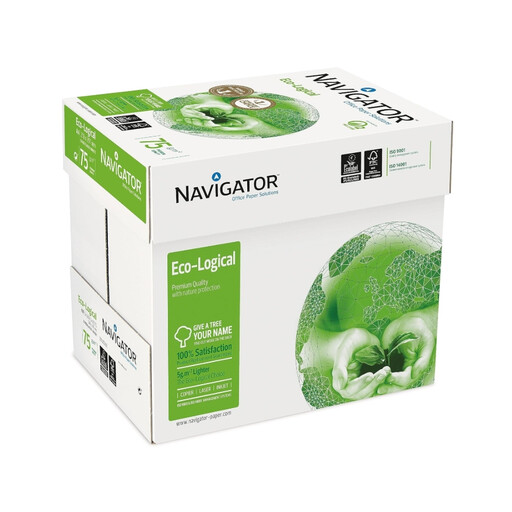
Why This Fits Their Persona: Busy offices and organisations with frequent document runs can use the five-ream box for regular stock replenishment.
Its listed compatibility covers laser, inkjet, copier and multifunction devices, while the 75gsm specification supports a lighter everyday format.
2,500 sheets per box; 93% listed opacity; EU Ecolabel certification and matt finish.
We have compiled a complete, real-time list of products that fully satisfy these strict selection criteria and UK safety regulations.
Both can work well for routine documents when supported by the printer. 75gsm office paper can be useful for high-volume printing and lighter storage, while 80gsm paper offers a more familiar standard for letters, forms and general copier use. Consider opacity and double-sided printing needs as well as the price per sheet.
Not necessarily. Many inkjet and laser printers support heavier media, but the exact limit varies by model and tray. Check the printer manual before loading 120gsm printer paper, and use the manual feed slot if recommended. Select the correct media type in the print settings where available.
Store reams flat or securely stacked in a dry room, away from radiators, condensation and direct moisture. Leave paper sealed until required. If sheets have curled or feel damp, allow them to acclimatise before printing rather than immediately loading a full tray.