
24/7 Customer Support

Free returns

Same-day & Next-day Delivery

Quality Guaranteed

Unlock Your Welcome Offers: FREE Delivery | Up to 80% OFF | Free 30-day JoyPlus trial
Download the APP
Buying A4 printer paper seems straightforward until a printer starts jamming, colours look dull or a supposedly economical box creates unnecessary waste. For UK offices, schools, home users and marketing teams, the right paper depends on more than the price per ream.
This guide explains the practical specifications to check before ordering, then matches suitable products to different printing needs.
Standard 80gsm printer paper is widely used for everyday documents, but not every type is suitable for every machine. Paper designed for laser printers and copiers may not produce the intended result in an inkjet printer, particularly when it has a coating or a coloured surface.
Always check whether the paper is designed for:
Using paper outside the recommended compatibility can lead to poor ink absorption, curling, smearing or feed problems.
Grammage, shown as gsm, refers to the weight of the paper. Lower-weight sheets are generally suitable for internal memos and routine office printing, while heavier paper can provide a more substantial feel for presentations and promotional documents.
However, heavier paper is not automatically more suitable. Some printers have limits for paper thickness, and loading 120gsm paper into a device designed for lighter media may affect feeding. Check the printer manual before using heavyweight stock.
A box of bulk printer paper may reduce the cost per sheet, but it also requires suitable storage. Paper absorbs moisture, which can contribute to curling and inconsistent feeding. Buying more than your organisation can store in a cool, dry area may cancel out the apparent saving.
Compare:
A4 paper measures 210 × 297mm, making it the standard choice for letters, reports, invoices and many school documents in the UK. Confirm that the product is actually A4, as product listings can occasionally use A3 or A4 terminology inconsistently.
For everyday office paper, look for clear compatibility information covering your device type. If you use both laser and inkjet machines, multi-purpose paper can simplify stock management, provided it meets the requirements of both printers.
For routine copying and document printing, 75gsm or 80gsm copier paper can help keep costs and storage weight manageable. Opacity matters when printing double-sided: paper with stronger opacity is less likely to show text from the reverse side.
For presentations, brochures and client-facing documents, 120gsm stock can create a firmer feel. It may also support stronger colour reproduction, but confirm that your printer accepts the weight.
A smooth or matt surface is generally versatile for text, graphics and office documents. Coloured printer paper can help separate departments, highlight notices or make flyers more visible without changing the printer.
White printer paper remains the flexible option for black-and-white text, colour reports and general administration. Coloured sheets are more appropriate when the paper itself forms part of the communication design.
For images, ordinary office paper may not provide the finish you want. Photo sticker paper is intended for compatible portable photo printers and should be matched to the correct printing technology rather than treated as a substitute for standard inkjet paper.
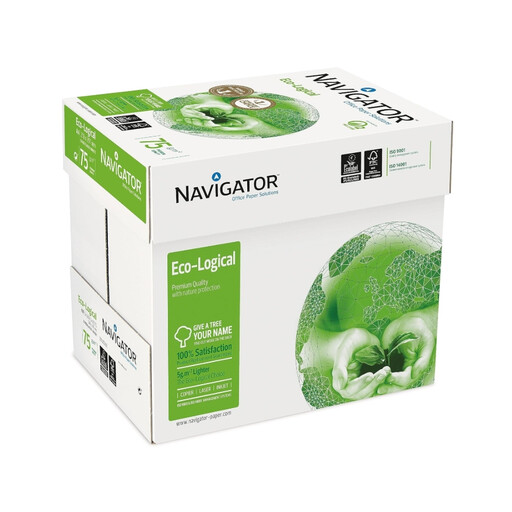
Why This Fits Their Persona: A practical choice for home users, small offices and schools needing a substantial supply of white office paper for routine printing.
The 75gsm specification keeps it suited to everyday documents, while the five-ream box makes the total sheet count clear before purchase.
2,500 sheets, 169 CIE whiteness, 93% opacity, matt finish and EU Ecolabel certification.
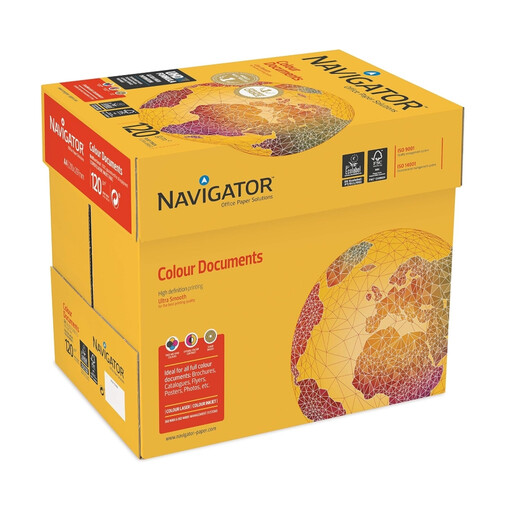
Why This Fits Their Persona: Suitable for marketing teams and professionals producing presentations, brochures and other colour-led documents.
Its stated 120gsm weight makes the intended heavier-document application clear; check your printer manual before loading it.
Eight reams, smooth matt finish, 169 CIE whiteness and compatibility with inkjet and laser printers.
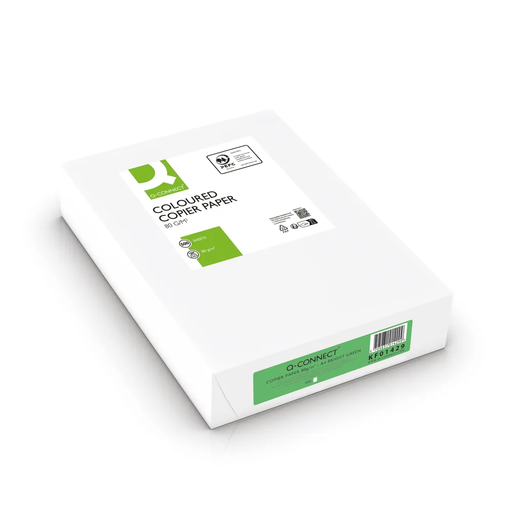
Why This Fits Their Persona: Useful for schools, events and promotional teams that need coloured documents, leaflets or notices to stand apart from standard white paper.
The pack states its 80gsm weight and laser/copier suitability, helping buyers match it to common office equipment.
Bright green colour, 500-sheet ream, glossy surface and recyclable material feature.
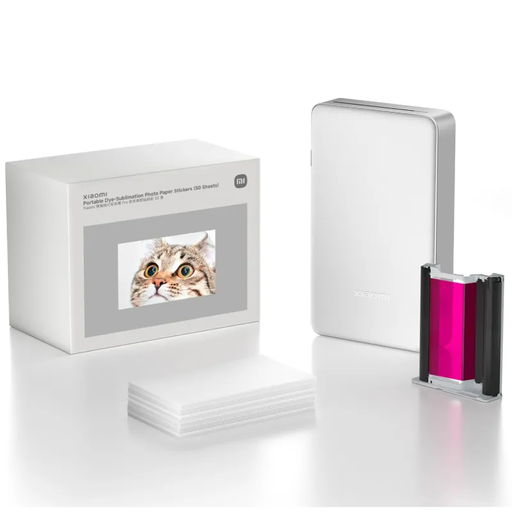
Why This Fits Their Persona: Designed for users making small-format personalised photos, labels or decorative prints with a compatible portable dye-sublimation printer.
Its product name identifies both the dye-sublimation format and sticker application, so it is not confused with standard A4 inkjet paper.
Portable photo-printing format and 50 sheets supplied for sticker projects.
We have compiled a complete, real-time list of products that fully satisfy these strict selection criteria and UK safety regulations.
Before adding A4 copier paper to your basket, confirm:
In many cases, yes. 80gsm is a common weight for letters, forms, reports and internal documents. Check the product’s stated printer compatibility and your device manual, particularly if you intend to print double-sided or use a high-speed machine.
Not always with the same results. Laser paper is designed around toner and heat, while inkjet paper is designed to manage liquid ink. Some multi-purpose sheets support both technologies, but coated or glossy paper should only be used when the printer and product specifications agree.
Keep reams in their original packaging until needed. Store them in a cool, dry room, away from radiators, windows and damp areas. Allowing paper to remain sealed helps reduce moisture-related curling and feed issues.