
24/7 Customer Support

Free returns

Same-day & Next-day Delivery

Quality Guaranteed

Unlock Your Welcome Offers: FREE Delivery | Up to 80% OFF | Free 30-day JoyPlus trial
Download the APP
Choosing A4 printer paper seems straightforward until a printer jams, ink bleeds through the page or a bulk purchase leaves you with hundreds of unsuitable sheets. Offices, schools, businesses and home users all have different requirements, so the cheapest ream is not always the most economical choice.
This guide explains the specifications that matter, highlights common buying traps and matches several options to practical UK user profiles.
A4 describes the size — 21.0 × 29.7 cm — but not the paper’s finish, thickness or printer compatibility. Some sheets are designed mainly for copiers and laser printers, while others are suitable for inkjet printing, laser printing and multifunction devices.
Before buying, check the packaging or product listing against your machine’s manual. A paper that feeds smoothly through a copier may not produce the same results in an inkjet printer, particularly when printing images or documents with substantial colour coverage.
Heavier paper can feel more substantial, but it is not automatically the right choice for everyday office printing. 75gsm A4 paper can reduce paper use and storage weight, while 80gsm printer paper is a widely used option for letters, worksheets and internal documents.
By contrast, 120gsm A4 paper is more appropriate when you want a firmer sheet for brochures, presentation pages, flyers or client-facing documents. It may cost more per sheet and can require printer trays that support thicker media.
Coloured A4 paper can help separate departments, highlight notices or make promotional materials more visible. However, strong colours may affect the readability of black text, while a glossy surface may not be suitable for every printer or handwritten note.
Also check whether the sheet is matte, uncoated or glossy. Finish affects how toner, ink and handwriting appear, as well as how easily pages can be handled, written on or folded.
GSM means grams per square metre and indicates paper weight rather than a direct measurement of thickness.
Paper weight should be matched with the device’s feed capacity. If the manual specifies a supported GSM range, follow that guidance to reduce misfeeds.
Laser printer paper is generally selected for toner-based devices, while inkjet printer paper needs to absorb liquid ink without excessive feathering or show-through. Some multipurpose products are listed as compatible with laser printers, inkjet printers, copiers and multifunction devices.
For shared workplaces, multipurpose compatibility can simplify purchasing. For image-heavy inkjet work, however, a paper specifically intended for inkjet output may be more suitable than standard copier paper.
A bright white sheet can make black text and coloured graphics appear more distinct. Opacity matters for double-sided printing because higher opacity can reduce text showing through from the reverse side.
For buyers seeking eco-friendly printer paper, look for recognised certifications such as the EU Ecolabel or FSC certification, where these are listed. Recyclable or biodegradable material claims should also be checked in the product details rather than assumed from green packaging.
Finally, compare the number of sheets. A standard paper ream contains 500 sheets, while a box of five reams contains 2,500 sheets. Bulk printer paper can be convenient for a busy office, but only if you have dry, suitable storage space.
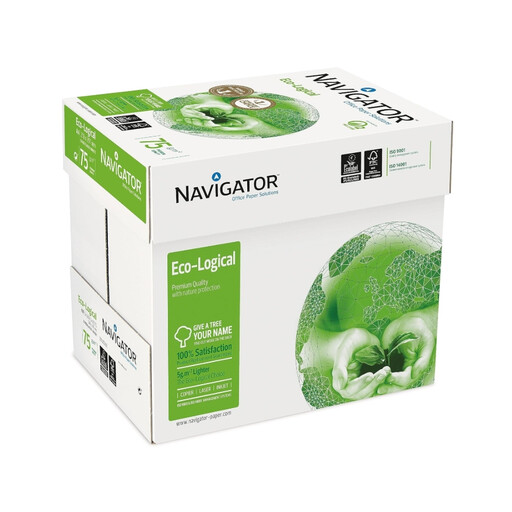
Why This Fits Their Persona: A five-ream box suits homes, small offices and schools that need a substantial supply of white A4 paper without choosing a heavier grade for routine documents.
Its 75gsm specification avoids paying for heavyweight paper when the main requirement is everyday printing.
Listed for laser, inkjet, copier and multifunction devices; EU Ecolabel certification and 500-sheet reams are specified.
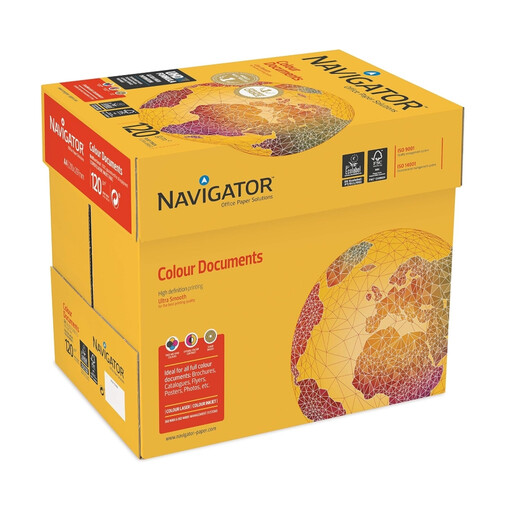
Why This Fits Their Persona: Marketing teams, consultants and creative professionals may prefer a more substantial sheet for colour documents, presentations and client materials.
The listed 120gsm weight makes its intended presentation use clear, rather than disguising a standard office sheet with vague quality language.
Smooth matte finish, 169 CIE whiteness and stated compatibility with inkjet and laser printers; FSC and EU Ecolabel certifications are listed.
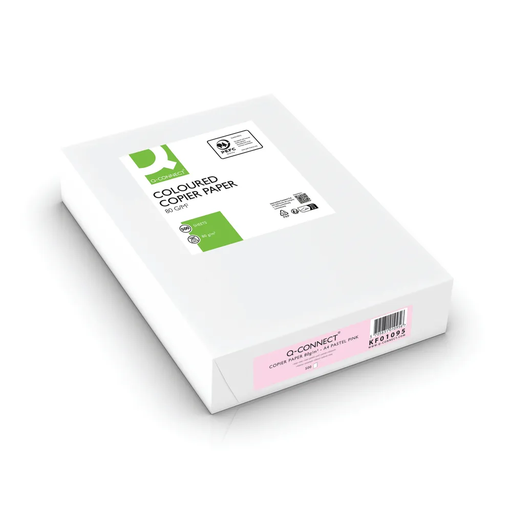
Why This Fits Their Persona: The pastel pink colour can help distinguish notices, classroom handouts, internal forms and event materials from standard white documents.
The uncoated surface is easier to handle and write on than a glossy sheet, while the colour is clearly specified before purchase.
80gsm weight, 500-sheet ream and stated compatibility with laser printers and copiers.
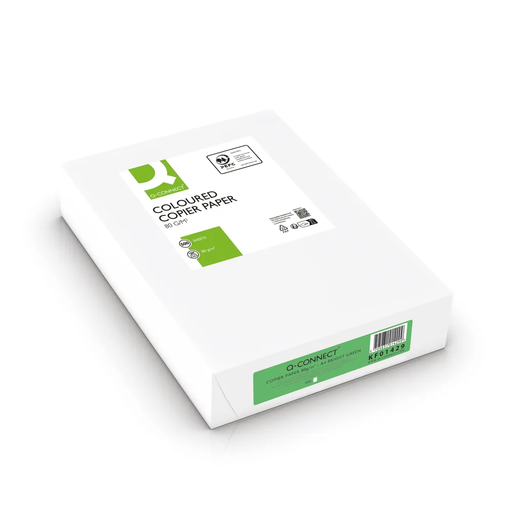
Why This Fits Their Persona: Marketing teams, clubs and event organisers can use a strong green background for posters, flyers, leaflets and notices that need visual separation.
The colour, 80gsm weight and 500-sheet quantity are stated clearly, helping buyers avoid an unsuitable decorative pack with unclear specifications.
Bright green A4 sheets in a 500-sheet ream; listed for laser printers and copiers and made from recyclable materials.
We have compiled a complete, real-time list of products that fully satisfy these strict selection criteria and UK safety regulations.
Keep unopened reams in their original packaging in a cool, dry place. Damp paper is more likely to curl, stick together or feed inconsistently. Store paper flat where possible and avoid placing heavy objects on open packs.
For cost comparisons, calculate the price per 500 sheets rather than comparing pack prices alone. Consider how much paper your workplace uses each month, whether double-sided printing is supported and whether a bulk box can be stored safely. A lower-cost 75gsm option may suit routine documents, while a 120gsm sheet can reduce the need for separate presentation stock.
In many cases, yes. 80gsm printer paper is a common general-purpose weight for letters, forms, schoolwork and standard copying. Always check the printer manual, especially for automatic duplex printing or specialist media settings.
The terms are often used interchangeably, but compatibility can vary. A4 copier paper is commonly designed for laser copiers and multifunction devices, while printer paper may specify inkjet compatibility or image-printing characteristics. Check the listed print technologies before ordering.
Paper weight itself does not determine ink consumption. Ink use is mainly affected by the document’s coverage, colour density and printer settings. However, thicker or coated paper can require a suitable media setting to achieve the intended result and avoid feeding problems.