Everyday AA-mouse users
If your mouse takes replaceable AA cells, a charged spare cell or pair can make a straightforward charging routine. Check the mouse’s required battery size and use rechargeable cells of a chemistry permitted by the charger.


For a mouse that accepts rechargeable AA NiMH cells, choose an AA-compatible NiMH charger for the number of cells you need to charge, rather than its shortest advertised time. A two- or four-cell routine can keep a spare pair ready; individual channels help when you charge single cells, while test and refresh programmes are more relevant to a larger collection. Check the mouse’s battery size and the charger’s permitted battery chemistry before use.
If your mouse takes replaceable AA cells, a charged spare cell or pair can make a straightforward charging routine. Check the mouse’s required battery size and use rechargeable cells of a chemistry permitted by the charger.
If you sometimes need to charge one AA cell for a mouse and AAA cells for other devices, check whether the charger accepts both sizes and controls occupied slots individually.
If you already have a collection of cells that do not all perform consistently, charge, discharge, refresh and test functions may help you assess them. Those controls add little to a routine involving only a spare mouse-battery pair.
Confirm the mouse’s battery size and permitted cell type first. Then decide whether your main need is a ready spare, single-cell flexibility, a shorter wait or a way to assess older cells.
| Concern | What to check | Who this matters to |
|---|---|---|
| Mouse-battery readiness | AA NiMH compatibility and whether the charger takes the number of spare cells you plan to charge. | I want a charged AA cell or pair ready for my mouse without managing extra settings. Roughly 40% of consumers put that simple spare-cell routine first. |
| Single-cell flexibility | Individual charging channels and AA/AAA support if you use both sizes. | When only one mouse cell needs charging, I do not want to wait for another cell to run down; roughly 30% of consumers prioritise this flexibility. |
| Charging turnaround | The battery capacity, cell count and charge level behind any stated charging time. | If my mouse runs flat without a charged spare, getting a compatible cell ready sooner matters most. Around 20% of consumers make turnaround their primary concern. |
| Cell maintenance | Per-slot test, discharge or refresh functions if you need to assess several rechargeable cells. | With several older cells in use, I want to identify which ones need attention rather than repeatedly pairing an uncertain cell with a good one; about 10% of consumers put maintenance first. |
AA describes a cell’s size, not its chemistry. Energizer’s NiMH charger instructions warn that charging other battery types can cause leakage, rupture or explosion.
Read the cell label and the exact charger instructions before inserting batteries. Do not put alkaline or other non-rechargeable cells in a NiMH-only charger.
Manufacturer figures describe particular cells and outcomes: Panasonic’s approximately 90-minute BQ-CC55 figure is for two AA eneloop cells, while Duracell’s approximately four-hour Hi-Speed Value Charger figure concerns four 1300 mAh AA NiMH cells reaching about 90% charge.
Compare the cell count, capacity and stated charge level behind each figure. If you can keep a spare pair ready, charging time may matter less than whether the charger fits your routine.
A kitchen worktop is not automatically a suitable charging spot. Greater Manchester Fire and Rescue Service advises using a hard, flat, heat-resistant surface away from flammable materials and avoiding unattended or overnight charging.
Choose a dry, clear area, keep the charger uncovered, stay nearby and follow its instructions. Stop using damaged or leaking cells and damaged charging equipment.
Rechargeable AA cells can go to dedicated household-battery collection points. Recycle Now lists household batteries among the items accepted through battery-recycling routes.
Use a battery-recycling point or check your local collection arrangements. For retailer takeback, GOV.UK says sellers or suppliers of at least 32 kg of portable batteries a year must offer free collection of used batteries.
The BQ-CC55 is worth considering when you need to charge one to four compatible AA or AAA cells rather than always charging a pair.
The UK 1-Hour Charger is a route to examine when an uncharged mouse battery makes turnaround important.
The Hi-Speed Value Charger offers a two- or four-cell AA/AAA routine for keeping household spares charged.
The Powerline 4.2 Pro addresses households that want to assess a collection of rechargeable cells as well as charge them.
These kits cover several ways to keep rechargeable AA cells ready for a mouse: charging a spare set, checking a shorter stated charging cycle, or choosing more flexibility for individual cells. Match the included cells and charger instructions to your mouse before deciding.
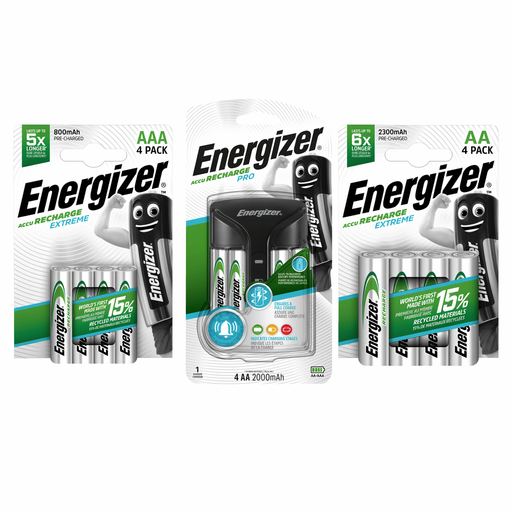 No image available
Consider this kit if you want to keep AA cells ready for a mouse and also manage individual rechargeable cells. Its name identifies a Pro Charger and Extreme AA and AAA batteries; check the exact supplied cell counts and capacities before choosing the bundle.
Follow the charger’s permitted-chemistry instructions, and charge on a dry, clear, heat-resistant surface.
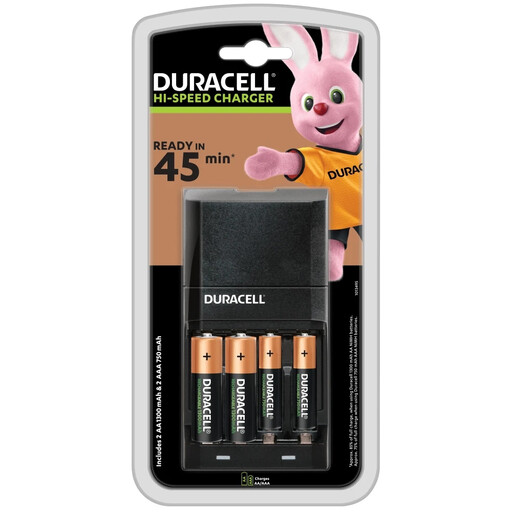 No image available
This bundle may suit a mouse-battery spare routine if the supplied AA cells match your mouse’s requirements. The title specifies two AA and two AAA batteries; compare the conditions behind the charger’s 45-minute designation rather than assuming it means a full charge for every cell.
Confirm the permitted battery chemistry before charging.
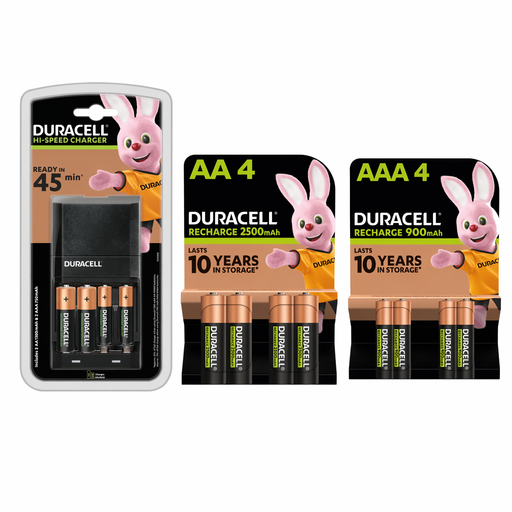 No image available
This kit is relevant if you want rechargeable AA cells available for a mouse and normally charge cells together. Check the instructions for the permitted cell count and whether AA and AAA cells may be charged in the same session.
The 45-minute wording is part of the kit name, not a charging-time promise for every battery; check the stated cells and completion level.
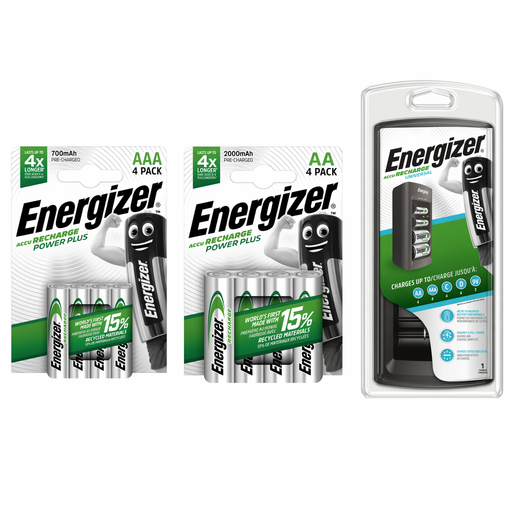 No image available
Consider this starter kit if you charge mouse AA cells alongside rechargeable cells used elsewhere at home. Its name identifies AA and AAA batteries; confirm the supplied quantities and the charger’s instructions for single-cell or mixed-size charging.
If a short charging wait matters to you, compare a stated time for the particular cells you plan to use.
 No image available
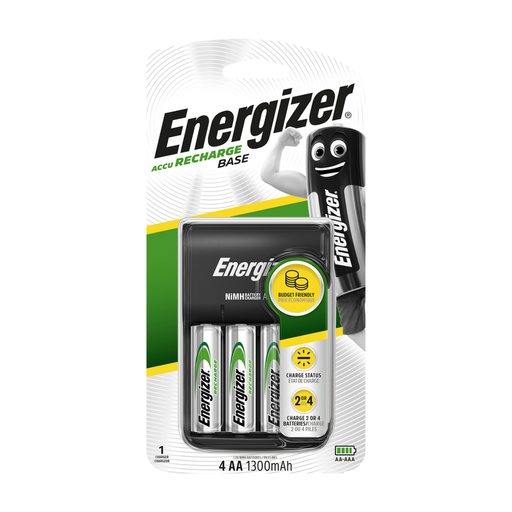
This kit may suit a routine of keeping spare AA cells ready for a mouse when you have a suitable USB power source. Its name specifies four rechargeable AA cells rated at 1300 mAh; confirm that the mouse accepts their size and chemistry.
Check how many cells the charger takes per session and its stated charging time if either affects your routine.
No. Energizer’s NiMH charger instructions say to charge only NiMH rechargeable batteries and warn that other types can leak, rupture or explode. Check both the battery label and your charger’s instructions before inserting a cell.
Yes, if the charging spot is dry, hard, flat, heat-resistant and clear of flammable materials. Greater Manchester Fire and Rescue Service advises against covering the charger or leaving batteries charging unattended or overnight; follow the charger’s instructions as well.
For a charger supplied in Great Britain, check its marking and accompanying product information against the applicable requirements rather than relying on a mark alone. GOV.UK guidance dated 25 March 2025 says recognition of certain goods meeting EU requirements, including CE marking, continues indefinitely and UKCA remains available; it also notes that different provisions apply in Northern Ireland.
Take them to a household-battery recycling point rather than putting them in general waste. Recycle Now identifies collection routes for household batteries; GOV.UK says retailers and distributors selling or supplying at least 32 kg of portable batteries a year must offer free takeback of used batteries.