Mouse-only users
If you mainly charge cells for a wireless mouse, a straightforward charger and a charged spare pair may matter more than a short quoted charging time. Check how many AA cells your mouse takes and what the kit includes.


If your wireless mouse uses rechargeable AA cells, choose a charger that specifies compatibility with their battery chemistry and decide whether you need to charge a single spare cell or a pair. A USB charger suits a desk with a suitable power source; a UK-plug charger uses a wall socket without a separate USB supply. Faster charging matters more if you cannot keep a charged spare pair, but quoted times depend on the cells and charging conditions.
If you mainly charge cells for a wireless mouse, a straightforward charger and a charged spare pair may matter more than a short quoted charging time. Check how many AA cells your mouse takes and what the kit includes.
If a wall socket is awkward to reach, a USB-input charger may fit your desk setup. Check that your available USB power source meets the charger’s stated input requirement.
If you also rotate rechargeable AA or AAA cells through other devices, independent charging channels can help when you need to charge fewer than a full set. Check the permitted cell combinations on the exact model.
For a student-room mouse, establish battery compatibility before choosing between USB and UK-plug power. Then decide whether a spare pair makes routine charging practical or whether quicker turnaround matters to you.
| Concern | What to check | Who this matters to |
|---|---|---|
| Compatible, safe charging | Check that the charger accepts rechargeable NiMH AA cells if those are the cells you use. For a single spare cell, check for independent charging channels. | If my mouse uses rechargeable NiMH AA cells, I need a charger meant for that chemistry—not one I might mistakenly use with disposable AAs. Around 42% of consumers put compatible, safe charging first. |
| Mouse-battery readiness | Compare quoted times using the stated cell count, capacity and input, and check whether the figure means partial or full charge. | When the mouse batteries run flat, I want either a charged spare pair or a turnaround time that works for me. Keeping the mouse ready is the primary concern for around 25% of consumers. |
| Desk power | Check whether the charger uses USB input or an integrated UK plug; for USB, confirm the required power source and what comes in the box. | With limited sockets near my desk, I need a charging arrangement that fits the power I can actually use. Around 17% of consumers prioritise that desk-power fit. |
| Cells in the kit | Check the number and capacity of included AA cells, and whether any included AAA cells would be useful to you. | If I do not own rechargeable AAs yet, I need enough suitable cells to start using the mouse and prepare spares. For around 16% of consumers, kit contents come first. |
An AA cell’s size does not tell you whether it is rechargeable. Energizer’s NiMH charger instructions warn that charging other battery types can cause leakage, rupture or injury.
Use only rechargeable cells of a chemistry the charger specifies as compatible, and follow its polarity markings and instructions.
A time quoted for a partial charge, a particular AA capacity or two cells is not directly comparable with a time stated under different conditions.
Check the cell capacity in mAh, number of cells, required input and whether each figure refers to a partial or full charge.
A USB charger still needs a suitable power source. The GP B423 is specified for 5V/1A input, while the stated faster charging time for GP’s P461 requires at least 5V/2A.
Check your adapter or desk supply against the exact model’s input requirement, and confirm whether a wall adapter is included.
These brands offer different NiMH charging arrangements; compare the specific model and bundle rather than treating a brand name as a guarantee of the features you need.
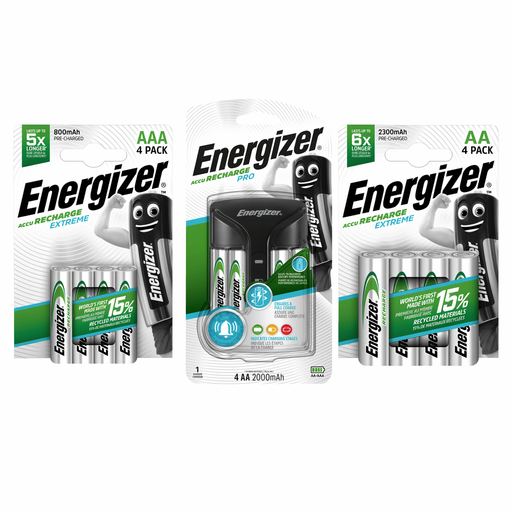
Energizer’s UK Pro Charger is a mains option for people who want charging feedback while preparing AA or AAA NiMH cells.
The CEF14UK is a UK-plug AA/AAA starter-kit option for people who prefer an integrated mains charger.
GP’s USB-powered ReCyko range includes chargers for routine desk charging and a P461 option for shorter turnaround under specified conditions.
These charger options relate to preparing rechargeable AA cells for a mouse: one Pro mains kit, one USB kit with four AA cells, and one universal charger to assess against your existing cells. Check the exact power input and bundle before choosing.
 No image available
Consider this kit if you want to prepare NiMH mouse batteries using a mains charger with charge-status feedback.
Energizer UK specifies the Pro Charger for two or four AA/AAA NiMH cells. Confirm the exact number and capacities of cells in this bundle and the charging time applicable to them.
 No image available
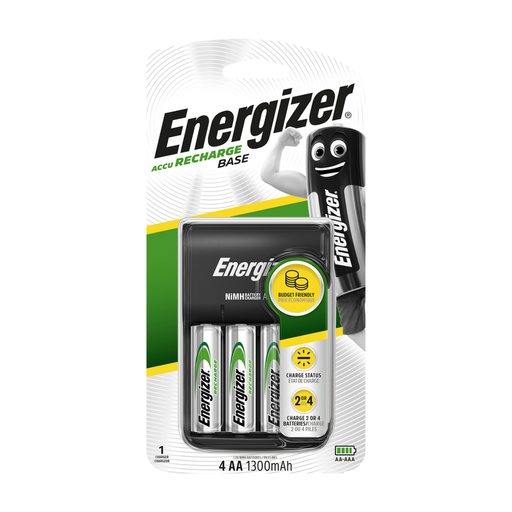
This USB kit is worth considering if you have desk USB power and want AA cells supplied for a mouse-battery rotation.
The product title specifies four rechargeable 1300mAh AA cells. Check the charger’s required USB input and charging time against your power source and routine.
 No image available
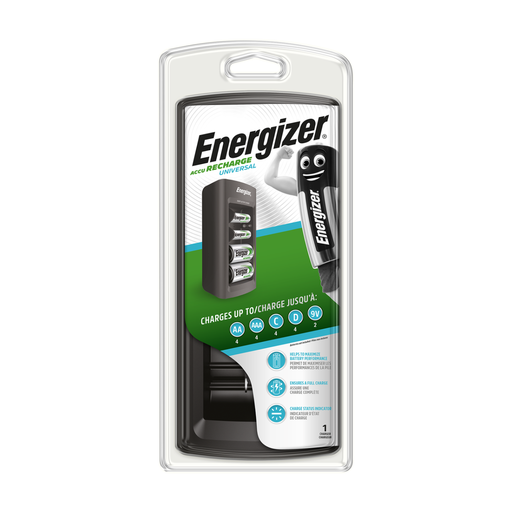
Consider this charger if you already use rechargeable NiMH AA cells for your mouse.
Before buying, confirm that its power input suits your UK setup, whether it can charge the number of cells you intend to insert and whether the package contains any AA cells.
No—not in the NiMH chargers discussed here. Use rechargeable cells that the exact charger specifies as compatible; Energizer’s NiMH charger instructions warn against charging other battery types.
Yes, if the model permits single-cell charging. Panasonic specifies one to four AA/AAA cells for its BQ-CC55, and the GP B423 also has individual channels; check the instructions for whichever charger you choose.
They can refer to different cells and charging conditions. Duracell Direct’s four-hour CEF14UK figure means approximately 90% charge for 1300mAh AA NiMH cells; GP Batteries states around 80 minutes for two 2100mAh AA cells in the P461 with at least 5V/2A input. Compare like conditions before deciding whether quicker charging would help you.
Use a battery collection point rather than putting them in general rubbish. GOV.UK says most waste batteries can be taken to a local supermarket or another large shop that sells batteries; check your local collection arrangements before making the trip.