For a keyboard that uses rechargeable AA NiMH cells, start with a charger that supports those cells and controls each charging slot independently. USB power is useful if you already have a suitable desk power source; testing and refresh functions make more sense when you maintain rechargeable cells across several devices. Whichever type you choose, check the exact model’s battery compatibility and power connection.
Who each charger type suits
Keyboard-only convenience seekers
If you mainly need one or two rechargeable AA cells ready for a wireless keyboard, look for clear charging status and independently controlled slots rather than battery-analysis settings. Panasonic describes both features on its BQ-CC55.
Shared-room space savers
If desk space or access to a spare socket shapes your choice, a USB-powered charger may suit your setup. GP Batteries describes its ReCyko M451 as a four-channel charger; check that you have the USB power source required by the exact model you buy.
Rechargeable-cell maintainers
If you rotate cells across several devices and want to assess their condition, test and refresh programmes may be useful. ANSMANN AG lists per-bay programmes and adjustable charging current for the Powerline 4.2 Pro.
What matters when choosing
Decide whether your main need is uncomplicated keyboard charging, a convenient desk power connection or maintaining a larger set of cells. Then check the exact charger’s instructions and power requirements.
| Concern |
What to check |
Who this matters to |
| Charging a small number of cells |
Check AA NiMH compatibility and whether slots are controlled individually, especially if you charge one cell or cells at different charge levels. |
I mainly need a couple of keyboard cells ready without managing charger settings or finding a matched pair; around 40% of consumers put straightforward charging first. |
| Desk space and power |
Check whether the model uses USB or a mains plug, what power input it requires and what comes in the bundle. |
With limited socket or desk space, I want a charger that fits the power source I can use; roughly 30% of consumers prioritise this room-setup need. |
| Cell testing and maintenance |
Check whether test or refresh programmes operate per slot and whether you want to select charging settings. |
I rotate rechargeable cells through several devices and want to check their condition, not just recharge them; about 30% of consumers place that maintenance need first. |
Charging mistakes to avoid
-
Assuming every AA battery can be recharged
AA specifies a cell’s size, not its chemistry. Panasonic says its BQ-CC55 is designed for supported rechargeable eneloop cells and stops power if a dry battery is inserted by mistake; that safeguard is not a reason to charge disposable cells.
Use rechargeable cells whose size and chemistry appear in your charger’s instructions, and check those instructions before the first charge.
-
Overlooking the exact model and plug
Electrical Safety First documented a recalled four-slot AA/AAA charger whose plug posed electric-shock and fire risks. That recall does not describe every charger, but it makes the identity and supplied power arrangement worth checking.
Identify the exact model, confirm the plug or required adapter, and check official recall information. Do not use a charger that is subject to a safety recall.
-
Choosing analyser functions you will not use
ANSMANN AG lists test, refresh and adjustable-current functions for the Powerline 4.2 Pro. Those settings address a different need from simply keeping keyboard cells charged.
Choose those functions if you intend to assess or maintain several rechargeable cells; otherwise, focus on compatible cells, individual-slot operation and readable status.
-
Putting spent rechargeable cells in household rubbish
GOV.UK identifies collection routes for portable batteries, including rechargeable AA cells.
Take spent cells to an appropriate battery collection point, such as one at a participating supermarket or battery-selling shop.
Relevant charger brands
Panasonic eneloop
A straightforward AA/AAA rechargeable-cell route represented by the BQ-CC55.
- Panasonic states that the BQ-CC55 charges one to four supported AA/AAA eneloop or eneloop pro cells in any combination, shows separate LED status and stops power to a slot when its cell is full.
- Panasonic says plug configurations vary by region; confirm the plug and local warranty for the exact bundle.
GP ReCyko
A USB-powered NiMH option represented by the four-slot M451.
- GP Batteries describes four individual charging channels for AA or AAA cells on the M451.
- For the exact bundle, check the required USB input, whether a power adapter is included and the applicable warranty terms.
Ansmann
AA/AAA NiMH chargers ranging from individual monitoring to per-bay maintenance programmes.
- RS Components UK describes individual monitoring on the Powerline 4 Smart. ANSMANN AG lists test and refresh programmes and selectable charge current for each bay of the Powerline 4.2 Pro.
- If the keyboard is your only rechargeable-cell device, decide whether you would use the additional programmes before choosing the Powerline 4.2 Pro.
Joybuy chargers for keyboard batteries
These choices focus on rechargeable AA cells for a keyboard, including a USB-powered kit. Check each exact model’s cell compatibility, charging arrangement and power requirements before choosing.
 No image available
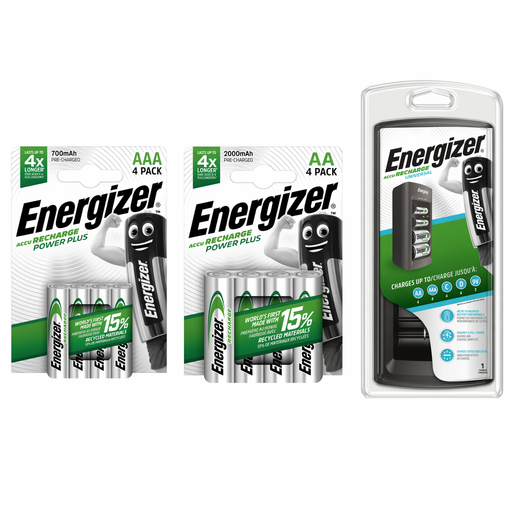
Energizer Recharge Starter Kit with universal charger and AA and AAA batteries
A kit to consider if you are preparing rechargeable AA cells for a keyboard. Check the included cells, individual-slot operation and supported battery chemistry for the exact kit; do not charge disposable cells.
View on Joybuy
 No image available
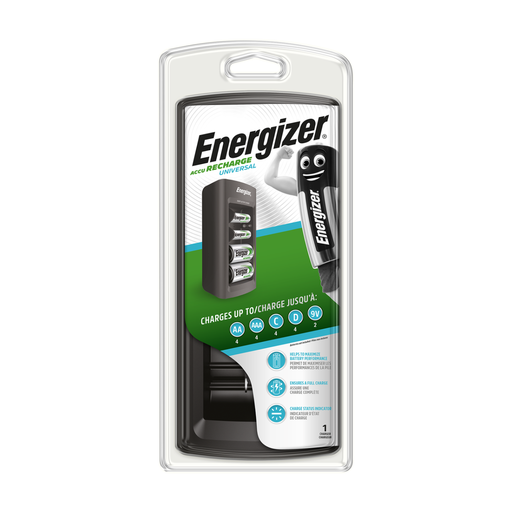
Energizer Universal Battery Charger
An option to assess for charging rechargeable AA keyboard cells. Confirm the exact model’s supported cell sizes and chemistry, individual-slot operation and supplied power connection before buying.
View on Joybuy
 No image available
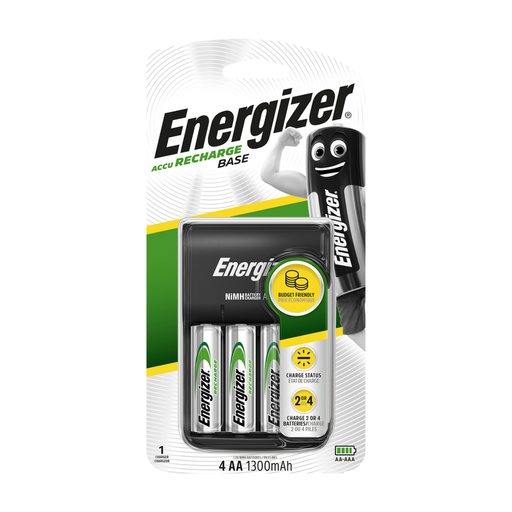
Energizer USB Battery Charger with 4 AA 1300mAh rechargeable batteries
Consider this USB-powered kit if desk USB power suits your room. It is identified with four rechargeable AA 1300mAh batteries; check the required USB input, whether a wall adapter is included and whether you can charge cells individually. Use only supported rechargeable cells.
View on Joybuy
 No image available
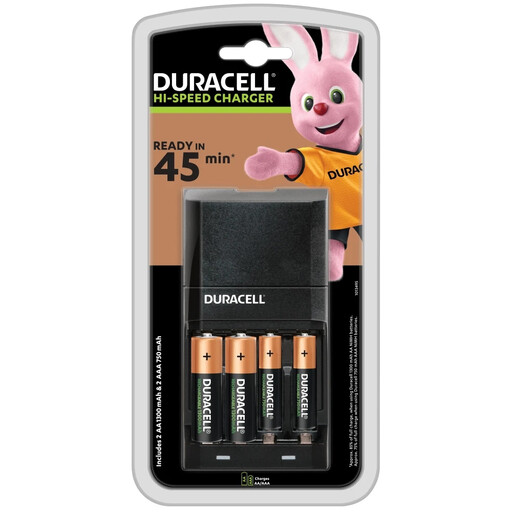
DURACELL 45 Minute Charger (CEF27) with 2 AA and 2 AAA batteries
A bundle to consider if you need rechargeable AA cells for the keyboard and also use AAA cells. Check whether the CEF27 charges a single cell independently, which plug the exact bundle supplies and which rechargeable chemistries it supports; the product name alone does not establish charging time for your cells.
View on Joybuy
Questions about AA charging
Can I put disposable AA batteries in an AA charger?
No: charge only rechargeable cells of a size and chemistry supported by the charger’s instructions. Panasonic specifies rechargeable AA/AAA eneloop and eneloop pro cells for the BQ-CC55; its dry-battery shut-off is a safeguard, not permission to charge disposable batteries.
Do I need to fill every slot in a four-slot charger?
Not when the exact model supports individual charging. Panasonic says the BQ-CC55 charges one to four supported cells in any combination, and GP Batteries describes four separate channels on the ReCyko M451. Check other models’ instructions rather than assuming every four-slot charger works this way.
Where can I take worn-out rechargeable AA batteries in the UK?
Use a suitable battery collection point rather than household rubbish. GOV.UK identifies local supermarkets and other qualifying battery-selling shops as collection routes for most waste batteries, including rechargeable AA cells.


