What to check before buying
Match the device to the tasks you need to complete independently, then check the exact model, software version and accessories before committing.
| Priority |
What to check |
Your needs |
| Reading and navigation |
Test screen-reader navigation in required apps, documents, websites and login flows. Check magnification, contrast, text-size settings, keyboard commands and exact braille-display compatibility where needed. |
I need to read, write and move around the device without depending on standard vision or touch gestures. |
| Alternative input |
Confirm support for the precise keyboard, mouse alternative, switch, voice-control tool or assistive device. Check pairing, ports, USB receivers, charging, reach, force and mounting position. |
I need an input method that fits my movement, posture and endurance rather than relying on a conventional keyboard or touchscreen. |
| Communication |
Check whether typed-to-speech works in the calls, apps or face-to-face situations required. For AAC, consider direct touch, keyboard, mouse, switch or eye-gaze access and the settings where communication will happen. |
I need to communicate clearly at home, in study or work, or with the people who support me. |
| Exact configuration |
Compare the device model, operating-system version, language and regional settings with the feature requirements. Test essential third-party services and peripherals on the intended setup. |
I need the accessibility tools to work on this particular device and with my everyday apps, not simply on the platform in general. |
Joybuy product options
These Joybuy options cover focused audio recording and a portable Android reading setup. They do not replace a full accessibility assessment or confirm compatibility with every access method.
 No image available
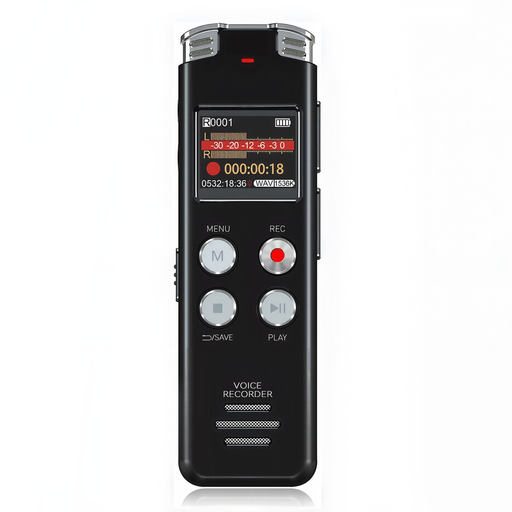
Rexsun 128GB Portable Digital Voice Recorder
A focused option for capturing lectures, meetings or spoken notes and reviewing recordings later.
Stated features include MP3/WAV support, USB-C transfer, A-B repeat, fast navigation, voice-activated recording and timestamped file organisation. Check that the buttons, screen and playback controls are usable for your vision, dexterity and hearing needs. Confirm permission before recording other people.
Joybuy
 No image available
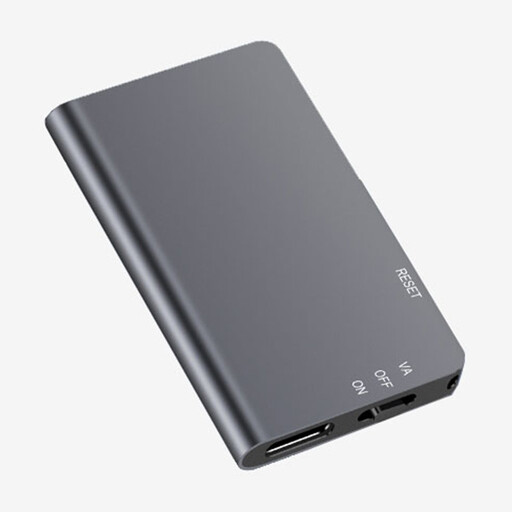
Rexsun 64GB Digital Voice Recorder with One-Touch Recording
Consider this for simple spoken memos or recording review within an existing study or work setup.
The listing states 64GB storage, WAV recording, USB-C charging and file transfer, voice activation, low-battery auto-save and included headphones. It supports recording and review rather than screen reading, typing, AAC or spoken-output communication; check whether its controls and headphone playback are accessible for you.
Joybuy
 No image available
Bigme HiBreak Pro Color Display, Android 14, 8GB+256GB
A portable Android option to check for task-specific reading, document handling and app use.
The listing states a 6.13-inch colour ePaper display, Android 14, 8GB+256GB, OCR document scanning and programmable hardware keys. Test TalkBack, magnification, captions, voice access, braille-display support, switch input, external keyboards and required apps on the exact device before buying.
Joybuy
Frequently asked questions
Should I buy specialist equipment before trying the accessibility features on my current device?
Usually, start by checking whether your existing or shortlisted mainstream device can complete the core task with built-in screen reading, magnification, captions, voice control, keyboard access or other settings. GOV.UK notes that phones, computers and tablets often have built-in accessibility features, and RNIB recommends checking them before replacing a computer.
What should I test before buying a screen-reader setup?
Test the tasks you must complete, including opening documents, reading and editing text, email, websites, messaging, login flows and required study or work software. Also test the keyboard shortcuts or touch gestures you will use, because screen-reader navigation requires configuration and practice.
How can I check whether an alternative keyboard or mouse will connect?
Confirm whether the peripheral uses Bluetooth, a USB receiver or a wired connection, then check that the intended device has the required support or port. Make sure you can manage pairing, connect any receiver and handle charging or battery changes in the intended setup.
When should I seek an assistive-technology or AAC assessment?
Seek an assessment before buying when communication support is complex, when switch, keyboard, mouse or eye-gaze access may be needed, when several environments or supporters must use the setup, or when a costly specialist AAC device is being considered. Communication Matters explains that AAC assessment considers communication goals, current strategies, settings of use and the most efficient access method.
Are accessibility features identical across all Android phones and tablets?
No. Google states that TalkBack setup can depend on the device manufacturer, Android version and TalkBack version. Check the exact model and installed software, then test the controls, gestures, braille support, captions and alternative-input features you need.


