What to check before choosing
Identify the task that matters most, try the built-in route in your usual workflow, then check whether an additional device or software tool addresses what remains difficult.
| Concern |
What to check |
Who this matters to |
| Reading and navigation |
Try screen reading or display adjustments with your essential documents, websites and apps; check the exact device and operating-system version. |
If I need to read course material or navigate work systems without relying solely on the screen, access to text and controls comes first. Around 36% of consumers put reading and navigation first. |
| Writing and physical control |
Try the required voice commands or alternative input method during a normal task; check language settings and keyboard, Bluetooth or USB compatibility. |
When typing, pointing or touch gestures are the barrier, I need a workable way to produce text and operate the device throughout a session. Writing and control are the primary concern for around 29% of consumers. |
| Audio and communication |
Check captions or typed-to-spoken output in the calling, meeting or media apps you need, including supported languages and device-version requirements. |
If spoken material is hard to follow, or I need typed words spoken aloud, the feature must work in the conversations that matter. Around 21% of consumers prioritise audio and communication access. |
| Planning and information capture |
Check how a planner or recorder fits your notes and task routine, and whether recording is permitted in the relevant setting. |
Keeping track of tasks or revisiting spoken information may matter more to me than changing how I read or type. For around 14% of consumers, organisation and information capture come first. |
Joybuy products for different tasks
These choices cover a Mac laptop, a Windows laptop and an iPad for trying built-in accessibility features, plus an alternative keyboard and a recorder for distinct input or information-capture needs. Check each option against your essential tasks rather than treating the devices as interchangeable.
 No image available
Apple 13-inch MacBook Air (2026, M5), 24GB, 1TB SSD, Midnight
Consider this Mac for work or study if Apple’s accessibility features work with your required documents and applications.
The named configuration has an M5 chip with 10-core CPU and 10-core GPU, 24GB memory and a 1TB SSD. Confirm the installed macOS version and try the access features you need in your usual apps.
View on Joybuy
 No image available
ASUS Vivobook 14 X1407QA-LY003W Copilot+ PC, Snapdragon X, 16GB, 512GB SSD, Quiet Blue
Consider this Windows laptop if your work or study applications are compatible and you want to try the Windows accessibility route.
The named configuration includes Snapdragon X, 16GB RAM and a 512GB SSD. Check the installed Windows version before relying on Voice Access, and test your required apps with the access features you intend to use.
View on Joybuy
 No image available
Apple 11-inch iPad Air (2026, M4), Wi-Fi, 128GB, Space Grey
Consider this tablet for reading and information access if your study or work apps behave as needed with its accessibility controls.
This is the 11-inch, M4, Wi-Fi model with 128GB storage. Confirm the installed iPadOS version and whether any input accessories you need are included.
View on Joybuy
 No image available
HP 960 Ergonomic Split Layout Wireless Keyboard with padded wrist rest
Consider an alternative keyboard if standard typing remains difficult, but try the layout during the kind of session you need it for.
This HP 960 has a split layout and padded wrist rest. Confirm the key layout and connection compatibility with your computer or tablet before choosing it.
View on Joybuy
 No image available
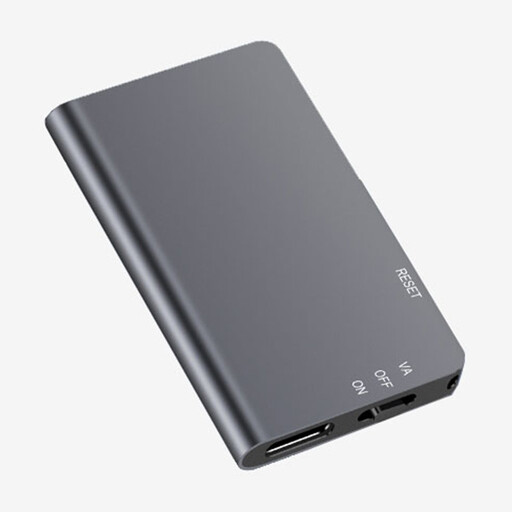
Rexsun L810 64GB Digital Voice Recorder with one-touch recording, Grey
Consider a recorder if capturing spoken information for later review is your main task and recording is permitted in that setting.
The Rexsun L810 name specifies 64GB storage and one-touch recording. Do not assume a recorder provides captions or transcription; check those functions separately if you need speech converted to text.
View on Joybuy
Frequently asked questions
Can I try built-in features before adding specialist hardware or software?
Yes—try them with the actual documents, websites, messages and meetings you need to handle. GOV.UK notes that phones, tablets and computers often have built-in accessibility features; a separate tool is worth considering when that route does not meet the task.
What should I check before relying on voice control or captions?
Check the exact operating-system version, language, initial setup requirements and behaviour in your essential apps. Microsoft lists Windows 11 version 22H2 or later for Voice Access and Live Captions, while Apple lists iOS 13 or later or iPadOS and a feature download for Voice Control.
When is a needs assessment worth discussing?
Discuss one before selecting a specialist setup if several tools or adjustments may be needed, particularly if you intend to use a work or study support route. Student Finance England describes study needs assessments that recommend support and equipment; GOV.UK describes Access to Work support based on individual workplace needs.
Does an employer have to provide the particular device I choose?
A preference for a particular model does not, by itself, determine what an employer must provide. GOV.UK states that employers must make reasonable adjustments for disabled workers who would otherwise be substantially disadvantaged; what adjustment is reasonable depends on the circumstances, and Access to Work is a separate support route.
Should I buy equipment before applying for Disabled Students’ Allowance?
Ask the relevant funding body or study support service about the process before buying equipment you expect that route to cover. Student Finance England’s 2026 to 2027 DSA form says that, where a study needs assessment is required, its report recommends support and equipment; a general retail purchase should not be assumed to match that recommendation.


