Who accessible gaming controls may suit

Players needing relocated controls

If a standard controller’s input positions are difficult to use, compare switches, joysticks, an adaptive hub or a different layout with the actions required by your games. Microsoft Xbox and GameAccess / SpecialEffect describe options for external inputs.

Players needing stable positioning

If you can activate controls but need them placed or supported differently, consider positioning and mounting alongside platform compatibility. PlayStation and SpecialEffect describe adjustable or mounted-control options.

Players facing sensory or interface barriers

If menus, text, audio cues or other interface elements are the main barrier, check the particular platform and game settings; a different physical controller may not address it. RNIB and Nintendo UK Support describe relevant game and system accessibility options.

What to check before choosing

Concern What to check Who this matters to
Platform and game fit Check the exact controller version, platform and game; list the actions the game requires. If I want to avoid choosing controls that do not work with the games I play, I would check the full setup against those titles. Around 25% of consumers put platform and game compatibility first.
Usable inputs Compare built-in controls with separate switches or joysticks, including what is included and how each action is triggered. If I need controls I can activate consistently, I would compare the available layouts with the movements I can use. Around 25% of consumers put usable inputs first.
Positioning and support Check reachable placement, mounting compatibility, cable reach and whether a secure surface is available. If I can use a control but need it positioned securely within reach, I would assess the space and support needed for the setup. Around 20% of consumers put positioning first.
Sensory and interface access Check the game’s own narration, visual, audio and control options as well as console settings. If menus, text or cues are the main obstacle, I would check what the specific game makes accessible before changing hardware. Around 15% of consumers put sensory and interface access first.
Whole-setup cost and trial Identify all required components and check seller return terms; ask whether an assessment or trial may be available. If I need to avoid committing to a setup that is unaffordable or unsuitable, I would establish the full configuration before choosing. Around 15% of consumers put total setup cost and access to a trial first.

Buying pitfalls to avoid

  • Assuming an adaptive hub is a complete controller

    The Xbox Adaptive Controller’s external assistive inputs are sold separately, and the layout still needs to provide the actions required by the game.

    List the game’s required actions, then check which controls are included and which need to be added.

  • Assuming similarly named controllers work on the same platforms

    8BitDo’s Lite SE Bluetooth and Lite SE 2.4G Wireless Controller for Xbox have different stated platform lists.

    Check the full model name, intended system and connection mode before choosing.

  • Choosing a Switch interface without checking the play mode

    GameAccess / SpecialEffect documents the original Nintendo Switch with HORI Flex in docked TV mode; that setup does not cover Switch Lite or handheld play.

    Confirm the precise console, mode of play and compatible peripherals before buying.

  • Expecting physical remapping to solve a sensory barrier

    Changing control assignments does not by itself make a game’s text, cues or menus accessible.

    Check the intended game’s own accessibility options alongside any console settings.

Relevant brands for reference

Microsoft Xbox

The Xbox Adaptive Controller is a hub for supported Xbox consoles and Windows PCs when separately positioned external controls are needed.

  • Xbox lists nineteen 3.5 mm external-input ports and two USB 2.0 ports, alongside remapping and compatible mounting options.
  • Assistive input devices are sold separately, and the specifications do not establish whether a particular game layout will work for an individual.

PlayStation

Access is an adjustable controller for PS5 players who can use its built-in controls or combine them with compatible inputs and controllers.

  • PlayStation documents adjustable orientation and profiles, and use with another Access or DualSense controller.
  • PlayStation says the USB port is for connecting to the PS5 for charging and software updates, not USB-based third-party accessories. Initial pairing requires a PS5 already set up with DualSense.

HORI

Flex is an interface for compatible external switches and joysticks on supported Nintendo Switch and Windows setups.

  • GameAccess / SpecialEffect documents 3.5 mm switch inputs and compatible joystick arrangements.
  • For the documented original Nintendo Switch setup, Flex requires docked TV mode; it does not cover Switch Lite or handheld mode. Check the specific console and peripherals.

8BitDo

8BitDo’s Lite SE Bluetooth and Lite SE 2.4G Wireless Controller for Xbox are distinct compact controller options for their specified systems.

  • 8BitDo describes accessible face controls and lower-resistance inputs for these models.
  • The platform lists differ, so do not treat the Bluetooth and Xbox versions as interchangeable based on their names.

Logitech G

The Adaptive Gaming Kit is an accessory option for a specified existing Access controller setup.

  • Logitech describes configurable controls for its Access kit.
  • The Access controller is sold separately; check the particular kit and controller together.

Joybuy product options

These listings include mobile gamepads, console controllers and a fighting stick. Consider them only if their stated platform and physical controls fit the actions you need.
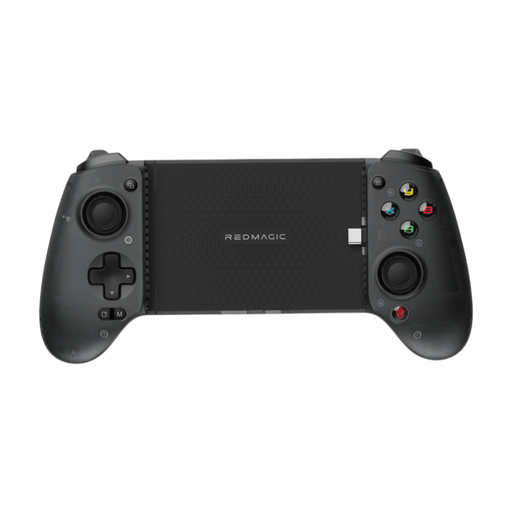
REDMAGIC Shadow Blade Gamepad 2.0, Type-C, iPhone and Android compatible

REDMAGIC Shadow Blade Gamepad 2.0, Type-C

The product name identifies a Type-C gamepad for iPhone and Android; check your device, game and required controls before choosing it.

View on Joybuy
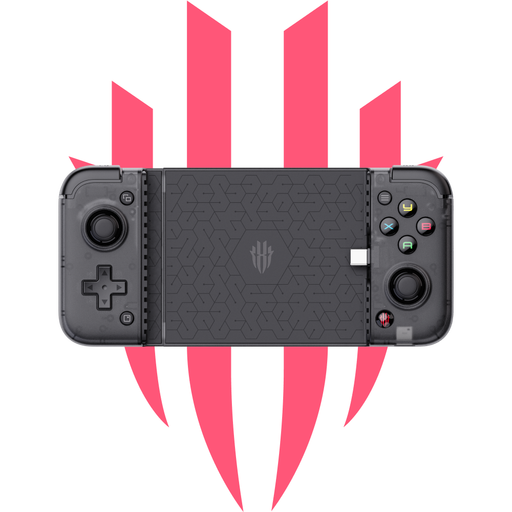
REDMAGIC Shadow Blade Gamepad, Type-C, iPhone and Android compatible

REDMAGIC Shadow Blade Gamepad, Type-C

The product name identifies a Type-C gamepad for iPhone and Android; check your device, game and required controls before choosing it.

View on Joybuy
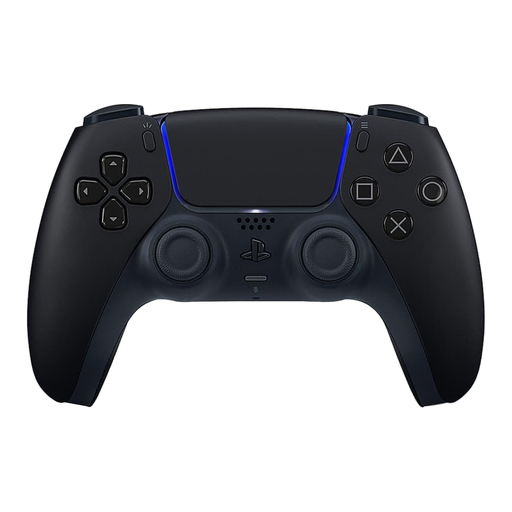
Sony Interactive Entertainment DualSense PS5 Wireless Controller, Midnight Black

Sony Interactive Entertainment DualSense PS5 Wireless Controller, Midnight Black

The product name identifies a wireless PS5 controller in Midnight Black; check its controls against the actions you need in each game.

View on Joybuy

Microsoft Official Xbox One S - Elite Wireless Controller - Series 2

Microsoft Official Xbox One S - Elite Wireless Controller - Series 2 (Xbox One/Xbox Series X/S/PC)

The product name lists Xbox One, Xbox Series X/S and PC; check whether the controller’s layout suits the actions and positioning you need.

View on Joybuy

HORI SERIES X Fighting Stick Alpha for Xbox Series X/S

HORI SERIES X Fighting Stick Alpha (Xbox Series X/S)

The product name identifies a fighting stick for Xbox Series X/S; check the game’s input requirements and whether this control format suits you.

View on Joybuy

Frequently asked questions

Will changing console button mapping change every game’s accessibility options?

No. Nintendo UK Support identifies the controllers supported for system button mapping and directs players to each game’s own settings for in-game accessibility options. Check the specific title’s required actions separately.

Can I plug a USB switch into the PlayStation Access controller’s USB port?

No. PlayStation says the USB port is for connecting the controller to PS5 for charging and software updates, not for USB-based third-party accessories. Check compatible external-input options for the setup you need.

Can two people or two controllers share control?

Yes, supported options differ by platform. Xbox Controller Assist links two supported controllers as one input arrangement, while PlayStation documents combining Access with another Access or a DualSense controller. Set up the relevant feature and check the resulting controls for your game.

Where can I seek help configuring a physically accessible gaming setup in the UK?

SpecialEffect accepts enquiries from UK players whose ability to play a specific game is prevented primarily by a physical disability. It may offer an individual assessment and potentially loan a promising setup for a trial; these services are conditional.

What if an online-purchased controller is unsuitable or faulty?

For a qualifying UK distance purchase, GOV.UK says customers can normally notify the trader of cancellation within 14 days of receiving the item and then have another 14 days to return it; exceptions apply. Faulty or misdescribed goods involve separate consumer rights. Check the seller’s terms, and do not treat a manufacturer’s warranty as a replacement for statutory rights.