What to check before choosing
Start with the point in the control chain that is hardest to manage: reaching an input, making the required movement, connecting it to the platform, keeping it in position or assembling a complete setup.
| Concern |
What to check when buying |
Who this matters to |
| Reachable button positions |
List the actions needed in your games and trial button position, size and activation. Check that the interface accepts the input. |
If I need actions moved to buttons I can reach, I would prioritise their position and activation over the controller layout. Around 29% of consumers would put reachable button positions first. |
| Usable directional control |
Identify each stick action, then check the joystick connection and whether its position and movement suit the game. |
If a thumbstick movement is difficult, I would check whether a separate joystick can provide the directional control I need. Around 24% of consumers would prioritise alternative directional control. |
| Platform and game compatibility |
Confirm the exact platform and controller route, input type, accessory compatibility and the game's control settings. |
If I need the controller, added inputs and game to work together on my platform, I would verify the whole connection rather than rely on a plug or product category. Around 23% of consumers would put that compatibility first. |
| Stable positioning |
Trial the arrangement where you play; check the controller fitting and whether the complete mount stays secure. |
If an input needs to stay in a reachable position, I would consider how the controller and any switches can be held there. Around 12% of consumers would prioritise stable positioning. |
| Complete setup and trial |
List the components you already own and those still needed; consider an individual trial if several choices remain uncertain. |
If I am unsure which combination will work, I would identify the complete component list before buying. Around 12% of consumers would prioritise limiting purchases before they have tested the setup. |
Joybuy products for accessible gaming
These Joybuy listings cover integrated controllers with configurable or remappable controls for players who can still use a conventional pad; they are not separate switch or joystick setups.
 No image available
Microsoft Xbox Elite Wireless Controller Series 2
Consider this if you can still use a conventional controller and need to change some control assignments; its described controls remain integrated rather than separately positioned. The product name lists Xbox One, Xbox Series X/S and PC.
View on Joybuy
 No image available
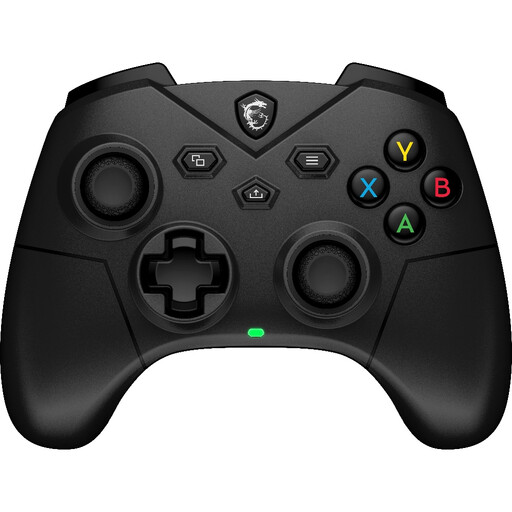
MSI FORCE GC300 W Controller
Consider this if you can use a conventional controller and want to change assignments for particular actions; the described controls remain integrated rather than separately positioned.
View on Joybuy
 No image available
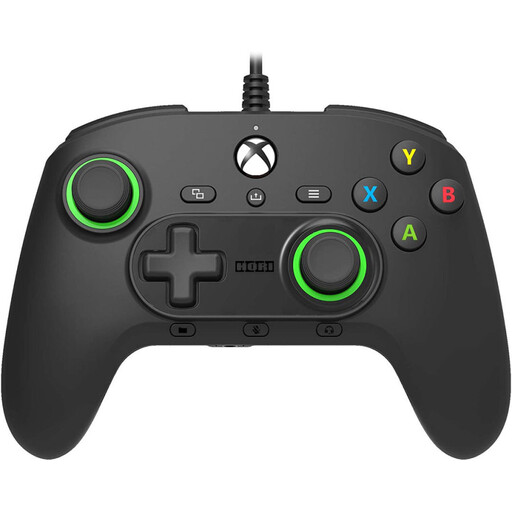
HORI Horipad Pro Designed Controller (Xbox Series X/Xbox One S)
Consider this if you can use a conventional Xbox controller and need to reassign some shoulder-control actions; the described controls remain integrated rather than separately positioned. The product name identifies Xbox Series X and Xbox One S.
View on Joybuy
 No image available
Sony DualSense Edge PS5 Wireless Controller, White
Consider this if you can use a conventional controller and need to adjust some controls while retaining an integrated layout; it does not provide separately positioned switches or joysticks. The product name identifies a PS5 wireless controller in white.
View on Joybuy
Frequently asked questions
When is specialist assessment worth pursuing?
Consider asking about an individual assessment or trial if you are unsure which movements you can use reliably, need several input positions or cannot establish a workable layout for your games. SpecialEffect says its team may consider your abilities, games, environment, existing technology and mounting; that does not mean one setup will suit everyone.
Will any switch with a 3.5 mm plug work with an adaptive controller?
No: a 3.5 mm plug alone does not establish compatibility. Xbox distinguishes digital switches from analogue inputs, while PlayStation documents compatible accessories for Access expansion ports. Check the particular accessory's signal and connector against the controller input before buying.
How should I check a mounted controller's position?
Check the fitting and the complete arrangement in the place where you play. PlayStation documents tripod and AMPS mounting methods for Access, but a compatible fitting does not by itself establish that the whole mount will be secure or comfortable in your setup.
Can I return an unsuitable controller bought online in the UK?
For eligible distance purchases, GOV.UK says you can tell the seller you want to cancel within 14 days of receiving the item and then have another 14 days to return it. GOV.UK lists custom-made goods among exceptions to change-of-mind refunds, so check the status of a personalised order before buying; rights for faulty goods are distinct.
Does disability automatically make an adaptive gaming purchase VAT-free?
No. HM Revenue & Customs says VAT relief applies to a limited range of qualifying goods and that the supplier is responsible for checking whether goods qualify. Ask the supplier about the specific item and buyer rather than assuming the product name establishes eligibility.


