Who these control options may suit

Players building a switch-and-joystick setup

If standard controls are difficult to use, you may need to match your chosen switches or joystick to the host controller, connection, mounting position and platform. SpecialEffect notes that the platform affects which controller setup is appropriate.

Players who can use a modified gamepad

If a gamepad shape remains workable but button positions or assignments do not, compare remapping settings and alternative button layouts. PlayStation and Nintendo document platform-specific button-mapping options.

Players who need sensory access

If vision or hearing affects how you play, consider platform settings alongside the accessibility features in the particular games you want to use. Nintendo UK and RNIB distinguish platform options from access within individual games.

What to check before choosing

Concern What to check when buying Who this matters to
Platform and game compatibility Check the exact console generation or operating system, connection method and game inputs. For cloud play, check the host device and service too; Xbox Support’s Windows and smart-TV guidance covers different setups. If I am choosing controls for a particular game and device, I need the whole connection to work together. Around 28% of consumers put platform and game compatibility first.
External switches and joysticks Match the accessory to the interface’s specified port and supported device type. PlayStation says not every external device works with Access; the Flex Controller specifies monaural switch plugs and approved joysticks. When standard inputs do not give me usable controls, I need switches or joysticks that fit the interface and the actions in my games. Around 22% of consumers prioritise external-input compatibility.
Reach, effort and placement Consider whether a gamepad’s buttons are reachable and workable for you; check mounting patterns and the stability of any separate setup. Microsoft, PlayStation and the Flex Controller developer specify different connection or mounting arrangements. If I need controls within reach from my playing position, the shape, activation and placement matter as much as a device’s connection. Around 22% of consumers prioritise reach, effort and stable positioning.
Sensory access alongside controls Check platform settings and the intended games separately. Nintendo UK notes that some settings do not carry into gameplay, while RNIB highlights that game access depends on the features available. If I need readable, audible or captioned access as well as workable controls, I need to check the games I plan to play, not just the console menus. Around 17% of consumers put sensory access first.
Whole-setup cost and after-sales route Check which switches, joysticks and mounts are included or sold separately, and identify the seller’s terms for each component. Microsoft says external devices are required for Xbox Adaptive Controller gameplay and sold separately. If I need a complete working setup, I want to account for every required input and its after-sales route before deciding. Around 11% of consumers prioritise the overall setup cost.

Buying pitfalls to avoid

  • Assuming the Xbox Adaptive Controller is a complete switch setup

    Microsoft says external devices are required for gameplay and sold separately, so the base controller alone may not provide the inputs you need.

    List the actions your games require, then identify and check every compatible input and any positioning accessories before choosing the base controller.

    You may need to obtain the external controls and positioning accessories separately.

  • Treating a shared plug or the word “adaptive” as proof of compatibility

    PlayStation cautions that not every device works with Access, and the Flex Controller specifies particular switch plugs and approved joysticks. A matching plug alone does not establish that an accessory will work.

    Check the host’s input specifications and the accessory’s exact model, connection and function before buying.

  • Assuming accessible console menus make every game accessible

    Platform narration, captions or display settings are separate from the accessibility features offered within a game.

    Check both the platform settings and the specific games you intend to play before settling on a setup.

  • Confusing similarly named Lite SE variants

    8BitDo lists different compatibility for the original Lite SE and the Lite SE 2.4G Wireless Controller for Xbox.

    Match the complete variant name and its published compatibility to your device.

Relevant brands and product lines

Microsoft Xbox

The Xbox Adaptive Controller is an external-input interface for Xbox Series X|S, Xbox One and supported Windows devices.

  • Xbox Support lists its supported devices and connection guidance.
  • Microsoft says external devices are needed for gameplay and sold separately; check that each planned input is compatible.

PlayStation

Access offers configurable inputs for PS5, while DualSense and DualSense Edge provide different button-remapping options for conventional gamepad setups.

  • PlayStation documents four expansion ports and AMPS-pattern placement for Access.
  • Access works only with PS5; its USB port does not support USB third-party accessories, and PlayStation warns that not every external device works.

HORI / Flex Controller

The Flex Controller is a switch-and-joystick interface specified for original Nintendo Switch in TV mode and Windows 10 or 11.

  • The developer specifies 3.5 mm monaural switch plugs, approved USB joysticks and a 1/4-inch mounting hole.
  • Those specifications do not establish Switch 2 compatibility; check the exact platform and accessories before choosing.

8BitDo

Its Lite SE variants offer face-accessible, lower-resistance gamepad controls for different platform groups.

  • 8BitDo lists the original Lite SE for Switch and Switch 2, and the separately named Lite SE 2.4G Wireless Controller for Xbox for Xbox and Windows.
  • A lower-force description does not establish whether an individual player can operate the controls; check the exact variant and try its layout where possible.

Logitech G

Adaptive Gaming Kits provide additional buttons and triggers for named host controllers: the Xbox Adaptive Controller or the PS5 Access controller.

  • The kits are designed for their respective host-controller setups.
  • Logitech states that the host controller is sold separately, so check what is included in the kit you are considering.

Joybuy gamepad options

These Joybuy listings are conventional gamepads with remapping or rear controls. Check each model’s listed platform before choosing; these options are not adaptive switch interfaces.
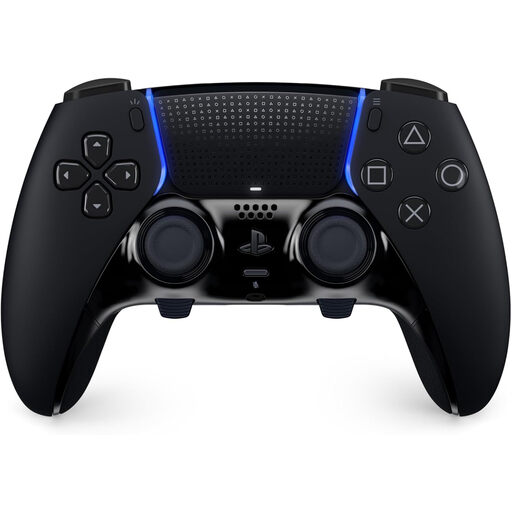
Sony DualSense Edge PS5 Wireless Controller - Midnight Black

Sony DualSense Edge PS5 Wireless Controller - Midnight Black

For PS5 play where assigning commands to different controls may help, this controller’s two interchangeable back buttons can be mapped to other button inputs.

PlayStation documents custom control profiles for DualSense Edge.

View on Joybuy
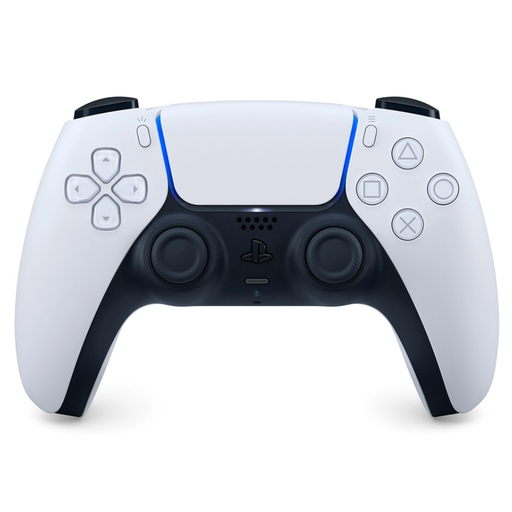
Sony DualSense PS5 Wireless Controller - White

Sony DualSense PS5 Wireless Controller - White

For a conventional PS5 gamepad setup where different button assignments may help, PlayStation documents custom button assignments for the DualSense Wireless Controller.

Check whether the standard controller layout is workable for the movements and reach you need.

View on Joybuy
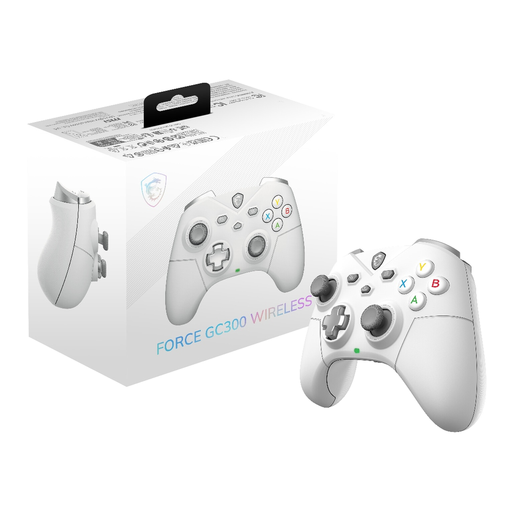
MSI FORCE GC300 W WHITE Controller

MSI FORCE GC300 W WHITE Controller

For play where rear controls may make commands easier to reach, the listing describes two remappable rear buttons.

The listing specifies USB-C wired, Bluetooth and 2.4 GHz wireless connections, and compatibility with Windows 10 and later and Android 8 and later.

View on Joybuy
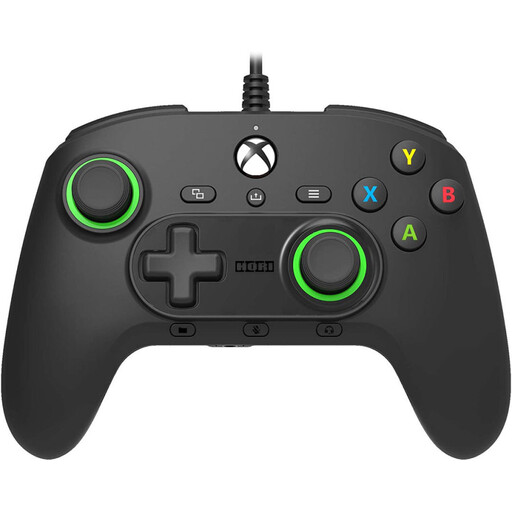
HORI Horipad Pro Designed Controller for Xbox Series X and Xbox One

HORI Horipad Pro Designed Controller (Xbox Series X/ Xbox One S)

For Xbox or Windows play where reassigned buttons or control profiles may help, the listing describes button remapping and configurable profiles.

The listing specifies USB wired use and compatibility with Xbox Series X|S, Xbox One and Windows 10 or 11.

View on Joybuy
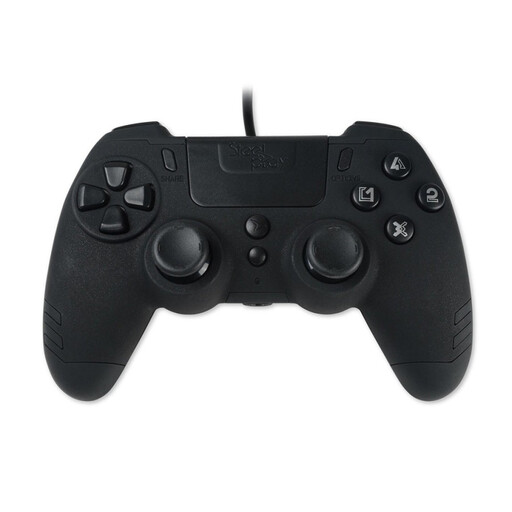
LEXIP SteelPlay Slim Pack Wired Controller - Ebony Black

LEXIP SteelPlay Slim Pack Wired Controller - Ebony Black

For PS4, PS3 or PC play where assigning commands to rear controls may help, the listing describes four programmable rear paddles.

The listing specifies a 3-metre wired USB connection and compatibility with PS4, PS3 and PC.

View on Joybuy

Accessible gaming controls FAQs

What should I map out before choosing switches?

List the actions your games require, then identify which movements, positions and inputs you can use reliably. Match each required action to a control, and check the interface’s switch and joystick specifications before choosing mounts or cables.

Can I plug a USB joystick into the PS5 Access controller?

Not as a USB third-party accessory through its USB port: PlayStation says that port charges and updates the controller. Its expansion inputs accept compatible 3.5 mm devices, but PlayStation cautions that not all devices work.

Will Switch button remapping follow my controller to another console?

No. Nintendo says supported-controller button mappings are saved on the console, not the controller. Check Nintendo’s list of eligible controllers and remappable buttons for the console you use.

Does a controller that works on Windows necessarily work with cloud gaming on a smart TV?

No; Windows compatibility alone does not establish that a controller will work through a particular TV, service or game. Check the service app and controller connection for the TV, as well as the game’s input support; Xbox’s Windows and smart-TV guidance describes different host setups.

What UK after-sales protections apply if gaming-control hardware is faulty?

GOV.UK guidance says goods that are faulty, not as described or do not do what they are supposed to do carry refund or remedy rights. For qualifying distance purchases, consumers can generally notify the seller that they want to cancel within 14 days of receiving the goods; exceptions and conditions apply. Check the seller’s warranty separately, as it does not replace statutory rights.