What to consider before buying
Name the task barrier, try the relevant access method with real materials, then check any assessment or funding route before committing to equipment.
| Concern |
What to check when buying |
Who this matters to |
| Reading and navigation |
Try a representative document, browser task and essential application. Check operating-system fit and any braille-display requirement. |
If I need spoken screen information or another way to navigate course or work materials, I want to test the actual documents and controls I use. Consumers who put reading and navigation first account for about 22% of consumers in this setup scenario. |
| Speech input and control |
Check operating-system version, supported language, microphone access and the writing or navigation tasks you need. |
If speaking is a workable alternative to typing or pointer use, I need to know whether I can dictate, control applications, or do both. Consumers who prioritise speech writing or computer control account for about 22% of consumers in this setup scenario. |
| Physical input |
Trial key reach, identification, repeated-character behaviour and shortcuts. Confirm the exact layout, connection and accessory fit. |
If conventional keys or controls are difficult to use, I want to test an alternative layout against my usual tasks rather than rely on a general product description. Consumers whose main priority is physical input account for about 21% of consumers in this setup scenario. |
| Organisation |
Try creating a task, setting a reminder and dividing work into steps using your preferred reading and input methods. |
If remembering deadlines is the main difficulty, I want an organiser I can use to find and complete tasks without changing how I access the device. Consumers who put task and deadline organisation first account for about 14% of consumers in this setup scenario. |
| Assessment and funding |
For work, discuss adjustments and the relevant support service. For study, identify your funding body and assessment route before committing. |
If I need equipment for work or higher-education study, I want to understand the assessment and support process before choosing what to buy. Consumers who prioritise assessment or funding arrangements account for about 21% of consumers in this setup scenario. |
Joybuy keyboards for physical input tasks
The products below are keyboards for general computer input. Their listed formats and connections do not establish specialist accessibility features or an individual access outcome; check the layout and workflow against your task before buying.
 No image available
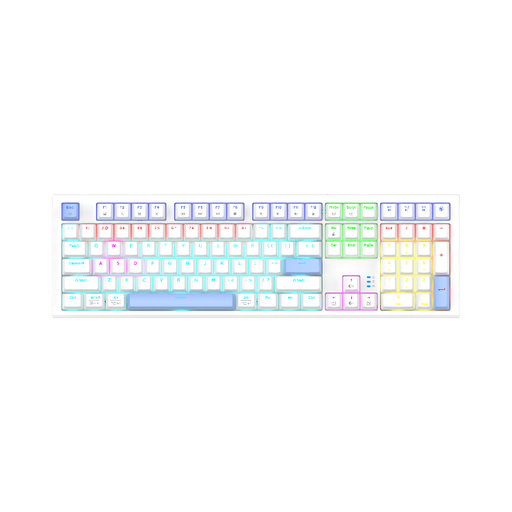
ochama J104 Full-size RGB Wired Mechanical Keyboard, US QWERTY, White
For study or work tasks requiring keyboard entry, check whether the US QWERTY layout suits your usual typing and shortcuts.
104-key, full-size format; USB-A connection; US QWERTY layout.
Joybuy
 No image available
Razer Huntsman V3 Pro Mini 60% Keyboard
For keyboard-entry tasks where a compact layout is being considered, check whether the key arrangement fits your regular applications.
The 60% layout uses a modifier key for arrow-key access.
Joybuy
 No image available
AULA Hero 68 60% Keyboard, Hall Effect Magnetic Switches, US Layout, White and Black
For computer tasks requiring keyboard entry, check whether the 60% layout and US key arrangement work with your usual typing and shortcuts.
Hall Effect magnetic switches; cable connection; US layout.
Joybuy
 No image available
AJAZZ AK820 MAX 75% Keyboard, German QWERTZ Layout
For typing tasks, check the German QWERTZ layout against the language and key positions you use.
75% layout; Bluetooth, 2.4GHz wireless and USB-C wired connections.
Joybuy
 No image available
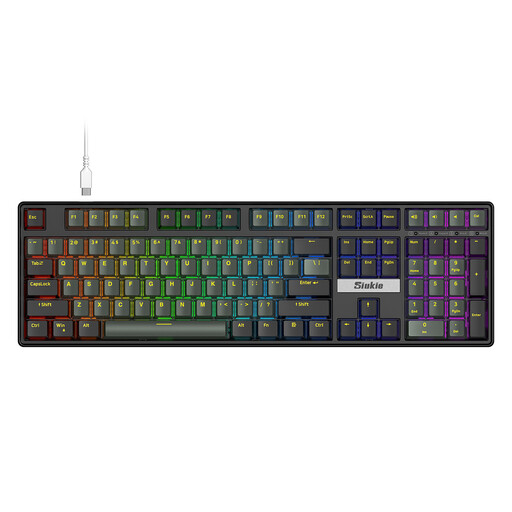
Siukie CR108 108-key Wired Mechanical Keyboard
For keyboard-based work or study entry, check whether a full-size layout with a numeric pad fits your desk and tasks.
108 keys; wired USB connection; hot-swappable switches.
Joybuy
Frequently asked questions
Must I pay personally for assistive technology needed at work?
Do not assume that you must pay personally. In Great Britain, discuss the specific adjustment with your employer and check whether the Department for Work and Pensions’ Access to Work service is relevant; Northern Ireland has its own employment guidance and Access to Work (NI) service.
Is the same Disabled Students’ Allowance process used throughout the UK?
No, the routes differ across the UK. The Student Loans Company’s 2026/27 guidance applies to England-domiciled students; Wales, Scotland and Northern Ireland have separate student-finance information and assessment arrangements. Identify your funding body before relying on advice about equipment or support.
What should I prepare for an assessment or employer discussion?
Describe the tasks you need to complete, which part of each task is difficult, and which requirements are essential. Note tools that have worked for you before. A study needs assessment is a discussion of individual support needs, not simply a product-shopping appointment.
Can Windows voice access work without an internet connection?
After setup, Microsoft describes voice access as using on-device recognition without an internet connection. Initial setup requires downloading language files. Microsoft’s documentation specifies Windows 11 version 22H2 and later and includes English–UK.
Have proposed changes to assistive-software funding in England become a confirmed rule?
The Department for Education’s consultation page says the consultation closed on 18 June 2026 and that feedback is being analysed; it does not establish an implemented outcome. Check current guidance and your individual funding decision rather than treating consultation proposals as an automatic refusal or entitlement.


