Subtitle-first viewers
If subtitles matter for the programmes you watch, check how they are enabled in each UK app as well as on the device. ITVX and Roku UK explain that controls and availability can depend on the app or service.


Start with the programmes and services you use, then check their access features on the exact device and app: device settings alone do not mean every programme or app supports subtitles or audio description. If the screen or built-in controls are the problem, a new TV may be worth considering; if the issue is limited to streaming menus or apps, an add-on may be enough. Check remote and audio-accessory compatibility separately.
If subtitles matter for the programmes you watch, check how they are enabled in each UK app as well as on the device. ITVX and Roku UK explain that controls and availability can depend on the app or service.
Check separately for spoken menus and audio-described programmes: one helps navigate an interface, while the other depends on an audio-description track being available. Ofcom and service guidance discuss these as distinct access needs.
Finding signed programmes and making a remote easier to operate are different requirements. Check the service’s programme information for signing and confirm that a simpler remote can operate the devices in your setup.
Ofcom’s research on access services and guidance from UK platforms point to a practical starting point: check the programme, service and device together, rather than relying on a single accessibility setting.
| Concern | What to check when buying | Who this matters to |
|---|---|---|
| Subtitles | Check a programme in the intended UK app and find out whether captions are controlled in the app or device settings. | If I rely on captions, I want them on the programmes and services I actually use, with a clear way to switch them on. Around 33% of consumers put subtitle availability first. |
| Audio description and spoken navigation | Check separately for a spoken menu or screen reader and an audio-description track in the intended app and programme. | I need to navigate the device and hear descriptions when a programme offers them; those are separate checks. Around 33% of consumers prioritise audio access and spoken navigation. |
| Finding signed programmes | Check whether the service identifies programmes with signing, and confirm the specific title you want to watch. | If signed programmes are my priority, I want a practical way to find them without assuming every show or app includes signing. Around 17% of consumers put finding signed viewing first. |
| Remote controls and separate listening | Check that a remote works with the TV and any set-top box; confirm whether the exact TV supports the headphone and speaker arrangement you need. | I may need simpler controls or a separate listening arrangement, and each depends on compatibility with the existing setup. Around 17% of consumers prioritise control or listening arrangements. |
Providers can control whether captions or other access services are available, and an app may use its own controls.
Before buying, check the exact UK app and a programme you expect to watch, including where its access controls are located.
A screen reader or voice guide speaks interface items; audio description depends on a track being available for the programme.
Check each function separately on the device and service you plan to use.
RNIB says the Geemarc TV5 needs a working original remote to teach it commands and may not suit set-top boxes.
Check that it operates the TV and any box, including the controls you need. Keep the working original remote available for programming.
Whether sound plays through both depends on the TV model and connection.
Check the manufacturer’s instructions for your exact TV and the listening arrangement you want.
A different connection or compatible device may be needed.
These examples describe documented features or specific product limitations, not a guarantee that every model or third-party app will work in the same way. Check the exact device and services you intend to use.
A smart-TV option to consider when replacing the screen as well as reviewing its built-in menus and accessibility settings.
An HDMI-player route for a household keeping its TV and checking spoken navigation or streaming access.
A streaming-player option to assess against the captions and controls in specific UK apps.
Sky Stream is a set-top-box route for households considering spoken guide navigation and programme access-service indicators.
The TV5 is a simpler-remote option to check when operating the controls is the main difficulty.
These are smart-TV options for households considering a screen replacement with built-in viewing and streaming features. Check the exact model, app and programme for the accessibility functions you need.
 Image unavailable
For a household replacing its TV and considering built-in live, catch-up and streaming services; check access features in each intended app.
43-inch 4K Ultra HD QLED screen; Freely and Fire TV; Alexa voice search and playback controls on the remote.
Streaming requires internet access, and some apps may require subscriptions.
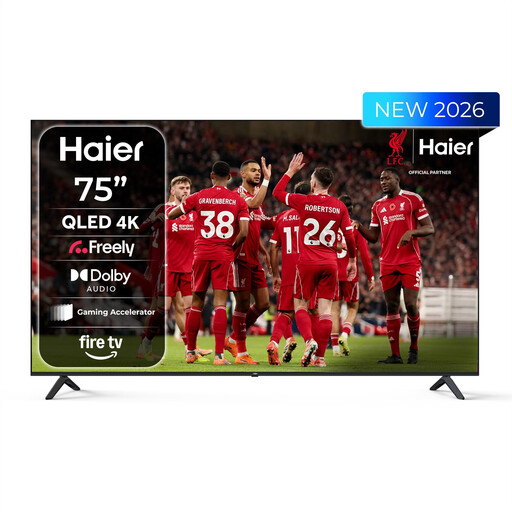 Image unavailable
For a household replacing its TV and considering built-in live, catch-up and streaming services; check access features in each intended app.
75-inch 4K Ultra HD QLED screen; Freely and Fire TV; Alexa voice search and playback controls on the remote.
Streaming requires internet access, and some apps may require subscriptions.
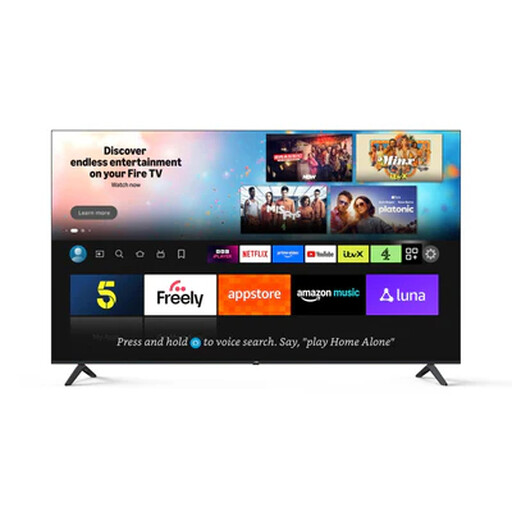 Image unavailable
For a household replacing its TV and considering built-in live, catch-up and streaming services; check access features in each intended app.
65-inch 4K Ultra HD QLED screen; Freely and Fire TV; Alexa voice search and playback controls on the remote.
Streaming requires internet access, and some apps may require subscriptions.
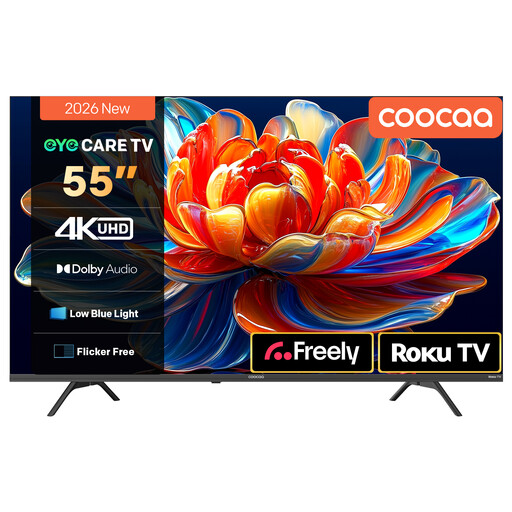 Image unavailable
For a household replacing its TV with an integrated streaming interface; check captions and other access controls in the specific apps you use.
55-inch 4K HDR screen with Roku TV. The product description says voice assistants can be used through a smart device.
Streaming is described as operating through Wi-Fi.
 Image unavailable
For a household replacing its TV and considering built-in streaming apps; verify access features on the services and programmes you intend to watch.
50-inch 4K HDR screen, Tizen platform and three HDMI connections. The listed apps include BBC iPlayer, Disney+, Netflix and Prime Video.
Setup instructions specify a Wi-Fi connection and signing in to an account for the Tizen platform.
No. Roku says captions are available only when the service provides them, and some apps use their own settings. ITVX says subtitles on Roku sticks are controlled through device settings rather than within the ITVX app. Check a programme you intend to watch.
No. Voice Guidance or a screen reader speaks interface items, while a programme’s audio-description track narrates action when available. Check both functions separately on the device and service you plan to use.
On Sky Stream, the guide can highlight programmes identified as having sign language available. Check the specific programme and service; the indicator does not mean all content is signed.
Check that the player works with your TV and intended apps, then try the apps’ access controls. RNIB says the Geemarc TV5 needs a working original remote to teach it commands and may not suit set-top boxes.
Only if the exact TV model and connection support simultaneous output. Sony’s guidance lists supported and unsupported arrangements, so check the manufacturer’s instructions for your model before choosing an audio accessory.