Buying priorities
Start with the access service or control task that matters most, then confirm it on the exact device, app and programme combination you expect to use.
| Priority |
What to check |
Your needs |
| Access services |
Check subtitles, audio description and signing on the exact service, device platform and programme. Look for relevant labels before playback, including CC, SDH, AD or BSL where used. |
I need the programmes and services I actually watch to provide the required access service, not simply an option in the device menu. |
| Spoken navigation |
Confirm that the exact platform documents a screen reader or spoken-menu feature. Check the remote shortcut and whether speech, contrast or magnification settings can be adjusted. |
I want to find content and change settings without memorising complex menus or depending on someone else to read the screen. |
| Simple controls |
Check button size, contrast and the functions available. For a universal or learning remote, confirm compatible devices and whether the original remote is needed during setup. |
Essential actions such as power, volume, channels and playback need to be easier to locate and use across my equipment. |
| Private listening |
Verify Bluetooth audio support on the exact TV or streamer, the number of simultaneous audio devices and what happens to TV audio after pairing. |
I need headphones or a personal audio accessory to work with the selected setup without losing the controls or household audio arrangement I rely on. |
Joybuy product options
Joybuy options for adding streaming controls or compatible audio output to an accessible TV and streaming setup.
 Image unavailable
Roku Streaming Stick 4KPlus
A streaming-device option for an existing HDMI TV where fewer remote-control steps and private listening are priorities.
The listed Voice Remote Pro supports voice search, TV power and volume control, a remote finder and headphone audio through the remote. Check essential UK apps and programmes for the subtitles, audio description or signing you need, and confirm screen-reader suitability for this UK model.
View on Joybuy
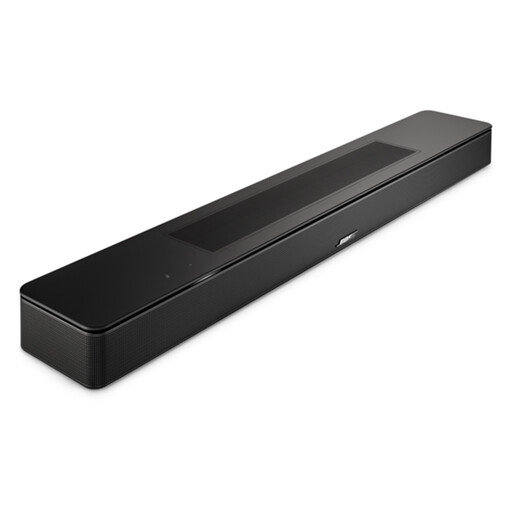 Image unavailable
BOSE Smart Compact Sound Bar
An audio-output accessory route for households prioritising clearer dialogue or compatible personal listening while keeping their current TV interface.
The listing states A.I. Dialogue Mode, HDMI eARC, optical input, HDMI CEC remote synchronisation, Alexa control and Bose SimpleSync compatibility. Confirm that the TV has HDMI eARC or a suitable optical output, and check compatibility with the specific Bose headphones required.
View on Joybuy
 Image unavailable
Roku Streaming Stick 4K Doly Vision
A compact streaming option for adding a voice-controlled streaming interface to an existing TV with an HDMI port.
The included voice remote is stated to search, control playback and manage TV power and volume. Confirm support for the required UK streaming apps, programme-level access services and any spoken-menu or private-listening features before purchase.
View on Joybuy
Frequently asked questions
Will captions in the TV settings guarantee subtitles in every streaming app?
No. Google TV says caption preferences might not apply to certain apps, and ITVX uses platform-specific subtitle handling on some devices. Check your essential app on the device you intend to use before committing.
Does an audio-description setting guarantee that every programme has audio description?
No. Audio description depends on the service, platform and programme. Samsung says broadcast audio description is available only where the programme supports it, while Channel 4 limits audio description to specified platforms and eligible programmes.
Can a streaming device make an older TV easier to use?
Potentially. A separate streaming device can provide its own interface, such as Apple VoiceOver, Fire TV VoiceView or Google TV TalkBack, while the existing TV acts as the display. You still need an available HDMI input, a usable remote and support for your required UK streaming apps.
Can a large-button universal remote replace every remote?
Not necessarily. Large-button remotes vary in the equipment and functions they support. RNIB states that the Geemarc TV10 can be programmed for TVs, TV receivers and VCRs but not smart TVs, and it needs the original remote to learn commands.
What should I check before buying Bluetooth headphones for TV viewing?
Confirm that the exact TV or streaming device supports Bluetooth audio, whether it allows the required number of audio devices and whether the chosen headphones pair successfully. Google TV allows one connected audio device at a time, and Samsung advises checking model-specific TV and headphone compatibility.


