Viewers who need a talking TV guide
You want to find channels and upcoming broadcast programmes without relying on on-screen text, so spoken guide information and manageable controls matter more than picture specifications.


Choose around the programmes and controls you actually use: for broadcast listings, check spoken navigation on the exact TV or compatible Freeview Play device; for an otherwise usable TV, a streaming device may offer a separate spoken interface for apps. Test the specific app and programme audio-description track as well as the device menus, because screen readers and voice remotes do not make every app, programme or broadcast guide accessible.
You want to find channels and upcoming broadcast programmes without relying on on-screen text, so spoken guide information and manageable controls matter more than picture specifications.
You use catch-up or subscription apps and need to hear menus and find programmes with audio description. Check the specific app and title, not just the device’s accessibility features.
You can use some vision but need larger text, stronger contrast or magnification to find and control programmes.
Start with the task that is hardest now—finding broadcast listings, navigating a streaming app or reading the screen—then check whether the remote and setup suit the viewer too.
RNIB, Freeview and Ofcom guidance distinguish accessible programme guides from other TV menus and streaming apps, so test those tasks separately on the device you are considering.
| Concern | What to check when buying | Who this matters to |
|---|---|---|
| Spoken broadcast listings | Check that speech covers the channels and programme information you need on the exact device. Freeview’s Channel 555 text-to-speech compatibility is device-specific; it does not establish that all TV menus speak. | If I rely on broadcast listings, I need channel names and programme details spoken aloud, not just a screen reader in an app. Around 28% of consumers put spoken broadcast navigation first. |
| Streaming apps and audio description | Try the services and titles you use. Check screen-reader navigation and whether the chosen programme has an audio-description track that can be selected. | When I watch catch-up or subscription programmes, I need to navigate the app and find audio description on the title itself. About 22% of consumers prioritise accessible streaming and audio description. |
| Magnification and contrast | Test the guide, settings and app screens at your usual viewing distance. Check which screens the device’s magnification or contrast settings affect. | If I use some vision, larger text or clearer contrast may make listings easier to read. Roughly 22% of consumers put readable on-screen controls first. |
| Remote control | Check the supplied remote’s buttons, voice-search functions and spoken feedback. Confirm whether any required voice remote is included or sold separately. | When button navigation is difficult, I need a remote I can identify and use, with voice functions that support the commands I need. Around 17% of consumers prioritise manageable remote control. |
| Setup and complete arrangement | Check who can enable accessibility settings initially, whether an add-on needs a free HDMI input and power, and which controls are included. | If I want to keep a usable TV, I need to know whether an add-on can be set up with its available connections and controls. About 11% of consumers put manageable setup and the overall arrangement first. |
Freeview distinguishes Channel 555 text-to-speech compatibility from guide availability, while RNIB has documented difficulties with screen-reader access in some apps. A feature in one part of the system does not establish access everywhere.
Test the TV’s normal settings, the broadcast guide and each essential app as separate tasks on the model you plan to use.
A screen reader can help with supported menus and controls, but it cannot provide an audio-description track that a programme does not offer.
Find a title you want to watch and check whether its audio-description track is available and selectable.
Voice search is not the same as spoken feedback for results, settings or audio-description availability. LG says voice control on the 32LQ63006LA requires a separately sold Magic Remote.
Check the supplied controls and demonstrate voice search, result selection and physical-button identification on the exact setup.
A streaming device has its own interface, but it does not by itself provide standard broadcast TV or make the TV’s broadcast guide accessible.
If the screen and broadcast controls already work for you, check whether a compatible add-on suits your apps. If the broadcast guide is the problem, assess the TV or broadcast device’s guide separately.
A range to examine if you want spoken TV information alongside visual-access settings.
BRAVIA Google TV models may be worth checking if TalkBack and text magnification fit the viewer’s preferred navigation.
Consider webOS models when comparing spoken TV menus with broadcast-guide access.
Apple TV 4K is a separate streaming-player route for viewers willing to learn its VoiceOver controls.
These listings are smart TVs with named voice remotes and TV or streaming features. Treat voice search as a feature to check, not proof that menus, broadcast guides or apps provide spoken navigation.
 No image available
A named voice remote may help with searches, but check whether the TV also speaks the menus and guide you use.
The listing names Freely, Fire TV and an Alexa Voice Remote, along with HDR10 and Dolby Audio.
 No image available
Check the exact menus, broadcast guide and apps for spoken access; a voice remote alone does not confirm support for those tasks.
The listing names Freely, Fire TV, an Alexa Voice Remote, HDR10+ and Dolby Audio.
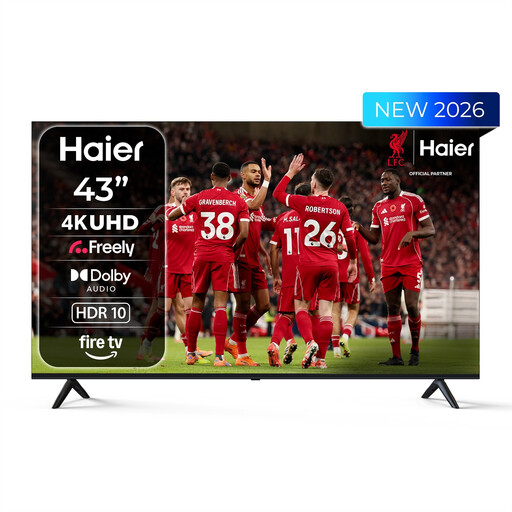 No image available
Consider it only after checking whether the controls and the specific guide or apps you rely on offer the spoken access you need.
The listing names Freely, Fire TV, an Alexa Voice Remote, HDR10 and Dolby Audio.
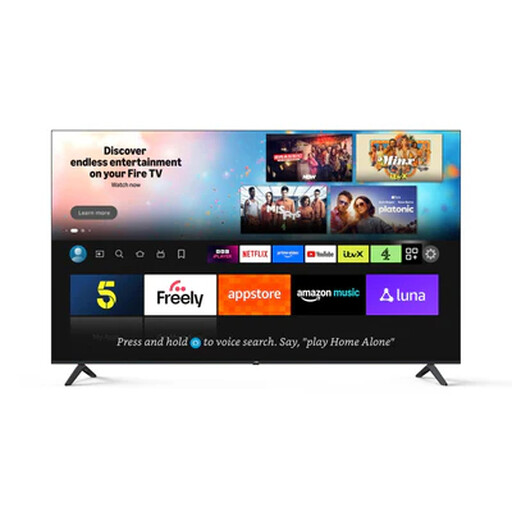 No image available
Check that the screen, spoken controls and app navigation suit the viewer; the named voice remote does not establish accessibility across every screen.
The listing names Freely, Fire TV, an Alexa Voice Remote, HDR10+ and Dolby Audio.
 No image available
Check spoken menus, guide access and the apps you use on the exact TV; smart features alone do not confirm screen-reader support.
The listing names Freely, TiVo OS, HDR10 and Dolby Audio.
No. Audio description narrates visual action in a programme when its AD track is available; Voice Guide, TalkBack or VoiceOver is used to navigate supported screens. Check the two functions separately.
Check Freeview’s text-to-speech compatibility information for your Freeview Play TV or box, connect it to the internet and open Channel 555. RNIB notes that initial activation of accessibility settings may require sighted assistance.
Not by itself. RNIB distinguishes streaming devices for on-demand apps from devices that show standard broadcast TV, so assess the TV’s or broadcast box’s own guide separately.
No. Availability depends on the programme and service, and can also vary by viewing platform. RNIB’s 2024 media overview described fragmented audio-description delivery across devices; check the apps and titles you intend to use rather than treating that dated overview as a current verdict on every service.
No. Voice search and spoken feedback for menus or programme listings are separate functions. Check the exact model and remote, and try the tasks the viewer needs before choosing.