Choose a smartphone if calls, messages and information need to travel with you; consider a tablet if a larger display matters more and you can confirm how it will connect away from Wi-Fi. Test the exact device with the accessibility settings, apps and input accessories you need. For complex communication or access needs, Communication Matters recommends an individual augmentative and alternative communication (AAC) assessment rather than choosing hardware alone.
Who is this choice for?
Start with the activities a person needs to complete, then try the access method on the device they would actually use.
People with sight loss
RNIB advises considering how phones and tablets work for blind and partially sighted users. Try reading messages, navigating essential apps and adjusting spoken feedback or display settings on the exact device. A tablet’s larger screen may help when a smaller display is difficult to see, but its connection away from home needs checking.
People who find touch or typing difficult
Check whether the intended device supports a usable way to open apps, enter text and move through menus. AbilityNet describes Apple’s Assistive Access as an option for larger controls and fewer displayed apps; Google documents switch access on Android. Availability and the complete task workflow still need checking on the chosen device and software version.
People who use or may need AAC
A phone or tablet may form part of an AAC system, but the device is only one decision. Communication Matters says individual assessment should consider communication goals, settings, vocabulary, training and access methods such as a keyboard, switch or eye gaze.
What should you check before choosing?
Decide where communication happens and how the device must be controlled before comparing screen sizes or choosing an accessory.
| Priority | What to check | Your needs |
|---|
| Reading and navigation |
Try spoken feedback, text size and contrast in the essential apps. Check whether the preferred settings work on the exact device. |
I need to read messages and find my way through apps using a method that works for my vision. Google describes TalkBack as spoken feedback for Android devices; that does not establish how a particular model or app will behave. |
| Use away from Wi-Fi |
Check calls, messaging and the connection needed while travelling. For a tablet, confirm whether the chosen variant has cellular capability. |
Will I need directions or communication while out, or will I mainly use a larger display where Wi-Fi is available? RNIB notes that tablets have larger screens than smartphones but that most tablets do not have mobile data. |
| Control and text entry |
Try opening apps, answering calls and entering text with the intended controls. Check the accessory connection and operating-system version together. |
Small touch targets or gestures may make everyday actions difficult for me. If I use an external switch or keyboard with Android Switch Access, Google says I may need to re-enable the on-screen keyboard to enter text. |
| Communication system |
For AAC, consider where and with whom it will be used, the vocabulary needed, the access method and training. |
I need communication to work across the places and conversations that matter, not merely an app that opens. Communication Matters recommends individual AAC assessment and careful selection of vocabulary and access methods. |
What can go wrong when choosing?
-
Choosing by feature name instead of completing a task
A screen reader or larger controls may be available while an essential app or step remains difficult to use.
Try the person’s usual way of making calls, sending messages, reading, signing in and charging on the intended device.
-
Assuming a tablet connects like a smartphone
RNIB notes that most tablets do not have mobile data. A larger screen will not answer the need for information away from Wi-Fi unless the chosen setup can connect there.
If travel matters, check the tablet’s cellular variant and connection arrangements before choosing it over a smartphone.
-
Treating AAC as a hardware purchase alone
Communication Matters says AAC selection involves the user’s environment, vocabulary, access method and training. A device that runs an app may still be the wrong starting point for complex needs.
Seek an AAC assessment that considers how, where and with whom the person needs to communicate before committing to a system.
-
Assuming a feature works across every model
Samsung says the availability of some mobile accessibility features varies by model specification. An operating-system or brand name alone cannot confirm an accessory-and-app workflow.
Check the exact device variant, software version, required app and accessory together, then try the intended tasks where possible.
Which brands and support routes are relevant?
These references describe different accessibility and support approaches; each still calls for an exact-device check.
Apple
An iPhone or iPad may suit someone who wants to explore Apple’s built-in accessibility features.
- Apple lists VoiceOver, Voice Control and Accessibility Reader among its features.
- Check the required apps and accessories on the chosen model and software version; the feature list does not confirm a complete personal workflow.
Samsung
Galaxy devices offer a route for considering Samsung’s mobile accessibility settings alongside Android services.
- Samsung describes TalkBack and display and keyboard accessibility options for Galaxy mobile devices.
- Samsung says feature availability can vary by model specification, so confirm the required settings on the exact device.
Synapptic
A specialist software-and-support route to consider for someone with sight loss who wants help using a phone or tablet.
- Synapptic says it offers sight-loss-focused software and UK-based technical support.
- Check the device, installed software, support terms and suitability of the interface for the intended user.
Joybuy phones to consider
These phone options relate to portable everyday communication: two Android smartphones and a Nokia phone to consider for basic calling needs. Check each against the access method and tasks you identified; this selection does not cover tablets or specialist AAC systems.
 No image available
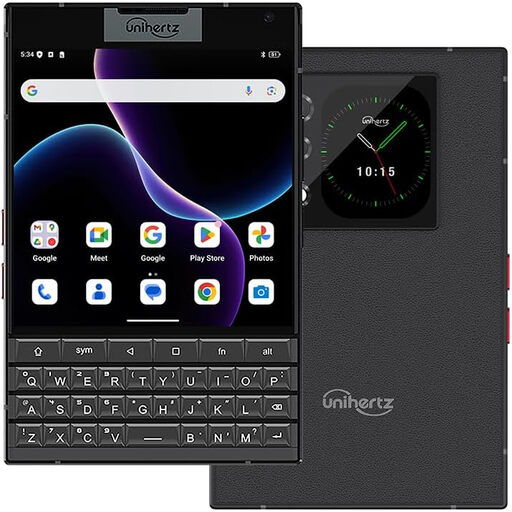
Unihertz Titan 2 5G, QWERTY keyboard, 12 GB/512 GB, black
Consider this Android 15 smartphone if you want to try physical keys for portable text entry. Its name specifies a QWERTY keyboard, dual SIM, 12 GB RAM and 512 GB storage; test the keyboard with your intended apps and access method, and confirm any required spoken feedback or accessories on this exact model.
Joybuy
 No image available
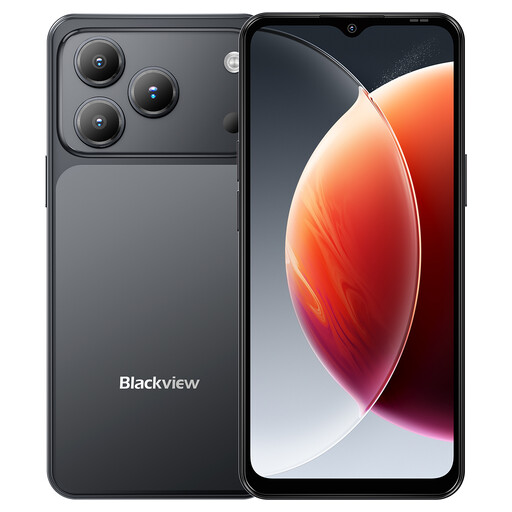
Blackview Wave 7C Android 16, 6.56-inch display, black
This 4G dual-SIM smartphone is an option to try if you want a 6.56-inch phone display for daily messages and reading. The name specifies a 6.56-inch display and 128 GB storage; display size alone does not establish usable text, contrast or touch controls, so try the preferred settings and essential apps on the exact model.
Joybuy
 No image available
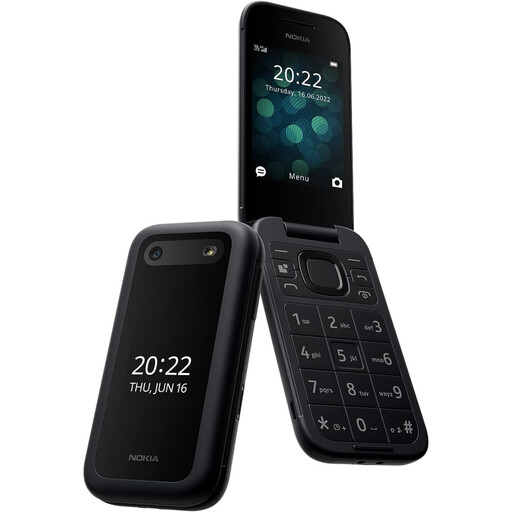
Nokia 2660 TA-1469
Consider this phone if basic calls and texts are the main tasks, then try its controls with the intended user. Before choosing it for anything more, confirm the required apps, spoken-feedback functions and accessory compatibility.
Joybuy
Frequently asked questions
Should I choose a smartphone or a tablet for daily communication?
Choose a smartphone if calls and information need to be available while you are out; consider a tablet if its larger display better suits reading or touch interaction. RNIB notes that most tablets do not have mobile data, so confirm connectivity on the exact tablet if it must work away from Wi-Fi.
Can I use an Android device without seeing its screen?
Google describes TalkBack as providing spoken feedback for navigating Android devices. Try the intended phone or tablet with the required apps and gestures before relying on that feature for everyday tasks.
What should I check before using a switch or keyboard with Android?
Confirm the connection method, Android version and text-entry steps on the exact device. Google notes that connecting an external switch or keyboard with Switch Access hides the on-screen keyboard, which may need to be re-enabled for text entry.
When should I seek an AAC assessment instead of choosing a device myself?
Seek an individual AAC assessment when communication or access needs are complex and a suitable system cannot be chosen by checking hardware alone. Communication Matters says assessment considers where and how the person communicates, vocabulary and an efficient access method, such as a keyboard, switch or eye gaze.


