Hands-free point-of-view paddlers
If you want a forward-facing record with little editing afterwards, a conventional action camera fits that workflow. Check the mount, fitted lens and water rating for the setup you intend to use.


Choose a conventional action camera if you want a forward-facing view and would rather settle the framing before launching. Choose a 360 camera if recording every direction is worth the extra work of reframing footage afterwards. Whichever format you choose, check the water-use conditions for the exact camera setup, plan power for your recording mode and keep the mount clear of paddling and safety equipment.
The choice starts with whether you want to frame a fixed view before paddling or select angles after the trip; longer or wetter outings also make setup and power planning more important.
If you want a forward-facing record with little editing afterwards, a conventional action camera fits that workflow. Check the mount, fitted lens and water rating for the setup you intend to use.
A 360 camera lets you capture the paddler and surroundings, then choose the view later. That flexibility comes with reframing work and, for underwater footage, model-specific lens and stitching conditions.
If a trip involves extended recording, spray or a chance of immersion, plan power, secure closures and after-use care alongside the shot. A stated depth rating alone does not describe every exposure a camera might face.
Decide how much control you want over framing after the trip, then check whether the exact camera, lens and mount suit the water exposure you expect.
Choose it when: You want to set a forward-facing or first-person view before launching and keep editing relatively simple.
Trade-off: Activity outside that fixed view may be missed, so orientation matters before you get on the water.
Choose it when: Capturing the kayak and surroundings together matters more than deciding the final view at launch.
Trade-off: You must reframe footage afterwards; Insta360 also warns that X5 underwater 360 footage can have stitching issues without its Invisible Dive Case.
| Concern | What to check | Who this matters to |
|---|---|---|
| Water exposure | Check the rating for the fitted lens and any required case; follow the instructions for closing covers and caring for the camera after water use. | If I might capsize or repeatedly splash the camera, I need to know how my complete setup should be protected and cleaned. Around 40% of consumers put wet-use suitability first. |
| Hands-free footage | Check mount fit and placement, plus whether stabilisation works in your chosen recording mode. | I want to concentrate on paddling without continually adjusting the shot or obstructing my safety kit. For around 30% of consumers, straightforward hands-free capture is the primary need. |
| Flexible framing | Check the reframing workflow and lens protection; for underwater 360 footage, check the case guidance. | When the interesting moment could happen beside or behind me, I would rather choose the final angle later. That flexibility comes first for around 30% of consumers. |
GoPro specifies HERO13 Black with its standard lens as waterproof to 10 m, but the Ultra Wide Lens Mod configuration to 5 m; the mod is not intended for underwater use. Insta360 gives separate lens-guard and underwater-case instructions for X5.
Check the rating and water-use guidance for the exact body, lens and housing you will take kayaking.
GoPro rates HERO13 Black for more than 2.5 hours of continuous recording at 1080p30, compared with over 1.5 hours at 4K30 or 5.3K30. A duration stated for one mode should not be assumed for another.
Compare the stated recording conditions with your planned resolution, frame rate and settings, and protect any spare power you carry.
A longer recording plan can also mean carrying spare batteries, a charger or storage cards in dry storage.
A shot is not worth making communications or buoyancy equipment harder to reach. The RNLI advises paddlers to keep a means of calling for help on their person and within reach, and to wear a lifejacket or buoyancy aid.
Fit and check the mount on land, then make sure you can paddle and reach essential equipment without moving the camera.
A GoPro HERO13 Black Extended Power Bundle is not the same package as a HERO13 Black camera listing. The included equipment changes what you need to carry or obtain separately.
Confirm the model and exact contents, including batteries, charging accessories and mounts, before choosing a bundle for your trip.
These model-specific examples illustrate different recording approaches; a brand name alone does not establish the water rating or accessories of another model.
Osmo Action 5 Pro is a conventional action-camera example for paddlers comparing water-use conditions, stabilisation and storage.
HERO13 Black is a conventional action-camera example for a pre-framed view, with battery and lens choices that need checking against the intended setup.
X5 is a 360-camera example for paddlers who want to capture multiple directions and decide on framing later.
These conventional action-camera listings suit a view you frame before paddling; the bundle options also give you equipment to consider for longer outings. Check the fitted lens, included accessories and a secure kayak-compatible mount for the setup you choose.
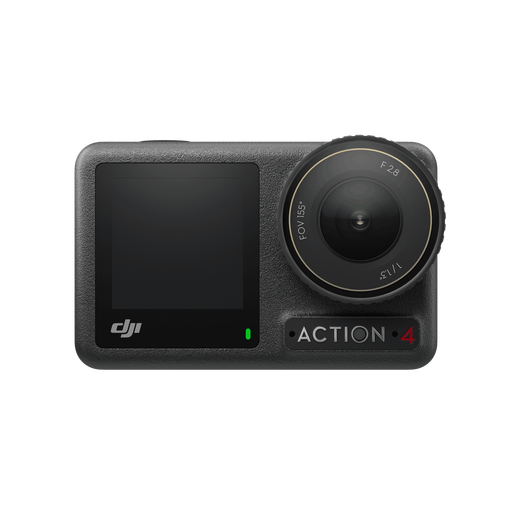 No image available
A conventional option for framing the trip before launch, with an Adventure Combo for planning a longer outing.
The listing names 4K/120fps recording, a 1/1.3-inch sensor and a 155° field of view. Check the combo contents, the exact model's water-use instructions and whether your chosen mount fits securely without obstructing paddling.
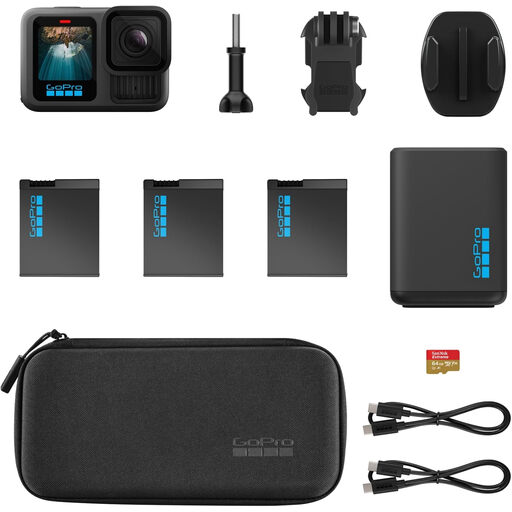 No image available
This HERO13 Black bundle is relevant if you want a fixed point-of-view shot and are planning spare power for a longer trip.
GoPro rates HERO13 Black with its standard lens as waterproof to 10 m and states over 1.5 hours of continuous recording at 4K30 or 5.3K30 under its specified conditions. Confirm the bundle contents, fitted lens and kayak-mount compatibility rather than assuming the camera-only listing includes the same equipment.
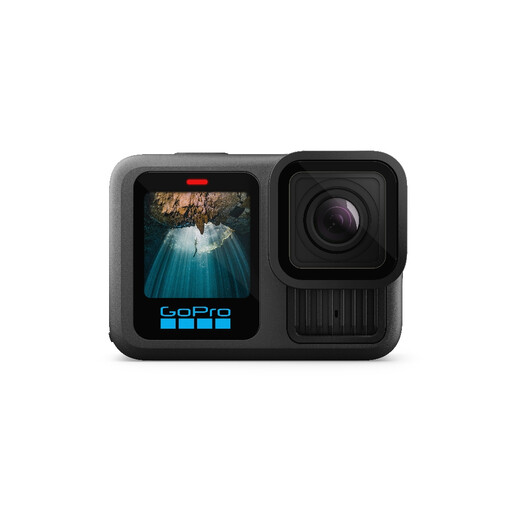 No image available
Choose a pre-framed view if you want to concentrate on paddling rather than selecting angles after the trip.
GoPro specifies a 10 m water rating for HERO13 Black with its standard lens; other lens configurations can differ. Check the exact accessories and battery included with this listing, along with a secure mount for your kayak or body.
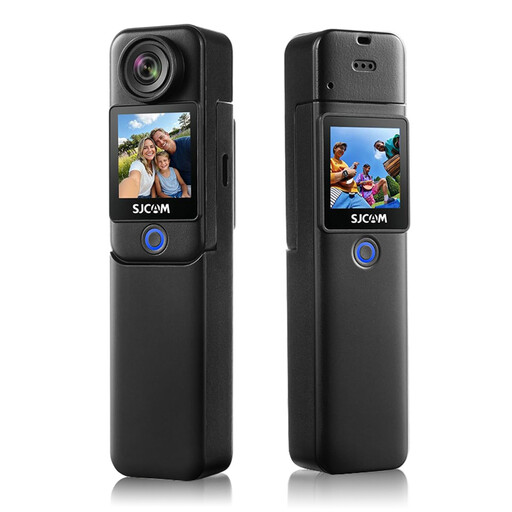 No image available
This is a fixed-view action-camera option if you are prepared to use a case for the listing's stated water protection.
The listing describes 6-axis electronic image stabilisation and a 30 m water rating with the case. Its 460-minute battery figure depends on a handle and auxiliary battery; confirm whether those components are included and which recording conditions apply. Check the case seal and mount fit before water use.
 No image available
This fixed-view option is worth considering if you can accommodate its case-based water setup and confirm the equipment needed for your recording plan.
The listing names 6-axis electronic image stabilisation, a 154° angle of view and a 30 m water rating with the case. Its 437-minute battery figure depends on a handle and auxiliary battery; check their inclusion and the recording conditions, as well as the case seal and mount fit.
No: check the rating and closure instructions for the exact camera, lens and housing configuration. DJI recommends a Waterproof Case for Osmo Action 5 Pro during prolonged underwater shooting or high water-impact pressure; GoPro gives different depth ratings for HERO13 Black with its standard lens and with the Ultra Wide Lens Mod.
Follow Insta360's X5 instructions: rinse the camera with fresh water after seawater use, soak it in fresh water for 5–10 minutes, wipe it dry and let it air-dry before removing the battery or carrying out other operations.
No. The RNLI advises wearing a lifejacket or buoyancy aid and keeping a means of calling for help on your person and within reach. Position the mount so you can paddle and access that equipment without obstruction.
Choose a card supported by the exact camera and suitable for your intended recording mode, then plan capacity around how long you expect to record. DJI lists microSD support up to 1 TB for Osmo Action 5 Pro and provides recommended U3/V30 card models; that specification should not be assumed for other cameras.